
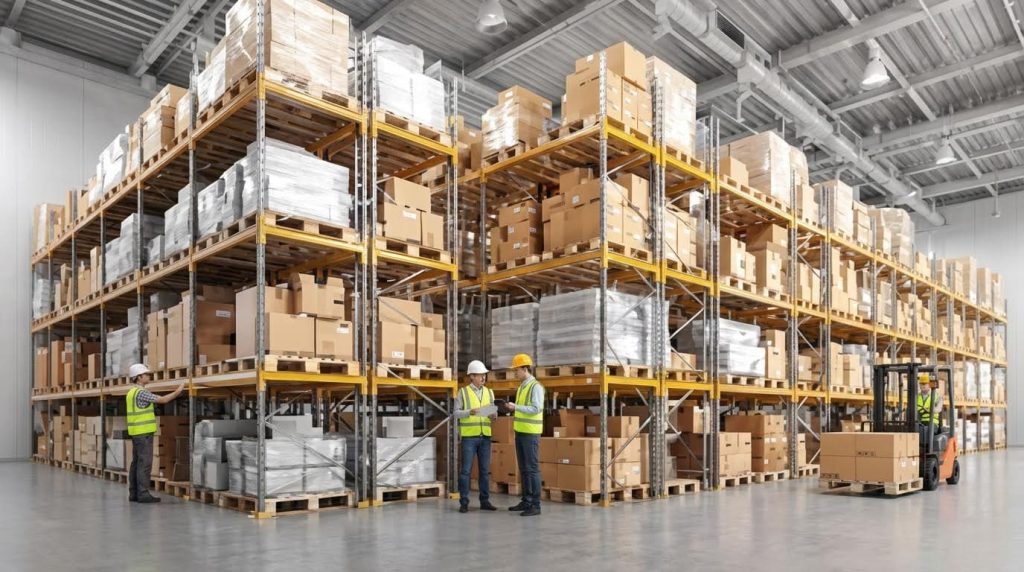
Choosing the right warehouse automation system means matching technology to your real workflows, volumes, and constraints so you gain throughput, accuracy, and safety without blowing up cost or flexibility. This guide walks you step-by-step through how to pick a warehouse automation setup that fits your operation—from defining process gaps, to comparing technologies, to engineering and financial modeling. You will see how software like WMS, mobile robots, conveyors, and storage systems interact, and how to evaluate them using hard metrics such as pick rates, error %, space utilization, and ROI. By the end, you will have a practical checklist and engineering mindset for how to pick a warehouse automation solution that scales with your business and complies with modern safety and connectivity standards.
Define Operational Needs And Automation Scope

Defining operational needs and automation scope is the first hard step in how to pick a warehouse automation system that actually works, because it links real flow problems to specific, justifiable technology investments.
Before looking at robots or software, you must describe in numbers how your warehouse runs today: order lines per hour, error %, labour hours per shift, dock congestion, and space utilisation. This becomes your baseline for any ROI or TCO model later. It also prevents “technology tourism” where teams buy AMRs or shuttles without solving the root bottleneck.
Once the current state is mapped, you then segment processes by automation readiness: what should stay manual, what needs simple mechanisation, and what truly justifies high‑capex automation. This is the practical backbone of any serious discussion about how to pick a warehouse automation design that will scale.
💡 Field Engineer’s Note: If you cannot sketch your main flows on a single A3 sheet with volumes and pain points, you are not ready to issue an automation RFP; you will just pay vendors to discover your process for you.
Map current flows and performance gaps
Mapping current flows and performance gaps means building a quantified picture of every major material and information stream so you can rank where automation will remove the most waste, risk, and labour.
In practice, this is a structured data‑gathering exercise across receiving, put‑away, replenishment, picking, packing, and shipping. The aim is not a perfect simulation model yet, but a clear “X‑ray” of how cartons, pallets, and data move through the building over a 24‑hour and 7‑day cycle.
| Flow / Metric To Capture | Typical Data Points | How To Measure | Field Impact For Automation Choice |
|---|---|---|---|
| Inbound receiving | Arrivals/day, lines/load, average unload time, % ASN usage | Time studies at docks, WMS reports, carrier schedules | High peaks and long unload times may justify dock conveyors, automated identification, or receiving workstations. |
| Put‑away & replenishment | Tasks/hour, travel distance, % late replenishments | Travel path sampling, RF logs, WMS task history | Excess travel often points to AMRs or better slotting in a WMS with advanced inventory management and slotting tools that optimise placement. |
| Picking (each & case) | Order lines/hour, error %, walk time %, picks/route | Engineered labour standards, RF logs, observation | Low productivity and high walking ratio indicate strong candidates for order picking machines, pick‑to‑light, or goods‑to‑person systems. |
| Packing & value‑add | Cartons/hour/packer, rework rate, dunnage usage | Station time studies, QC logs | Chronic backlogs may justify automated print‑and‑apply, carton erectors, or WMS‑driven packing workflows with advanced packing strategies. |
| Shipping & staging | Dock utilisation %, trailer dwell, mis‑loads/month | Yard logs, TMS/WMS data, visual checks | High dock congestion may require conveyorised sortation or better WMS–carrier integration. |
| Inventory accuracy | Cycle count accuracy %, stockouts, overstock | Cycle count reports, audit counts | Low accuracy can justify AMR‑based inventory scanning or tighter WMS controls with real‑time inventory visibility. |
| Labour utilisation | Hours/shift, overtime %, indirect vs direct time | Payroll data, LMS/WMS labour reports | High overtime and indirect time strengthen the ROI case for automation that reduces manual travel and handling. |
| Space utilisation | Storage density %, pick‑face congestion, empty slots | Layout review, 3D visual tools in a WMS | Poor density may favour vertical storage, AS/RS, or redesigned racking combined with smarter slotting. |
How detailed should the current‑state map be?
For early “how to pick a warehouse automation” decisions, aim for:
- Time resolution: Hourly for peak days, daily for normal weeks.
- Granularity: By process and zone, not by individual worker.
- Accuracy: ±10% is usually enough for screening technologies before detailed design.
When you gather this data, also document qualitative pain points: safety incidents, ergonomic issues, hard‑to‑staff shifts, and tribal workarounds. These often carry as much weight as pure throughput when you later evaluate automation ROI and non‑financial gains like reduced errors and better working conditions such as improved ergonomics and service quality.
Segment processes for automation readiness

Segmenting processes for automation readiness means ranking each warehouse activity by volume, variability, and risk so you can decide where to keep manual work, where to mechanise, and where to deploy advanced automation.
This is where you turn your flow map into an actionable automation roadmap. Instead of asking “What can this robot do?”, you ask “Which process profile matches the strengths of AMRs, conveyors, or AS/RS, and what should remain manual for now?”. That mindset is central to any rigorous approach to how to pick a warehouse automation solution that will not be obsolete in three years.
| Process Type | Readiness Indicators | Typical Automation Level | Field Impact On Selection |
|---|---|---|---|
| Stable, high‑volume, low‑mix flows (e.g., full‑pallet shipping) | Predictable demand, few SKUs, long runs | Conveyors, pallet shuttles, basic WMS orchestration | Favours fixed automation with high throughput and 3–8 year ROI horizons typical for medium to large projects. |
| Medium‑volume, medium‑mix picking | Seasonal peaks, zone‑based picking, some batch work | AMRs, pick‑to‑light, WMS‑optimised waves | Mobile robots can triple picking efficiency and cut error rates to one‑tenth of manual operations while running across multiple shifts. |
| Slow‑moving or highly variable SKUs | Low lines/day, irregular demand, project‑based orders | Guided manual processes, RF handhelds, basic mechanisation | Often best left manual with strong WMS support for inventory accuracy and task management to control labour and errors. |
| Inventory control and cycle counting | Chronic accuracy gaps, many high racks, safety concerns | AMR or drone‑based scanning, WMS‑driven cycle count | Autonomous inventory robots can provide consistent, accurate rack monitoring with repeatability above 95% and QR detection >90% for 50 mm codes over rack heights up to 1,8 m. |
| Highly manual exception handling (rework, problem orders) | Low volume but high complexity, many decision points | Remain manual with better WMS workflows | Automation here often yields poor ROI; focus instead on WMS interfaces and clear exception codes to reduce training time. |
- Classify by volume and variability: High‑volume, low‑variability processes are your primary automation targets; low‑volume, high‑variability work usually remains manual.
- Score safety and ergonomics: Tasks with bending, reaching, or work at height gain additional weight because automation can reduce injuries and improve retention beyond pure financial ROI.
- Check system dependencies: Some automation, like advanced AMRs or AS/RS, assumes a capable WMS with real‑time inventory, task management, and integration tools to orchestrate robots and people.
- Align with payback expectations: Short‑horizon investments (e.g., WMS) can pay back in 3–6 months with gains from accuracy and visibility, while large fixed systems may target 6–10 year ROI windows depending on capex.
💡 Field Engineer’s Note: When you segment processes, force each into one of three buckets: “automate now”, “prepare for later”, or “stay manual”. If everything is “priority”, you do not yet understand your operation.
Key Technologies And System Architecture Choices

Key warehouse automation technologies define how to pick a warehouse automation stack that matches your throughput, layout, and IT landscape while staying compliant with safety and data standards.
This section connects the software brain (WMS), the physical movers (AMRs, conveyors, AS/RS), and the data/safety backbone into one coherent system architecture. When these three layers align, you get predictable flow, measurable performance, and an automation platform that can scale instead of a patchwork of point solutions.
💡 Field Engineer’s Note: Most failed automation projects weren’t “bad robots” – they were good technologies bolted onto a weak WMS or unreliable network. Always design software, hardware, and connectivity as one integrated system.
WMS capabilities and integration needs
The WMS is the control tower that orchestrates inventory, tasks, and automation interfaces, so its capabilities and integrations largely determine how to pick a warehouse automation that actually works in the field.
A modern WMS manages inventory, orders, receiving, and shipping while optimizing tasks and resources to cut errors and labor hours. It should support real-time inventory visibility and automated replenishment to keep stock accurate with minimal manual counting through advanced inventory management. For automation, the key question is: can the WMS reliably tell every robot, conveyor, or AS/RS what to do, and confirm that it got done?
| WMS Capability | What It Does | Field Impact on Automation |
|---|---|---|
| Real-time inventory & orders | Tracks stock and order status continuously with immediate updates | Prevents robots/AS/RS from driving to empty locations; reduces “no pick” events and idle time. |
| Task & resource management | Optimizes labor and equipment assignments across the warehouse | Balances work between humans, AMRs, and conveyors; avoids choke points at pack or induction. |
| Automation integration layer | Interfaces with conveyors, sorters, and robots via APIs or middleware | Enables real-time commands (e.g., missions to AMRs) and feedback (task completion, faults). |
| Advanced picking strategies | Supports batch, zone, and wave picking to reduce travel | Lets you redesign flows around AMRs or pick-to-conveyor, raising picks/hour without chaos. |
| Slotting optimization | Optimizes item locations based on velocity and affinity | Shortens robot and picker paths; improves AS/RS and conveyor utilization. |
| Labor management & analytics | Tracks workforce performance and KPIs inside the WMS | Quantifies gains from automation (picks/hour, errors%) and supports ROI tracking. |
| Cloud deployment & mobile access | Runs in the cloud with mobile devices for operators on the floor | Scales with volume, but depends on stable network; mobile UIs keep humans in sync with robots. |
| Industry-specific functions | Supports sector-specific rules (e.g., lot, serial, compliance) for different verticals | Ensures that automated flows still respect regulatory and customer requirements. |
When you decide how to pick a warehouse automation system, test WMS–automation integration early with realistic message volumes and failure scenarios. The goal is deterministic behavior: when labels are wrong, totes jam, or AMRs lose connection, the WMS must fail safely and visibly, not silently corrupt inventory.
How to assess WMS integration readiness in practice
Ask vendors to demonstrate: (1) real-time updates under peak order volumes, (2) interface monitoring and alerting, and (3) how they handle message retries and timeouts with external equipment. Insist on documented APIs and message schemas so you aren’t locked into a single automation provider later.
Comparing AMRs, conveyors, and AS/RS
AMRs, conveyors, and AS/RS are complementary tools with different sweet spots for volume, distance, and storage density, and comparing them correctly is central to how to pick a warehouse automation layout.
Autonomous Mobile Robots (AMRs) excel at flexible transport and person-to-goods picking. They can run multiple shifts, cut manual walking, and often triple picking efficiency while reducing human error to about one-tenth of manual rates in automated warehouses. Conveyors provide high-throughput, fixed-path movement that shines in stable, repeatable flows (e.g., from picking to packing). AS/RS delivers dense storage and high picking accuracy but requires careful layout and significant capital.
| Technology | Typical Use Case | Key Technical Traits | Field Impact |
|---|---|---|---|
| AMRs (Autonomous Mobile Robots) | Dynamic transport and goods-to-person or person-to-goods picking | Operate continuously across shifts, significantly reducing labor; can triple picking speed and lower error rates to one-tenth of manual operations in real deployments | Great for changing SKU profiles and layouts; minimizes re-racking and supports phased rollouts. |
| Conveyors & sortation | High-volume, fixed routes (e.g., pick-to-pack, pack-to-ship) | Provide continuous flow once loaded; performance is tied to mechanical uptime and balanced induction/discharge points | Ideal for stable, high-throughput lanes; less flexible if SKUs, carton sizes, or processes change frequently. |
| AS/RS (Automated Storage & Retrieval) | High-density storage with automated retrieval | Improves space utilization and picking accuracy; often paired with WMS-directed putaway and retrieval | Maximizes m² usage and accuracy but requires strong WMS logic and robust upstream/downstream buffering. |
💡 Field Engineer’s Note: Don’t over-automate low-volume or highly variable flows. A small AMR fleet plus smart WMS-directed picking often beats a fully conveyorized system in ROI and change flexibility.
In more advanced deployments, AMRs used for inventory inspection must meet tight navigation and scanning specs. For example, mobile robots can run up to 4 m/s and operate roughly between 0–40 °C while maintaining horizontal positioning accuracy around ±0,10 m and vertical accuracy around ±0,02 m, with obstacle detection out to 5 m and emergency stop response in under 500 ms for safe warehouse operation. These engineering parameters directly affect aisle widths, rack interfaces, and safety zoning in your design.
When to choose each technology in your first automation phase
Use AMRs first when you need fast deployment, minimal building changes, and flexible routing. Use conveyors when you have a clear, stable high-volume path (e.g., outbound sortation). Consider AS/RS when space is constrained and order lines per SKU are high enough to justify dense, automated storage.
Data, connectivity, and safety compliance
Data, connectivity, and safety compliance form the invisible infrastructure that keeps automated systems accurate, online, and safe for people, making them non-negotiable in how to pick a warehouse automation platform.
Automated systems generate and consume large volumes of real-time data: inventory positions, robot locations, conveyor jams, and exception events. A WMS with real-time inventory and order management provides the single source of truth, while your network (WiFi/4G) must provide stable coverage across aisles and docks. For robots performing rack scanning, requirements can include full-rack scan times under 3 minutes, image resolutions of at least 1.920×1.080 pixels, and QR detection rates above 90% for 50×50 mm codes to keep digital inventory aligned with physical stock.
| Domain | Key Requirement | Field Impact |
|---|---|---|
| Network & connectivity | Indoor operation on smooth, flat floors with reliable WiFi or 4G coverage for mobile robots | Prevents robot dropouts and stalled missions; essential for cloud WMS and mobile devices. |
| Safety functions | Emergency stop, collision avoidance, anti-tip geometry, and low center of gravity on mobile platforms as design constraints | Reduces risk of incidents in mixed human–robot zones and supports compliance with safety standards (e.g., ISO/OSHA-aligned practices). |
| Power & autonomy | Battery-only operation with no external power while moving for autonomous systems | Impacts mission planning and charging strategies; you must design dwell points and charging windows into your flow. |
| Data capture & logging | Real-time logging of scans, positions, and events with high repeatability (>95%) in inventory robots | Ensures that automated counting and inspection are trustworthy enough to drive replenishment and planning. |
| Documentation & validation | System architecture diagrams, testing reports, and user manuals for automated systems as part of deliverables | Supports internal safety reviews, change control, and future upgrades to your automation stack. |
💡 Field Engineer’s Note: Treat WiFi surveys, safety zoning, and data validation tests as part of the project’s critical path. A robot that technically “works” but drops offline in 5% of the building will quietly destroy your KPIs.
- Connectivity design: Plan access point locations and redundancy around robot paths, AS/RS interfaces, and dock doors to avoid RF dead zones.
- Safety governance: Define clear rules for mixed traffic, lock-out/tag-out for maintenance, and how emergency stops cascade through WMS and equipment.
- Data ownership: Clarify where operational data lives (WMS vs. automation controller) so you can audit performance and calculate ROI over time.
When you bring these elements together—robust WMS, the right mix of AMRs/conveyors/AS/RS, and engineered data and safety foundations—you transform the question of how to pick a warehouse automation into a structured engineering decision instead of a technology gamble.
Engineering Criteria For System Selection
Engineering criteria for system selection translate “how to pick a warehouse automation” into hard numbers for flow, mechanics, energy, and money so the chosen design actually delivers in your building, not just in a brochure.
💡 Field Engineer’s Note: Always size automation to your 95th percentile day, not your absolute peak. Then handle the final 5% with shifts, buffers, or temporary labor instead of oversizing steel and robots.
Throughput, accuracy, and space utilization
Throughput, accuracy, and space utilization define how much work your automation can push through per hour, how many errors it makes, and how efficiently it uses every cubic metre of storage and process space.
| Design Parameter | Typical Engineering Focus | How To Measure / Specify | Field Impact |
|---|---|---|---|
| Order & line throughput | Match peak-hour demand with 10–20% buffer | Orders/hour, lines/hour, cartons/hour through each subsystem | Prevents queues at induction, picking, packing, and docks; avoids overtime and missed carrier cut‑offs. |
| Pick & inventory accuracy | Drive towards ≥99.5% line accuracy | Error % from WMS reports and cycle counts, before vs after automation | Reduces reships, chargebacks, and customer complaints; protects ROI assumptions on savings. |
| System availability | Target 98–99% for core automation | Planned + unplanned downtime as % of scheduled operating hours | Determines real, not theoretical, throughput; critical for tight service‑level promises. |
| Space utilization (storage) | Improve locations/m² and m³ used | Slots or pallets per m² of footprint, and % of vertical height used | Delays or avoids building expansion; supports dense storage with AS/RS or shuttle systems. |
| Space utilization (process) | Compact pick, pack, and staging zones | m² per workstation; buffer capacity in totes/pallets | Shorter walks, fewer touches, safer flows; easier supervision and staffing flexibility. |
| Scan & data capture performance | Keep up with conveyor/robot speed | Read rate %, rework rate, scans per second | Prevents bottlenecks and manual rework; underpins real‑time inventory in WMS. |
How this ties back to WMS and real‑time control
Advanced WMS platforms provide real‑time inventory and order visibility, task management, and optimized picking strategies, which directly raise throughput and accuracy when paired with automation through automated processes and real‑time inventory management. 3D visual layouts and slotting optimization further improve space utilization by reducing travel distance and improving storage density.
Mechanical, power, and battery considerations
Mechanical, power, and battery considerations ensure that robots, shuttles, and conveyors physically survive your duty cycle, floor, and temperature profile while delivering safe, continuous operation across all shifts.
| Design Aspect | Key Specification | Engineering Consideration | Field Impact |
|---|---|---|---|
| Chassis envelope & mass | Length, width, height, weight | Robots must fit aisles, tunnels, and transfer points; weight must match floor loading and mezzanine limits. | Prevents side‑swipes, jams, and slab damage; ensures AMRs can pass each other safely. |
| Stability & center of gravity | Low CoG, anti‑tip geometry | Design to resist tipping during acceleration, braking, and ramp transitions. | Reduces incidents and damage when loads shift or operators step near moving equipment. |
| Navigation & stopping performance | Positioning ±cm, stop time < 500 ms | Accuracy and emergency stop response govern how close robots can run to people and racks. | Higher precision allows tighter aisles and safer human‑robot interaction zones. |
| Drive power & duty cycle | kW per robot/conveyor zone | Size motors and drives for peak loads, inclines, and continuous starts/stops. | Prevents overheating and nuisance trips during peak waves or hot seasons. |
| Battery capacity & shift pattern | Ah at system voltage | Match energy use to hours per shift, #shifts/day, and opportunity‑charge windows. | Determines whether robots can truly run multi‑shift without becoming a bottleneck at chargers. |
| Charging strategy | Opportunity vs batch charging | Balance charger quantity, dwell time, and power infrastructure. | Avoids “robot traffic jams” at chargers and surprise downtime near carrier cut‑off. |
| Operating environment | Temperature and floor condition range | Verify performance across 0–40 °C, dust levels, and floor flatness. | Prevents sensor faults, traction loss, and mis‑reads in chilled or dusty areas. |
| Safety mechanisms | Emergency stops, collision avoidance | Must comply with applicable OSHA and ISO/EN machinery safety norms for industrial trucks and robots. | Protects staff and equipment; often required for insurer and regulatory approval. |
Example: AMR mechanical and sensing envelope
For an autonomous inventory rover, typical constraints include a compact chassis under 600 mm long, 450 mm wide, and 25 kg mass with a low center of gravity, anti‑tip base, and integrated emergency stop to ensure stable motion and safe operation in narrow warehouse aisles. Navigation systems are typically engineered for horizontal accuracy around ±10 cm and vertical accuracy around ±2 cm, with obstacle detection up to 5 m and emergency stop response below 500 ms, so that scanning and movement remain safe and precise in live operations.
💡 Field Engineer’s Note: Before signing a contract, walk the vendor through your worst floor: expansion joints, drains, slopes, dock plates. Many “spec‑perfect” robots struggle on a 10 mm lip or a 3% ramp.
ROI, TCO, and scalability modeling
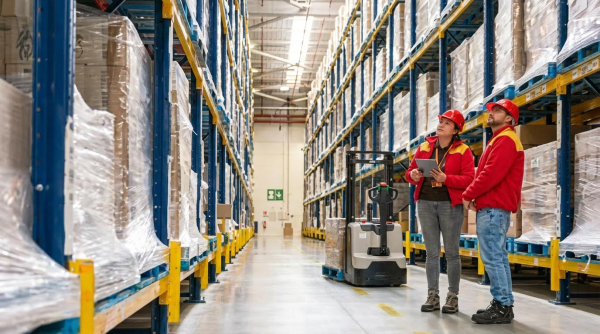
ROI, TCO, and scalability modeling converts engineering choices into a business case, showing how automation pays back over years when you include all costs, soft benefits, and future growth scenarios.
| Financial / Strategic Dimension | Typical Range / Pattern | What To Model | Field Impact |
|---|---|---|---|
| Payback period by technology | WMS ~3–6 months; robots often 3–5 years | Separate payback for software vs physical automation. | Lets you phase investments: quick‑win WMS, then staged hardware roll‑out. |
| ROI percentage | Example: 300% over 3 years for WMS | Annual gains vs total project costs using ROI = (Gains – Costs) ÷ Costs × 100%. | Provides a common yardstick for comparing automation options and funding routes. |
| Total Cost of Ownership (TCO) | 5–10 year horizon | Capex + software + integration + retrofits + labor, energy, parts, and support. | Prevents “cheap” systems that become expensive in maintenance, downtime, or upgrades. |
| Labor and error savings | Robots can triple pick efficiency; error rates drop to ~1/10 manual | Reduced FTEs, overtime, rework, and claims from mis‑ships. | Often the largest driver of annual gains and the main justification to finance. |
| Space and capacity gains | Up to ~25% better space use with dense automation | Avoided building expansions, higher throughput in same footprint. | Transforms fixed real‑estate into more revenue‑generating volume. |
| Scalability path | Modular vs monolithic systems | Ability to add robots, aisles, or zones without re‑platforming. | Reduces future disruption and protects ROI as volumes grow or mix changes. |
| Non‑financial benefits | Higher service levels, ergonomics, retention | Order speed, on‑time %, safety metrics, employee turnover. | Strengthens customer relationships and makes operations hiring easier. |
Concrete ROI and TCO examples
For software‑led automation, a WMS project with a cost around 700,000 yuan and benefits of 2.8 million yuan over three years yields about 300% ROI when you factor in efficiency, accuracy, and customer‑service gains. For hardware, typical warehouse robot projects show 3–5 year payback windows, with gains coming from labor savings, higher throughput, and error reduction based on improved picking speed and lower human error. Larger, building‑wide automation projects in the £10–30 million range often model 6–8 year payback, and projects above £50 million can extend to around 10 years once all retrofit, IT, and integration costs are included. A proper TCO view must also capture ongoing costs for maintenance, spare parts, energy, consumables, and solution oversight over at least five years, alongside softer benefits such as improved stock control, fewer damages, and better staff ergonomics which significantly influence the real business outcome.
💡 Field Engineer’s Note: When deciding how to pick a warehouse automation design, always stress‑test your ROI model with 10–15% lower volume and 10–15% higher costs; if it still works, you likely have a resilient business case.
Final Considerations Before Investment
Choosing the right warehouse automation system is an engineering decision, not a gadget purchase. You must link quantified process gaps to clear performance targets for throughput, accuracy, and space, then test candidate solutions against those targets in your real building constraints. Geometry, stability, and power limits define what robots and conveyors can safely do in your aisles, on your floors, and across your shifts. WMS capabilities, data quality, and network design decide whether that hardware runs as one coordinated system or as isolated islands.
Safety and compliance sit at the core of every choice. You must design low centres of gravity, fast emergency stops, clear traffic rules, and reliable scanning so people and machines can share space without incidents. ROI and TCO models then turn this technical design into a staged investment plan, with quick software wins and modular hardware that can grow over time.
The best practice is simple: start with flows and data, pick a robust WMS, then layer AMRs, conveyors, and AS/RS where the numbers prove value. Treat connectivity, safety, and maintainability as hard requirements. If a design cannot meet those while hitting your 95th percentile day, you should not sign it—no matter how impressive the demo from Atomoving or any other vendor looks.
Frequently Asked Questions
How to Pick Faster in a Warehouse?
Picking faster in a warehouse involves several strategies. First, stage high-demand products closer to shipping stations to reduce travel time. Use batch picking to handle multiple orders for the same item at once. Divide your warehouse into zones to minimize unnecessary movement. Maximize your pickface with dynamic storage solutions that adapt to demand changes. Lastly, separate similar-looking items to avoid picking errors.
Is Warehouse Picking a Hard Job?
Warehouse picking can be physically demanding and requires attention to detail. The difficulty depends on factors like warehouse layout, product organization, and order complexity. Proper training, tools, and optimized processes can make the job easier and more efficient. For more insights, check out this Warehouse Picking Guide.