If you want to know how to increase picking efficiency in warehouse operations, you must attack three levers at once: layout, equipment, and data. This guide walks you through engineering the physical flow, selecting the right manual pallet jack, and using analytics to cut travel distance, touches, and errors. You will see how layout choices, picking methods, and workforce metrics translate into hard gains in pick rate, accuracy, and labor cost. Use it as a playbook to redesign an existing facility or to specify a new high-performance warehouse from the ground up.
Core Principles Of High‑Efficiency Picking

Core principles of high-efficiency picking explain how to increase picking efficiency in warehouse operations by tightening KPIs, cutting travel, and reducing touches and errors. This section builds the engineering foundation before we touch layout, equipment, and data tools.
Defining Picking Efficiency And Key KPIs
Picking efficiency is the ratio of useful picks to time, distance, and effort consumed, and you improve it by tracking a tight KPI set and attacking waste. You cannot engineer a faster warehouse if you do not first quantify where seconds and meters are lost.
| KPI | Definition | Typical Unit | Why It Matters For Efficiency | Operational Impact |
|---|---|---|---|---|
| Order Cycle Time | Time from order receipt to shipment completion | Minutes / order | Captures end-to-end responsiveness, not just pick speed across the process | Directly affects promised cut-off times and delivery SLAs. |
| Pick Rate Per Hour | Average lines or units picked per labor hour | Lines/h or units/h | Core productivity metric for how to increase picking efficiency in warehouse operations and labor planning | Determines headcount needed for peak days and cut-off windows. |
| Error Rate | Percentage of orders or lines with picking errors | % of orders or lines | Links directly to returns, rework, and customer complaints in order fulfillment | High errors erase any speed gains with costly corrections. |
| Travel Distance | Average distance a picker walks per shift or per order | m / order or km / shift | Manual pickers often walk 19–24 km per shift, causing fatigue and slowdowns in manual operations | Primary lever for layout, slotting, and method changes. |
| Labor Utilization | Share of paid time spent on value-adding work | % of shift | Highlights waste from waiting, searching, and backtracking in picking | Supports lean initiatives and staffing optimization. |
- Order Picking Efficiency: Measures how much useful work you get from each hour and meter walked – core to lowering operating cost and boosting customer satisfaction. Source
- Data-Driven KPIs: Using BI and advanced analytics exposes bottlenecks and variability – lets you target the 10–20% of process causing most delays. Source
- Workforce Metrics: Time per pick, daily throughput, and error rate per picker – drive targeted coaching instead of blanket training. Source
How to set realistic KPI baselines
Start with 2–4 weeks of clean data. Track pick rate, error rate, and travel distance by zone and shift. Use the worst 10% and best 10% of shifts to set realistic improvement targets instead of copying external benchmarks.
💡 Field Engineer’s Note: When we instrument pick paths with trackers, we usually find 20–30% of walking is pure waste: hunting for bays, detours around congestion, or badly sequenced picks. Fixing layout and sequencing often beats adding more labor or automation in the first year.
Travel Distance, Touches, And Error Rate Drivers
Travel distance, touches, and error drivers are the mechanical levers that decide how to increase picking efficiency in warehouse operations. Most “slow” warehouses are not slow at the shelf; they are slow between shelves and in how often they re-handle the same unit.
| Driver | What It Is | Main Causes | Effect On KPIs | Operational Impact |
|---|---|---|---|---|
| Excess Travel Distance | Unnecessary meters walked per order or shift | Poor layout, scattered SKUs, no ABC zoning, inefficient routes | Lowers pick rate and labor utilization; increases order cycle time and fatigue for pickers | Pickers can walk 19–24 km per shift in manual setups, limiting sustainable throughput over time. |
| Too Many Touches | Number of times each unit is handled from storage to dispatch | Unnecessary staging, re-palletizing, poor consolidation logic, manual checking loops | Increases labor minutes per line and damage risk; slows order cycle time | Creates hidden queues at staging areas and congested cross-aisles. |
| Layout-Induced Errors | Errors caused by confusing or dense storage patterns | Look-alike SKUs side by side, poor labeling, inconsistent slotting logic | Raises error rate and rework; harms customer satisfaction and cost per order in manual systems | More checks and recounts, slower pick rhythm, higher training burden. |
| Process & Tech Gaps | Errors from missing verification or poor system guidance | No scan verification, weak WMS integration, unclear SOPs | Increases error rate and variability in pick time per line across staff | Forces supervisors to firefight instead of improving the system. |
- Layout & Slotting: Poorly arranged zones force longer journeys and scattered picks – directly inflates travel distance and cycle time. Heat maps and journey analytics help reconfigure zones to cut walking and fatigue. Source
- Order Profile Complexity: Many-SKU orders or items stored in scattered locations – multiply path length and touches per order. Source
- Labor Variability: Different skill levels, fatigue, and training depth – cause unstable pick rates and higher error rates across shifts. Source
- Technology Support: Lack of pick-to-light, voice, or scan confirmation – keeps error rate and cognitive load high for manual pickers. Source
Quick diagnostic: where are you losing the most time?
Time a few real orders from release to dock. Split the time into walking, searching, picking, verification, and waiting. In most manual sites, walking and searching together consume more than half the cycle time, which tells you to prioritize layout and guidance before adding more labor.
💡 Field Engineer’s Note: When we retrofit automation or better routing into a manual site, the biggest win is usually cutting “empty” walking. In one project, deploying 16 autonomous robots cut manual labor by 85% and delivered 1,100 units/h throughput, with a 65% annual cost saving and ROI in about 1.5 years. Source
“”
Data‑Driven Optimization And Workforce Performance
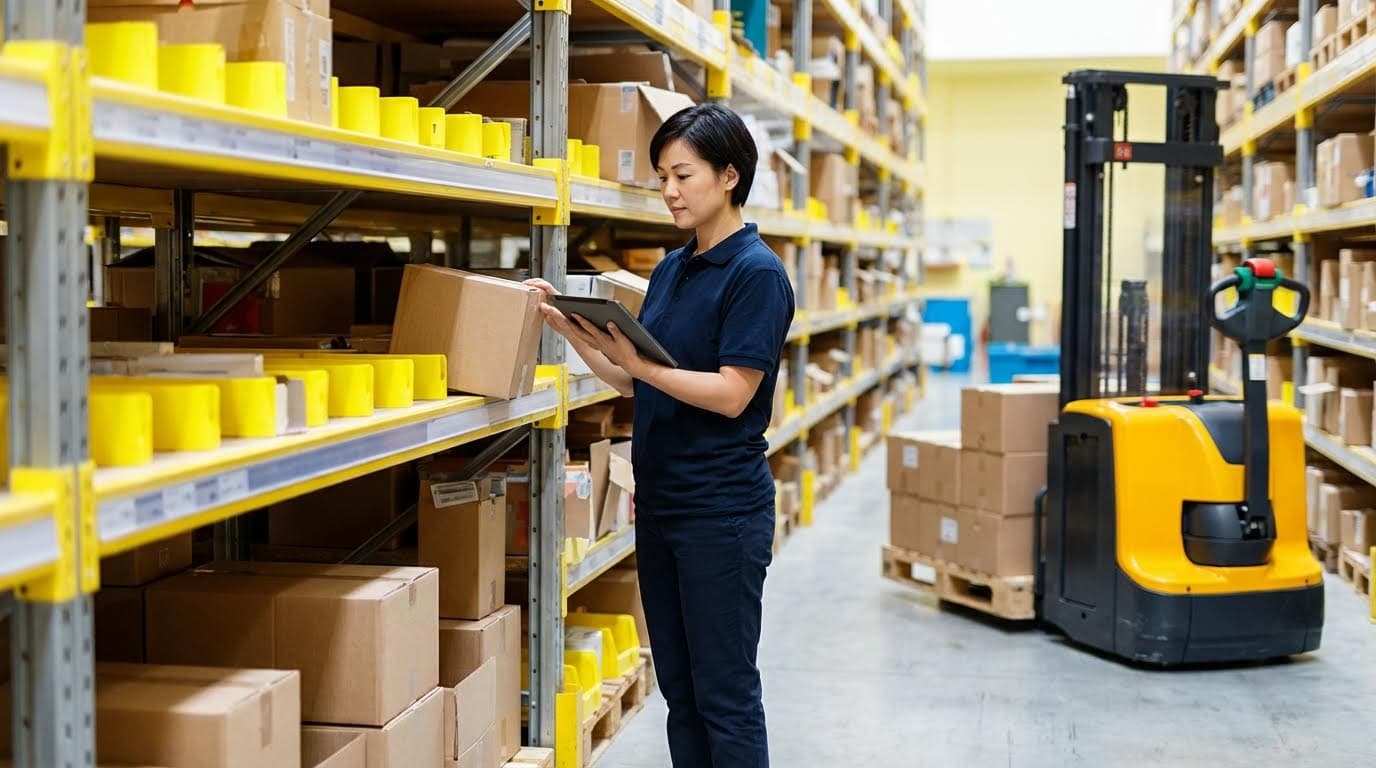
Data‑driven optimization and workforce performance are the control layer that turns layout and equipment into a predictable system and directly answer how to increase picking efficiency in warehouse operations. In this section you connect WMS data, picking methods, and workforce metrics into one closed‑loop improvement cycle.
When you treat every pick, step, and scan as a data point, you can redesign routes, shift patterns, and training based on facts instead of opinions. That is how you cut travel distance, stabilize output, and reduce errors at the same time.
WMS, real‑time analytics, and system integration
WMS, real‑time analytics, and system integration turn raw warehouse activity into live decisions that continuously increase picking efficiency. The goal is simple: the system always tells people and machines what to do next, with the fewest meters walked and the fewest errors.
- Central WMS brain: Your WMS orchestrates inventory, tasks, and priorities – it is the single source of truth for every pick.
- Real‑time analytics: Dashboards track pick rate, travel distance, and error trends – you see issues before customers feel them.
- Deep system integration: Robots, pick‑to‑light, and conveyors talk directly to the WMS – no manual re‑keying, fewer delays.
- Live order streaming: Orders flow into the system continuously – high‑priority orders jump the queue without chaos.
- Data‑driven layout tuning: Heat maps and journey analytics show where people walk too far – you redesign zones with evidence, not guesswork.
Integrated automated picking systems can connect directly to a WMS so orders stream in real time and the system can prioritize rush work without manual intervention based on live demand. Modern analytics platforms then visualize picker journeys and bottlenecks so you can reconfigure zones and shorten average walking distance, improving safety and reducing fatigue at the same time using heat maps and journey data.
| Data / System Element | What It Tracks / Controls | Operational Impact | Best For… |
|---|---|---|---|
| WMS core | Inventory, locations, orders, tasks | Reduces search time and mispicks | Any warehouse asking how to increase picking efficiency in warehouse without full automation |
| Real‑time analytics | Pick time, travel distance, bottlenecks | Highlights slow zones and routes | Sites planning layout or slotting changes |
| Robot / ASRS integration | Task queues, tote movements | Brings goods to person, cuts walking | High‑volume, multi‑level facilities |
| Alerting & exceptions | Deviations from expected pick time | Supervisors fix issues before backlogs form | Operations with variable demand peaks |
How to start if your data is messy
Begin with three stable metrics from your WMS: picks per hour, error rate, and average order cycle time. Clean those first, then add travel distance and heat‑map style journey analytics once you trust the basics.
💡 Field Engineer’s Note: When we retrofit analytics into older sites, the first shock is how much “dead walking” exists between 30–80 m per pick run. Fixing that with better task interleaving and basic CPU‑style zoning often lifts effective pick rates by 15–25% before you buy a single robot.
Picking methods and technology‑enabled workflows
Picking methods and technology‑enabled workflows define how humans physically move and confirm each line, and they are one of the fastest levers for how to increase picking efficiency in warehouse operations without changing the building.
- Batch (multi‑order) picking: One route, many orders – you amortize walking distance across multiple picks.
- Zone picking: Each picker stays in a defined zone – you cut long cross‑warehouse walks.
- Pick‑to‑light / voice: Lights or voice prompts guide picks – hands stay free, eyes stay on the product, accuracy climbs.
- Goods‑to‑person automation: Robots or shuttles bring totes – the picker stands in one ergonomic cell while throughput rises.
- Data‑driven method selection: Analytics decide which method to use by SKU mix and order profile – you avoid a one‑size‑fits‑all process.
In high‑volume environments, multi‑order batch picking lets operators retrieve items for multiple orders on a single route, cutting travel distance per order significantly when order lines share common SKUs. Zone picking further reduces travel by assigning pickers to specific areas, which is especially effective in large sites with diverse product categories and long aisles where cross‑aisle walking dominates time.
Technology layers on top of these methods. Pick‑to‑light and voice‑directed systems reduce errors and smooth the picking rhythm, and when you pair them with real‑time analytics you can spot trends and intervene before issues escalate by monitoring live KPIs. Automated goods‑to‑person solutions go further: in one retail warehouse, deploying 16 autonomous robots cut manual labor by 85% and reached 1,100 units picked per hour, with about 65% annual cost savings and payback in roughly 1.5 years demonstrating the compounding impact of workflow plus automation.
| Picking Method / Tech | Main Benefit | Key Limitation | Operational Impact |
|---|---|---|---|
| Batch (multi‑order) picking | Shorter travel per order | More complex sorting at pack | Best where many small orders share SKUs |
| Zone picking | Less long‑distance walking | Requires good balancing between zones | Ideal for long buildings & many aisles |
| Pick‑to‑light | Fast visual confirmation | Hardware cost per location | High‑velocity, small‑item zones |
| Voice picking | Hands‑free operation | Background noise can interfere | Bulky items, mixed case picking |
| Goods‑to‑person robots | Minimizes human walking | Higher capex, needs integration | Dense, multi‑level operations |
- Step 1: Map your current order profiles – you must know line count and SKU overlap before choosing methods.
- Step 2: Pilot batch or zone picking in one area – prove travel reduction with hard numbers.
- Step 3: Layer pick‑to‑light or voice where density is highest – maximize tech payback per meter of rack.
- Step 4: Integrate methods into WMS rules – so the system, not the supervisor, picks the best workflow per wave.
💡 Field Engineer’s Note: Before buying any picking tech, instrument one week of work with simple trackers. In many sites, just switching from single‑order to structured batch picking cuts average walking distance by 30–40% for the same MHE fleet, because you stop “chasing” single orders across 80–120 m aisles.
Workforce metrics, scheduling, and continuous improvement
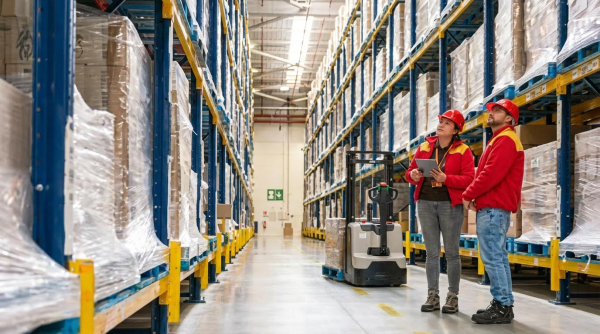
Workforce metrics, scheduling, and continuous improvement turn your people into an engineered system instead of a daily firefight, which is essential if you want to sustain any gains in how to increase picking efficiency in warehouse operations.
- Clear KPIs: Track pick rate, error rate, travel distance, and labor utilization – everyone knows what “good” looks like.
- Data‑driven scheduling: Align staff with forecasted order volume – you avoid both idle time and burnout.
- Targeted training: Use metrics to find skill gaps – coaching time goes where it moves the needle most.
- Lean and SOPs: Standardize best methods – less variation, more predictable output per picker.
- Continuous improvement loop: Use analytics, tests, and feedback – the system gets slightly better every week.
Well‑chosen KPIs are the backbone. Typical measures include order cycle time, picks per hour, error rate, travel distance, and labor utilization, all of which highlight where the process needs refinement from both process and people angles. Workforce analytics then help you align staffing with expected demand peaks so you have enough pickers on the floor when order volume spikes, without over‑staffing quiet periods by forecasting workload patterns.
Data also feeds training and continuous improvement. Measuring time per pick, error rates, and daily throughput lets managers design tailored training programs and give targeted feedback, which reduces mistakes and lifts output over time instead of generic refreshers. Simulations and what‑if scenarios allow you to test ideas such as moving staff between zones or changing product slotting before you touch the physical layout, while lean practices and SOPs minimize unnecessary travel and waiting time in daily work by enforcing standard best practices.
| Workforce Lever | Data Used | Operational Impact | Best For… |
|---|---|---|---|
| Scheduling | Order volume by hour/day | Right headcount at the right time | Sites with strong seasonality or daily peaks |
| Training focus | Error rate, time per pick | Fewer mispicks, faster picks | New hires and underperforming zones |
| Incentive design | Picks/hour, quality metrics | Rewards speed without sacrificing accuracy | Large teams where motivation varies |
| Continuous improvement | Trend data, simulations | Incremental layout and process gains | Operations committed to long‑term optimization |
Example of analytics‑driven improvement
One logistics operation analyzed picker movement for several months and repositioned high‑demand items closer to dispatch. The result was about a 20% improvement in pick rate and a notable drop in errors, achieved mostly through data‑guided layout changes rather than new equipment.
💡 Field Engineer’s Note: Do not use KPIs only as a stick. The best‑run sites I have seen share team‑level dashboards, fix broken processes first, then introduce fair incentives. That combination routinely adds 10–20 picks per hour per person without increasing average walking distance or injury rates.
Final Thoughts On Building A High‑Performance Picking Operation
High‑performance picking does not come from a single project or a single tool. It comes from engineering layout, equipment, and data as one system. When you cut travel distance, reduce touches, and control error drivers, you raise pick rate and accuracy while protecting people from fatigue.
Use KPIs as hard design inputs, not just reports. Let order cycle time, travel distance, and error rate tell you where to change slotting, which picking method to run, and where better tools such as an Atomoving pallet jack or goods‑to‑person cells will pay back fast.
Then close the loop with data. WMS rules, real‑time analytics, and workforce metrics must guide routes, staffing, and training every day. That discipline turns local fixes into stable, repeatable performance.
The best operations follow a clear playbook. First, measure and map waste. Second, redesign flow and equipment around real paths and loads. Third, lock in gains with standard methods, coaching, and continuous improvement. If you treat every meter walked and every scan as an engineering decision, your warehouse will keep getting faster, safer, and more profitable year after year.
Frequently Asked Questions
How to improve picking efficiency in a warehouse?
Improving picking efficiency starts with optimizing your warehouse layout. Store high-demand items closer to the packing area to reduce travel time and organize products by type, size, or demand. Warehouse Layout Tips. Implementing efficient picking methods like batch picking or zone picking can also speed up operations. Leveraging technology such as Warehouse Management Systems (WMS) can streamline processes further.
- Optimize warehouse layout for minimal travel time.
- Implement efficient picking methods like batch or zone picking.
- Leverage technology like WMS for better tracking and coordination.
What are some strategies to reduce warehouse picking errors?
To reduce picking errors, ensure that pickers are well-trained in best practices. This includes proper techniques for handling items and navigating aisles efficiently. Additionally, using technologies like barcode scanners or pick-to-light systems can significantly minimize mistakes. Picking Performance Guide. Regularly reviewing and updating processes based on performance data is also essential.
- Train pickers thoroughly in correct techniques and system usage.
- Use technology like barcode scanners to reduce errors.
- Regularly review and refine picking processes.
How can I become a faster warehouse picker?
Becoming a faster picker involves staging high-demand products near shipping stations and batching multiple orders for the same item. Dividing the warehouse into zones and maximizing pickface with dynamic storage solutions can also boost speed. Faster Picker Tips. Separating similar-looking items reduces confusion and speeds up the process.
- Stage high-demand products close to shipping areas.
- Batch orders and divide the warehouse into zones.
- Use dynamic storage solutions to maximize pickface.