
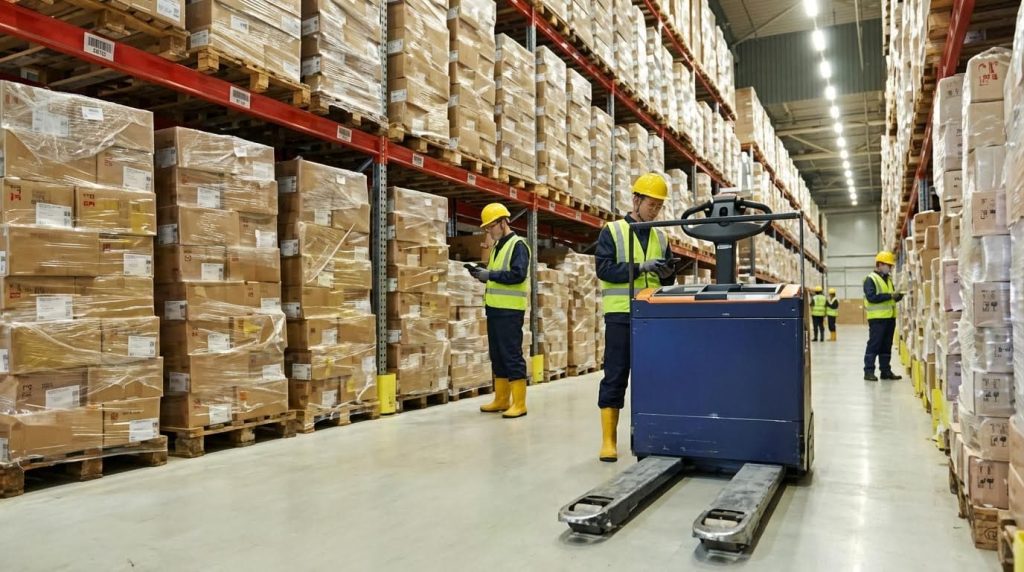
Warehouse pick and pack is the end‑to‑end process of selecting items from storage, verifying them, packing them securely, and preparing them for shipment with minimal errors and walking distance. In practical terms, learning how to pick and pack in a warehouse means standardizing procedures, optimizing layout, and leveraging systems so operators can hit tight SLAs without burning out. This guide explains the full pick‑to‑ship flow, the core SOPs for picking and packing, and how layout, slotting, and technology drive high‑throughput performance. You will be able to map your current process, identify bottlenecks, and redesign both procedures and floor layout for safer, faster, and more accurate fulfillment. Consider using equipment like manual pallet jack, drum dolly, or semi electric order picker to improve efficiency. Additionally, tools such as aerial platform can help optimize vertical space.
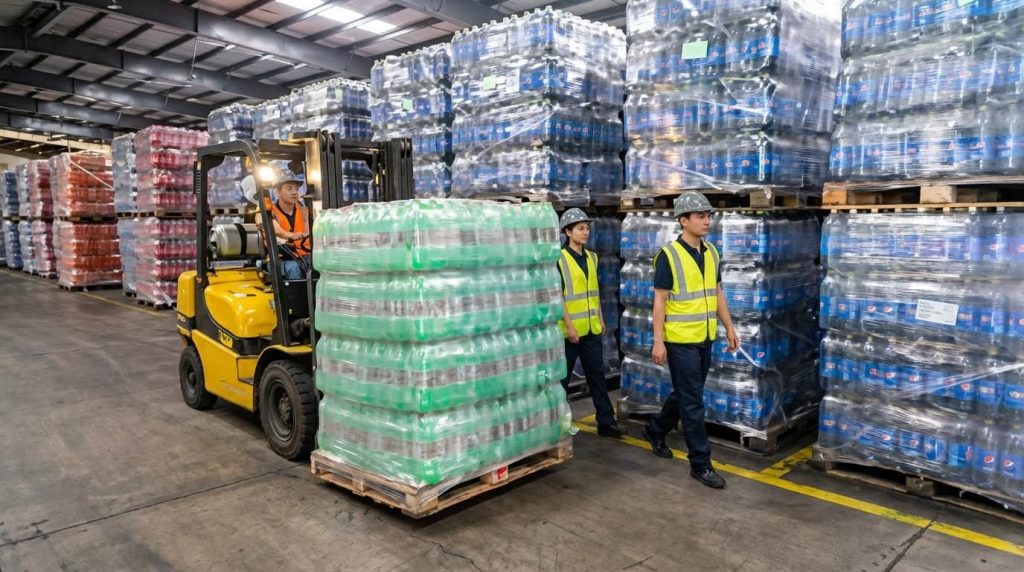
Foundations Of Efficient Pick And Pack Operations
Foundations of efficient pick and pack operations define the end‑to‑end flow, system roles, and control points that keep accuracy high, walking distance low, and labor predictable when you plan how to pick and pack in a warehouse.
💡 Field Engineer’s Note: When I audit struggling sites, 80% of errors trace back to missing basics here: unclear process ownership, weak system discipline, and no standard way to handle exceptions or returns.

End‑to‑end pick and pack process flow
The end‑to‑end pick and pack process flow is a repeatable sequence from order release to truck loading that minimizes touches, standardizes checks, and aligns people, systems, and layout for high throughput.
- Order capture and release: The Order Management System (OMS) captures customer demand and releases waves or real‑time drops to the warehouse based on cut‑off times and capacity. OMS release logic is your throttle.
- WMS planning and task creation: The Warehouse Management System (WMS) builds pick lists, assigns tasks, and chooses strategies (single, batch, cluster, or zone picking) based on SKU velocity, cube, and weight. Directed putaway and picking rules keep travel efficient.
- Pre‑shift checks and area readiness: Supervisors verify that pick faces are replenished, equipment is inspected, and aisles are clear before releasing work, following structured checklists to remove safety and stock issues upfront. Pre‑shift SOPs are your first quality gate.
- Picking execution and item verification: Pickers follow system‑driven routes, scan locations and items, and confirm quantities; each scan updates inventory and validates that the right SKU is taken, which is the core of how to pick and pack in a warehouse without errors. semi electric order picker can assist in efficient picking.
- Consolidation and staging: Picked items move to consolidation zones where multi‑zone or multi‑batch orders are grouped, checked, and prepared for packing; smart buffers or staging racks hold partials until all lines arrive. Consolidation logic prevents pack stations from starving.
- Packing, QA, and labeling: Packers verify contents against the digital order, choose packaging, add void fill, seal, weigh, and print carrier‑compliant labels, updating the shipping system as they close each carton. Packing procedures focus on protection and label accuracy.
- Sortation and outbound loading: Finished parcels or pallets are sorted by carrier, service level, or route, then staged in time‑sequenced lanes for loading, often via conveyors and automated sorters that direct freight to the correct dock. Automated sortation removes manual decision points.
- Post‑shift review and continuous improvement: Teams review KPIs like order cycle time and error rate, then adjust slotting, routes, and staffing; regular monitoring and adjustment keep the flow stable as volume and mix change. KPI reviews drive layout and process refinements.
Where verification fits in the end‑to‑end flow
Verification is not a single step; it appears at order release (address and service checks), at pick (location and item scans), at pack (line and quantity checks), and at loading (dock and carrier checks). Each layer catches different failure modes.
Roles of WMS, OMS, and real‑time data
The roles of WMS, OMS, and real‑time data are to orchestrate when work is released, where inventory lives, and how tasks are executed so that every pick and pack action is system‑directed, traceable, and up to date.
| Component | Core Responsibilities | Key Data Handled | Field Impact on Pick & Pack |
|---|---|---|---|
| Order Management System (OMS) | Capture orders, promise delivery dates, decide when and how orders are released to the warehouse. OMS logic shapes workload. | Customer details, order lines, requested dates, priorities, payment/hold status. | Controls wave size and timing so the floor is neither starved nor flooded; stabilizes labor and avoids last‑minute expedites. |
| Warehouse Management System (WMS) | Manage locations, inventory accuracy, task creation, picking strategies, and putaway rules using velocity, cube, and compatibility constraints. WMS control is the backbone. | Location master, on‑hand balances, reservations, task queues, slotting attributes. | Determines walking distance, congestion, and error risk; good WMS logic can cut travel time by 20–50% when combined with slotting and path optimization. Slotting and routing data drive these gains. |
| Real‑time data layer | Synchronize updates between OMS and WMS, expose live status of orders, inventory, and tasks, and feed automation like conveyors, sorters, and robots. | Scan events, task completions, location moves, exception flags, device status. | Gives supervisors and systems immediate feedback to reroute work, rebalance zones, and protect service levels during peaks or disruptions. |
| Automation & vision systems | Use AI and computer vision to recognize SKUs, validate contents, and route items through conveyors and automated sorters. Vision systems support error reduction. | Images, barcodes, weight/volume data, conveyor positions. | Reduces mis‑picks and wrong‑item shipments, suggests optimal box sizes, and keeps high‑throughput packing stable without adding headcount. |
💡 Field Engineer’s Note: If operators are “working outside the system” (handwritten lists, verbal priorities), your WMS and OMS cannot protect you; enforce scan discipline or your real‑time data becomes fiction.
How WMS logic supports walking distance reduction
By combining slotting data (ABC class, cube, weight) with order clustering and pick path optimization, WMS engines can reduce walking distances by 20–50%, increasing productivity by around 10–15% without extra staff. Cluster picking and path optimization are core levers.
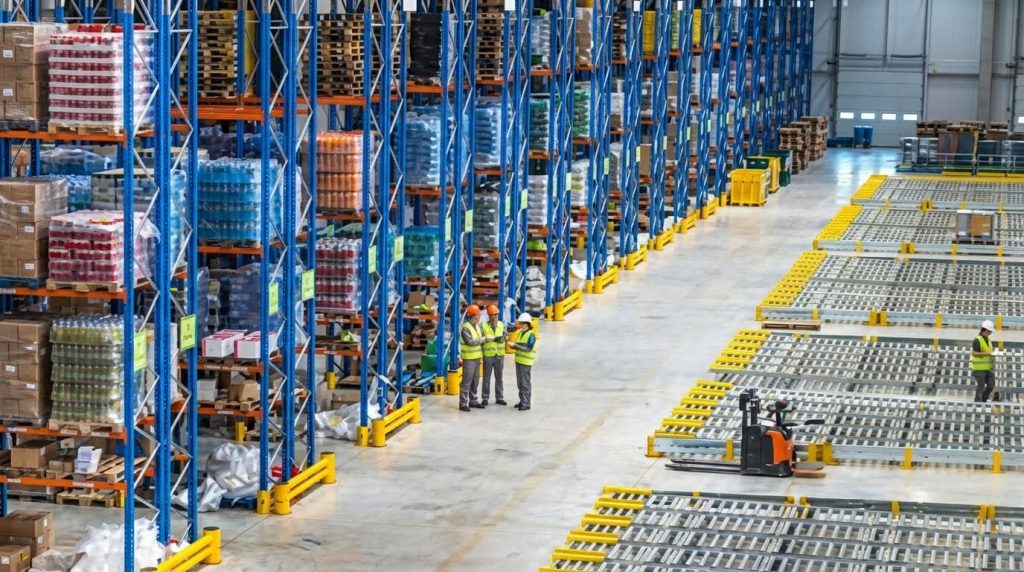
Verification, exceptions, and returns handling
Verification, exceptions, and returns handling create the control framework that catches errors early, standardizes how problems are resolved, and protects inventory accuracy and customer experience across the entire pick and pack cycle.
- Multi‑layer verification: Verification happens at picking (location and item scans), at packing (rescanning against the digital order), and sometimes at outbound (dock and route checks), with each scan updating inventory and status in real time. Layered verification is essential for low error rates.
- Exception triggers and workflows: Any mismatch—wrong item, short pick, overage, damage, or missing location—should trigger a defined exception workflow with documentation, inventory investigation, and, where needed, customer notification. Discrepancy handling steps keep stock records trustworthy.
- Inventory adjustments and root cause: Exceptions must result in controlled inventory adjustments in the WMS, coupled with root‑cause analysis (slotting error, training gap, layout issue) rather than ad‑hoc fixes, to prevent the same error from repeating.
- Returns and damaged goods processing: Returns follow standardized steps: inspect, record reason codes, decide on restock, refurbish, or scrap, update inventory, and process refunds or replacements. drum dolly can be used for handling returned goods efficiently.
- QA and safety integration: Quality assurance checks and safety standards—routine inspections, training, and enforcement—are embedded into these verification and exception steps to prevent repeat issues and injuries. QA and safety frameworks support continuous improvement.
💡 Field Engineer’s Note: The fastest way to cut error % is not more training; it is making the “right way” the easiest way—mandatory scans, simple exception codes, and clear visual cues at returns and problem‑solve areas.
How verification and returns affect customer experience
Strong verification reduces wrong‑item shipments and follow‑up contacts; robust returns handling shortens refund cycles and keeps inventory accurate. Together, they directly impact customer satisfaction scores and repeat order rates, which is why they are as critical as raw pick speed when designing how to pick and pack in a warehouse.
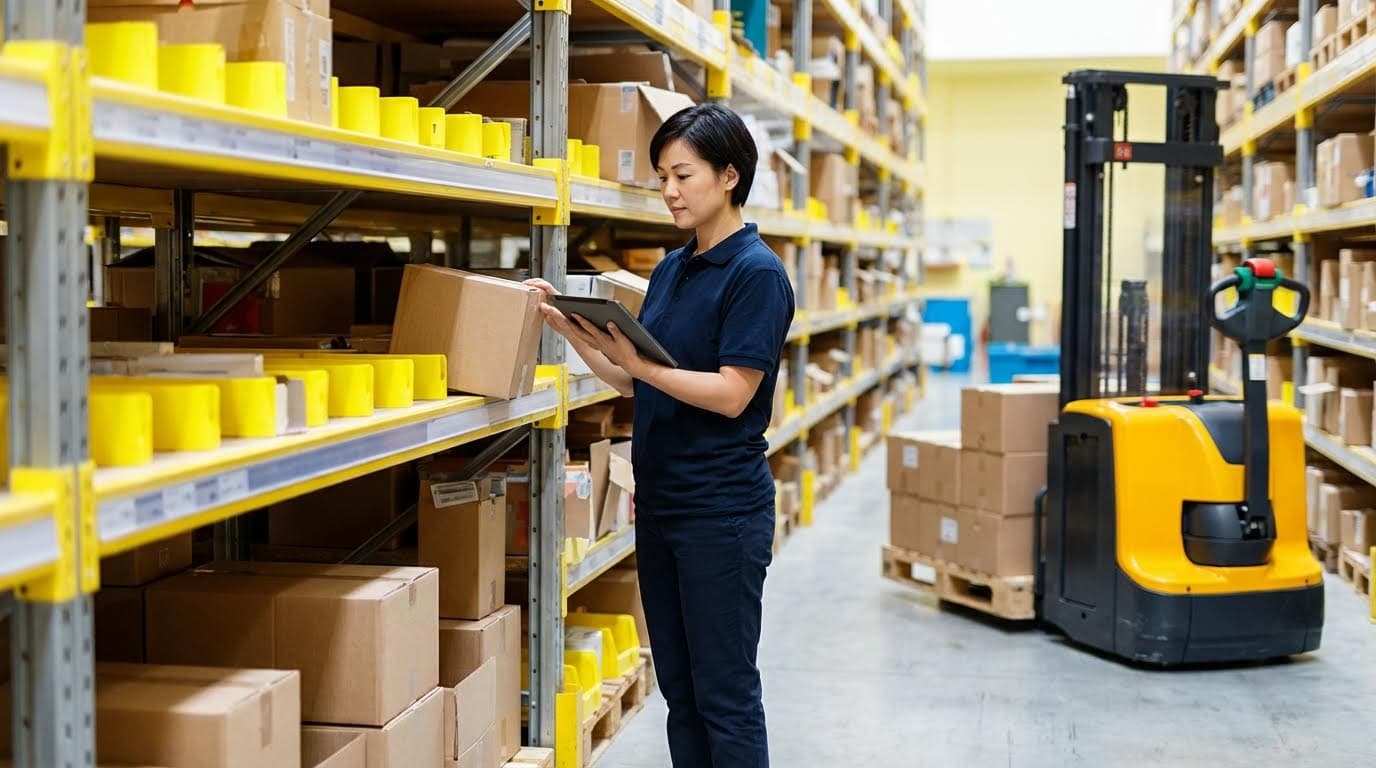
Standard Operating Procedures For Picking And Packing
Standard operating procedures for picking and packing define exactly how to pick and pack in a warehouse so every shift runs safely, repeatably, and with low error rates regardless of volume or staffing mix.
Clear SOPs turn a chaotic warehouse into a controlled flow line: operators know what to check before starting, how to move through the pick path, and how to pack, label, and release every order. In practice, strong procedures cut error rates below 0,5%, improve pick rates, and are the only scalable way to onboard new staff quickly without sacrificing safety or accuracy.
💡 Field Engineer’s Note: If you cannot hand a new hire a written picking and packing SOP and have them productive in 1–2 days, your process is living in people’s heads, not in your system.
Pre‑shift checks and picking area preparation
Pre‑shift checks and picking area preparation ensure that people, equipment, and inventory are ready so the first pick of the day happens without delays, safety risks, or stock surprises.
- Work area inspection: Walk aisles and pick faces to remove obstructions, trip hazards, spilled materials, and damaged pallets; this directly supports OSHA/warehouse safety expectations.
- Equipment readiness: Verify manual pallet jack, forklifts, pick carts, scanners, and printers are charged, inspected, and logged as safe for use, following daily inspection practices similar to powered industrial truck standards.
- System and document check: Confirm WMS terminals, RF guns, and label printers connect correctly and that pick lists, waves, or tasks have been released from the OMS/WMS for the shift. OMS/WMS workflows should already have grouped and prioritized orders.
- Picking area organization: Tidy and standardize pick faces: correct SKU in the location, facing forward, labels visible, no mixed pallets unless clearly segmented. This mirrors best‑practice “picking area preparation” guidance. Reference SOP templates emphasize this step.
- Replenishment confirmation: Trigger or verify replenishment to keep forward pick locations full for the first waves, using structured inventory replenishment procedures that include restocking and system updates. Replenishment SOPs reduce mid‑shift stockouts.
- Safety and PPE briefing: Run a short toolbox talk on PPE, traffic rules, lifting technique, and any unusual risks that day; this underpins quality assurance and safety standards highlighted in established warehouse SOPs. Safety standards examples.
Practical checklist: what supervisors should sign off before releasing picks
Supervisors should sign off that: (1) all MHE inspections are complete, (2) no blocked emergency exits/eyewash/fire equipment, (3) all hot SKUs for the first wave are fully stocked, and (4) WMS tasks are visible on all devices.
💡 Field Engineer’s Note: The fastest way to raise pick rates is not “work faster” but “start ready.” A 10‑minute pre‑shift checklist often saves 30–60 minutes of accumulated micro‑stoppages later in the shift.
Picking methods, routing, and safety practices
Picking methods, routing, and safety practices define how operators physically move through the warehouse, which directly controls walking distance, pick rate, and incident risk when learning how to pick and pack in a warehouse.
| Picking / Routing Method | Operational Use Case | Key Advantages | Field Impact |
|---|---|---|---|
| Single‑order picking | Low volume, high customization, large or fragile orders | Simple training, low order mixing risk | Best when accuracy matters more than travel time; aligns with basic “order picking process” SOPs. Order picking reference |
| Batch picking | Many small orders sharing common SKUs | Fewer trips to same locations, reduced walking | When combined with clustering, can cut walking distance significantly; supports higher throughput with same headcount. Batch picking strategies |
| Cluster picking (multi‑order carts) | E‑commerce and small‑parcel operations | Build several discrete orders simultaneously | Multi‑compartment carts reduce travel and sort time; supports up to double‑digit productivity gains when well slotted. Cluster picking guidance |
| Zone / split picking | High SKU count, large facilities | Reduces congestion, parallel picking | Pickers stay in zones while orders are consolidated downstream; supports flow and minimizes cross‑traffic in dense layouts. Zone picking practices |
| Optimized pick paths | Any method using WMS routing | Shortest walking distance, less backtracking | Combining order clustering with path optimization can reduce travel distance by up to 50%, boosting productivity and lowering fatigue. Path optimization data |
- Safe handling and lifting: Enforce techniques consistent with ergonomic and manual handling best practices—keep loads close to the body, avoid twisting under load, and use carts or lift aids where possible. Ergonomic aids overview.
- Traffic and aisle rules: Define right‑of‑way between pedestrians and MHE, one‑way aisles where feasible, and speed limits in pick zones to align with general industrial truck safety expectations.
- Standard verification during picking: Require location scan + item scan + quantity confirmation on every line, using “verification of picked items” SOPs to prevent downstream packing errors. Verification procedure.
- Exception handling on the floor: If a picker encounters a short, damage, or wrong location, they must stop, flag an exception in WMS, and tag the pallet, following “managing inventory discrepancies” steps. Discrepancy handling.
💡 Field Engineer’s Note: A “fast” picker who skips scans and safety rules is a liability. True performance is picks per hour at a controlled error rate and zero recordable incidents, not raw speed.
Packing workflows, QA, and labeling standards
Packing workflows, QA, and labeling standards convert picked items into shipment‑ready parcels with verified contents, correct packaging, and compliant labels, which is the final critical step in how to pick and pack in a warehouse.
- Receive and verify picked items: Packers scan the tote or pallet, then each item against the digital order, mirroring multi‑stage verification practices where mismatches trigger exception workflows and inventory adjustments. Verification workflow.
- Inspect condition and completeness: Use QA checklists derived from “quality assurance and safety standards” SOPs to confirm items are undamaged, correct revision/lot, and that all components are present before packing. QA standards.
- Select packaging and dunnage: Follow “packing orders for shipment” procedures: choose the smallest compliant carton, bag, or crate; apply protective materials to prevent transit damage while controlling cube for freight cost. Packing procedure.
- Weigh, measure, and seal: Use integrated scales and dimensioners at the packing station, then seal according to standard (e.g., specified tape pattern or strapping) to prevent opening in transit, as emphasized in packing station design guidance. Packing station design.
- Generate and apply labels: Print shipping, compliance, and internal labels from the WMS/ship system and apply per “labeling and shipping procedures” SOPs so carriers can scan without rework. Labeling standards.
- Final QA and release: Perform a final scan or visual check (or use computer vision where available) to confirm the parcel matches the order before moving it to the correct carrier lane, supporting minimized touchpoints and accurate shipping. Packing optimization.
- Returns and damaged goods handling: Follow structured “handling returns and damaged goods” SOPs: inspect, record, decide on refurbish/scrap, and update inventory to maintain integrity and customer satisfaction. Returns handling.
- Station ergonomics and layout: Use height‑adjustable benches, anti‑fatigue mats, and within‑reach placement of scanners, printers, and materials to maintain speed without injuries, as recommended in ergonomic design guidelines. Ergonomic design.
QA sampling strategies at packing
Many operations use risk‑based QA: 100% checks for new products or new customers, and statistical sampling for stable, low‑error flows. The aim is to keep error rates low while not overloading packers with redundant checks.
💡 Field Engineer’s Note: Most “warehouse mistakes” are actually packing mistakes caught too late. If you can only automate or reinforce one control point, make it the packing station—it is your last chance to catch errors before freight charges and customer complaints hit.
Warehouse Layout And Technology For High‑Throughput Picking
Warehouse layout and technology for high‑throughput picking determine how many order lines per hour your team can process safely, by cutting walking distance, eliminating bottlenecks, and standardizing how to pick and pack in a warehouse.
In this section we connect physical layout, slotting logic, and automation so that your pick paths are short, your ergonomics are safe, and your systems do the routing work instead of your operators’ legs.
💡 Field Engineer’s Note: Treat every extra meter of walking like a hidden tax on your margin; most sites can remove 20–40% of travel just by re-slotting and redefining pick paths before buying any new equipment.
Slotting, ABC analysis, and zone design
Slotting, ABC analysis, and zone design organize SKUs by velocity and handling needs so pickers walk less, bend less, and touch pallets less, which directly increases lines picked per hour and reduces error rates.
| Design Element | Practical Guideline | Operational Benefit | Field Impact |
|---|---|---|---|
| Macro slotting (layout level) | Arrange storage, aisles, and packing so material flows in one direction from receiving to shipping (layout impact) | Reduces cross-traffic and congestion | Fewer picker‑forklift conflicts and smoother, safer routes. |
| Micro slotting (bin level) | Place SKUs by size, weight, and order frequency within each rack or shelf (slotting) | Speeds up item search and grab time | Pickers can “pick by muscle memory” instead of scanning every shelf. |
| ABC analysis | Classify SKUs by order frequency (A = highest, C = lowest) and assign best locations to A‑items (ABC slotting) | Shorter walking distance for majority of picks | Most lines come from A‑items, so operators stay close to packing and main aisles. |
| Golden zone placement | Put fast movers at roughly mid‑torso height near main travel corridors (golden zones) | Minimizes bending and reaching | Lower fatigue and fewer musculoskeletal injuries during repetitive picking. |
| Heavy SKU positioning | Store heavier cases lower and closer to ground for safer lifting (weight-based slotting) | Improves manual handling safety | Reduces over‑shoulder lifts that often violate ergonomic best practice and OSHA guidance. |
| Zone segmentation | Divide warehouse into zones by SKU profile and turnover; keep high‑turnover SKUs near packing (zone design) | Reduces long, full‑warehouse walks | Each picker becomes an expert in a smaller area, speeding both picking and training. |
| Special handling areas | Dedicate zones for hazardous, temperature‑controlled, or fragile goods (special zones) | Improves compliance and product integrity | Clear separation reduces mistakes like mixing hazmat with standard freight. |
| Dynamic slotting via WMS | Use WMS to adjust locations as velocities change (seasonality, promotions) (dynamic slotting) | Keeps layout aligned with demand | Prevents “dead zones” and keeps the true A‑items in prime locations over time. |
How slotting links to how to pick and pack in a warehouse
Good slotting is the physical backbone of how to pick and pack in a warehouse: it shapes pick paths, determines which SKUs get batch‑picked, and decides how close picked goods land to packing stations.
💡 Field Engineer’s Note: Do one low‑risk pilot: re‑slot the top 50 SKUs by volume into golden zones and measure walking distance and pick rate before and after—this usually gives you the fastest ROI proof.
Pick path optimization and walking distance reduction

Pick path optimization and walking distance reduction apply routing logic and order clustering so each picker touches more lines per trip, often cutting travel distance by 20–50% without changing the building.
- Cluster orders into efficient pick groups: Use order clustering so multiple orders share a single route, reducing trips through the warehouse by 20–50% (clustering impact).
- Generate optimized pick paths: Configure WMS logic to produce the shortest serpentine or one‑way routes inside each cluster, which can halve walking distance when combined with clustering (path optimization).
- Design one‑way, low‑conflict aisles: Implement one‑way or U‑flow aisles and avoid backtracking, minimizing cross‑traffic between pickers and equipment (path design).
- Group similar SKUs to cut search time: Physically group related or visually similar SKUs so pickers spend seconds, not minutes, identifying the right location (grouping).
- Implement zone picking where SKU count is high: Let each picker work a single zone while orders are consolidated centrally, which avoids congestion and supports simultaneous picking on large SKU assortments (zone picking).
- Use technology for real‑time guidance: Deploy systems such as pick‑to‑light and real‑time task assignment so pickers always know the next closest task, reducing idle time and unnecessary walking (guidance tech).
- Continuously monitor walking patterns: Review heatmaps and KPIs like order cycle time and error rate, then refine layout and paths based on actual travel data (monitoring).
- Minimize order touchpoints: Redesign flows so orders move from pick to pack to ship with as few handoffs as possible, reducing both time and error opportunities (touchpoints).
💡 Field Engineer’s Note: When you measure “distance walked per 100 order lines,” you quickly see that layout changes often beat labor adds—most sites are paying people to walk, not to pick.
Why path design dominates walking distance
Studies show layout and path design influence over 60% of walking distance in picking operations, while building expansion is usually cost‑prohibitive (layout impact).
Automation, robotics, and ergonomic workstations

Automation, robotics, and ergonomic workstations mechanize transport and repetitive motions while protecting workers’ bodies, allowing higher throughput in how to pick and pack in a warehouse without driving up injury rates or error levels.
- Conveyor and sortation flow: Conveyor systems connect picking, packing, and shipping in a continuous flow, while automated sorters direct products to the right stations or lanes, removing manual routing bottlenecks (conveyor and sortation).
- Robotic picking and smart buffers: Robotic arms with AI vision can identify SKUs by shape, color, and barcode, and smart buffers hold items until full orders are ready, improving consistency in variable‑size item handling (robotics).
- Computer vision for QA and cartonization: Vision systems verify correct items before packing and can suggest the smallest feasible box size to cut freight and dunnage costs (vision QA).
- Packing station integration: Packing benches should place scales, printers, and scanners within easy reach and near outbound staging, enabling continuous flow from picked totes to shipping lanes (packing design).
- Ergonomic workstations and aids: Height‑adjustable benches, lift and tilt tables, cart systems, vacuum lifters, and anti‑fatigue mats keep loads in safe reach zones and reduce high‑force lifts (ergonomics).
- Visual management in automated areas: Floor markings, signage, and digital displays guide staff around conveyors and robots, clarifying safe walkways and work zones (visual tools).
- Scalability for peak seasons: Automation allows handling of seasonal spikes without large temporary labor ramps, maintaining SLA performance and accuracy during peak demand windows (peak handling).
- Modular, flexible layouts: Adjustable workbenches, modular shelving, and mobile carts allow rapid reconfiguration of pick‑and‑pack areas to handle new product lines or volume surges (scalability).
💡 Field Engineer’s Note: Before buying robots, map out where human fatigue and errors actually occur—often a simple height‑adjustable bench or lift table at the pack line delivers a faster, cheaper throughput gain than a full robotic cell.
Ergonomics, safety, and standards
Ergonomic design and manual handling aids support compliance with general duty safety obligations (e.g., OSHA in the US) by reducing high‑force lifts and repetitive strain risks during picking and packing (ergonomic aids).

Final Thoughts On Designing Pick And Pack Systems
Efficient pick and pack systems do not rely on hero workers. They rely on clear flow, disciplined systems, and a layout that makes the right action the easiest action. When OMS and WMS logic drive release, routing, and slotting, operators walk less, touch freight fewer times, and keep inventory accurate in real time. Multi‑layer verification and defined exception workflows then turn every scan into a safety net for customer promise and stock integrity.
On the floor, strong SOPs, pre‑shift checks, and ergonomic workstations protect people while keeping throughput stable. Good slotting, zone design, and optimized paths remove wasted distance before you add automation. Conveyors, vision systems, and robots then amplify a sound process rather than hide a weak one. Simple handling tools from Atomoving, such as pallet jacks, drum carts, and order pickers, help connect these design choices to daily work.
The best practice is to design pick and pack as one integrated system: process, systems, layout, and equipment. Start with standard work and slotting, enforce scan discipline, then layer technology where data shows real bottlenecks. This approach delivers faster, safer, and more accurate fulfillment that can scale with demand without burning out your team.
Frequently Asked Questions
What is the warehouse pick and pack process?
The pick and pack process involves selecting items from warehouse shelves and preparing them for shipment. Workers often stand for long periods and need physical strength to lift and carry boxes. Accuracy is crucial, and tools like barcode scanners can help improve efficiency. Warehouse Picking Guide.
How to get better at pick packing?
To enhance picking and packing, group high-demand items together and optimize picking routes. Implementing a Warehouse Management System (WMS) can automate and streamline operations. Establishing Key Performance Indicators (KPIs) helps track progress. Packing Optimization Tips.
What skills does a picker packer need?
- Attention to detail to ensure accurate orders.
- Physical endurance for lifting and standing long hours.
- Dexterity and good hand-eye coordination.
- Ability to perform repetitive tasks efficiently.
Being punctual and reliable also contributes to success in this role. Picker Packer Skills.