Preventing warehouse picking errors is the disciplined, end-to-end design of people, processes, and systems so that the wrong SKU, quantity, or condition almost never reaches the shipping dock. Picking mistakes quietly destroy margin through rework, returns, and lost customers, while also corrupting inventory accuracy and planner trust in your data by driving stock discrepancies and extra handling. This guide shows you exactly how to prevent picking errors in a warehouse by attacking human factors, layout and tools, then layering WMS, scanning, and AI on top of strong SOPs and training. You will see how to combine engineering controls, standard work, and analytics into an error-resilient picking system that protects both customer satisfaction and operating cost. Consider integrating advanced tools like manual pallet jack, drum dolly, hydraulic pallet truck, and drum stacker to enhance efficiency and reduce errors.

Understanding Why Warehouse Picking Errors Happen

Warehouse picking errors mainly happen when human limits, poor environments, and weak processes line up to overwhelm operators, so understanding these root causes is the first step in how to prevent picking errors in a warehouse.
Picking mistakes rarely come from one “bad picker”; they come from systems that make the correct action harder than the wrong one. In engineering terms, your process has too many failure opportunities and too few safeguards. This section breaks down the three big buckets: human factors, the physical environment, and the tools/process design that either amplify or absorb risk.
💡 Field Engineer’s Note: When I audit sites with high error rates, I almost always find at least two of these three stacked together: tired people, visually noisy layouts, and clumsy tools or screens. Fixing even one can cut errors by 20–40%.
Human factors: fatigue, rushing, inattention
Human factors drive a large share of picking errors because fatigue, rushing, and over-familiarity degrade attention, causing workers to skip verification steps and misread items or quantities. Source
When operators are tired after long shifts or overtime peaks, their concentration drops and they are more likely to grab the wrong SKU or quantity, even if they know the process well. Rushing to hit unrealistic pick targets or clear a backlog leads people to skip checks between the pick list and the product label, which directly increases mismatches and short/over picks. Source
- Fatigue and long shifts: Extended hours reduce cognitive accuracy, so even experienced pickers start missing obvious label differences and quantity lines.
- Rushing and time pressure: High-pressure targets push workers to prioritize speed over verification, which multiplies mispicks and count errors.
- Inattention from routine: Doing the same route and SKUs every day can create “autopilot,” where operators assume instead of reading and scanning carefully.
- Inexperience or overconfidence: New hires lack pattern recognition, while veterans sometimes rely on memory instead of the list or device, both leading to avoidable errors.
How this links to cost and customer impact
Each human-factor error usually triggers a return, re-pick, re-pack, and re-ship, adding extra labor and freight and eroding margins. Frequent mispicks also damage customer trust and repeat business when wrong or damaged goods arrive. Source
💡 Field Engineer’s Note: If your error spikes at the end of a 10–12 hour shift or during peak days, you don’t have a “training problem”; you have a fatigue and planning problem. Shorter effective pick windows often improve total-day accuracy and throughput.
Layout, lighting, and environmental conditions
Warehouse layout and environment cause picking errors when poor lighting, cramped aisles, and uncomfortable temperatures make it physically hard to see, reach, and verify items correctly. Source
Dim or uneven lighting forces operators to squint at labels or device screens, slowing them down and increasing misreads of SKU codes or locations. Narrow or cluttered pick faces restrict movement and line of sight, raising the chance of grabbing from the wrong bin or dropping items. Heat accelerates fatigue, while cold slows movement and finger dexterity, both of which raise error probability and lower sustainable pick rates. Source
| Environmental Factor | Typical Problem | Error Mechanism | Field Impact on Picking |
|---|---|---|---|
| Lighting level | Dim or uneven light at racks | Misreading SKU/location labels and lists | Higher mispicks, slower verification, more re-walks to correct errors |
| Aisle and pick-face space | Cramped, obstructed, or cluttered zones | Restricted movement and poor visibility of adjacent slots | Wrong-bin picks, dropped items, congestion that encourages rushing |
| Temperature and humidity | Too hot or cold in picking zones | Fatigue, reduced concentration, slower fine motor control | Lower sustained pick rate and more simple “shouldn’t happen” mistakes |
| Label visibility | Low contrast, faded, or badly placed labels | Extra time to confirm codes, higher misreads | Operators guess from memory instead of reading, driving mispicks |
From a design standpoint, the environment sets the “baseline difficulty” of every pick. Even the best WMS cannot fully compensate for a slot that is dark, cramped, and badly labeled, which is why environmental fixes are core to how to prevent picking errors in a warehouse.
💡 Field Engineer’s Note: When you fix pick accuracy by changing lighting and labels, your travel time doesn’t change—but your “search time at slot” and rework collapse. That’s free throughput without adding labor or automation.
Tools, devices, and process design weaknesses
Tools and process design drive errors when devices are hard to read, carts or equipment are awkward, and SOPs rely on memory instead of built-in checks, making mistakes the path of least resistance. Source
Outdated or unstable tools—like wobbly carts, poorly designed totes, or low-precision scales—force operators to improvise, which increases both damage and selection errors. Small, low-contrast device displays and cluttered on-screen information cause visual strain and mis-taps, especially under time pressure. A lack of appropriate handling tools for heavy or bulky items increases physical strain, which in turn reduces focus on verification steps. Source
- Inadequate picking devices: Small or unclear screens and complex interfaces make it easy to misread location, SKU, or quantity data, especially in fast-moving zones.
- Unstable or wrong equipment: Carts that don’t match load size or floor conditions lead to product falls, mix-ups between orders, and re-sorting at pack.
- Process without verification gates: If SOPs don’t require scan or visual checks at key points, errors travel unchecked to packing and shipping. Source
- Weak rule enforcement: If each picker “does it their way,” it becomes almost impossible to trace and fix the true root cause of errors.
Why SOPs and tools must work together
Standard operating procedures and tools form a system: clear, updated manuals define each step and quality check, while devices and carts make it easy to follow those steps consistently. When tools lag behind the SOPs, workers create shortcuts; when SOPs lag behind reality, people stop trusting them. Both gaps increase picking mistakes and complicate inventory accuracy. Source
💡 Field Engineer’s Note: A good litmus test: walk the floor and ask three pickers to show you “the right way” to handle a tricky order. If you see three different methods, your process—not your people—is the root cause of your errors.
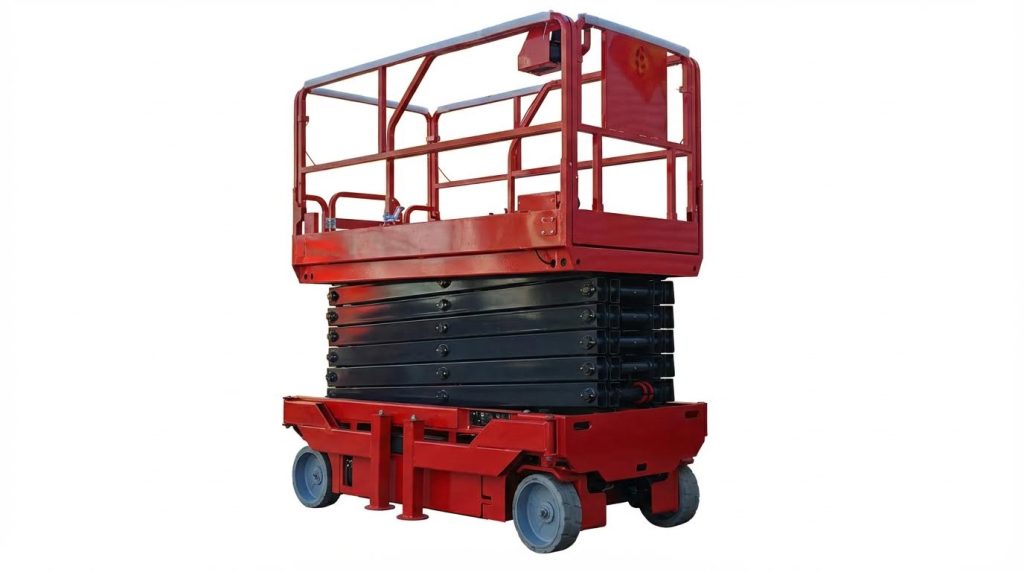
For instance, using a manual pallet jack or a drum dolly can significantly reduce physical strain, thereby improving focus and reducing errors. Similarly, implementing scissor platform lifts can enhance accessibility and precision in picking operations.
Engineering Out Errors With Systems And Technology

Engineering out picking errors with systems and technology means you redesign information flow, guidance, and verification so the system makes it physically hard for operators to ship the wrong item, quantity, or order.
In this section we focus on how to prevent picking errors in a warehouse by using WMS logic, scanning and automation, and modern AI/analytics so that accuracy is built into the process, not left to individual memory or vigilance. Technology here is less about gadgets and more about enforcing standard work, eliminating ambiguous decisions, and giving managers real-time visibility into where mistakes start.
💡 Field Engineer’s Note: If your process still allows an operator to complete a pick without any electronic confirmation (scan, light, voice, vision), you are relying on willpower, not engineering, to control your error rate.
WMS, slotting logic, and inventory data integrity
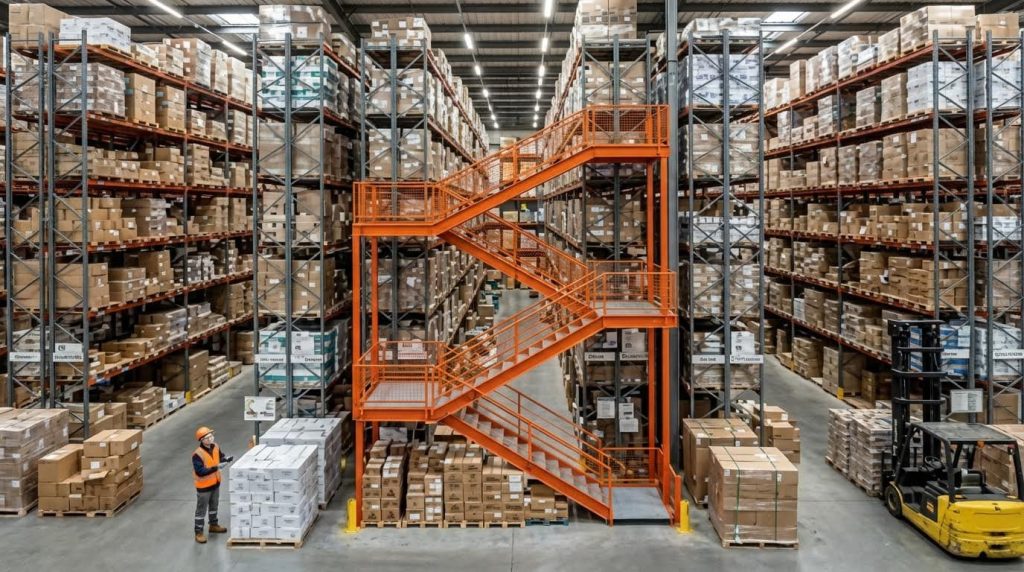
WMS, slotting logic, and clean inventory data form the core control loop that tells pickers exactly what to pick, from where, and in what quantity, while preventing errors from bad locations or stock records.
A Warehouse Management System (WMS) centralizes inventory, picking instructions, and shipment management so operators follow system-directed work instead of paper lists or memory, which sharply reduces human error and rework. A well-tuned WMS with engineered slotting strategies, clear locations, and real-time inventory updates is the single biggest systems lever for how to prevent picking errors in a warehouse because it stabilizes both what is picked and where it is picked from. Centralized digital picking instructions and engineered slotting and zoning both cut error opportunities and travel waste.
| Control Element | What It Does | Field Impact on Picking Errors |
|---|---|---|
| WMS-directed picking | Issues pick tasks, locations, and quantities digitally and tracks progress in real time. | Eliminates handwritten lists and mental math, reducing misreads and skipped lines, especially during peaks. |
| Real-time inventory accuracy | Updates stock levels after every pick, move, and receipt. | Prevents “phantom stock” and wrong substitutions that create mis-picks and customer complaints. |
| Slotting logic | Places high-velocity SKUs and similar items in controlled, planned locations. | Reduces travel and mix-ups between lookalike SKUs by separating and clearly grouping items. |
| Zoning | Divides warehouse into pick zones with dedicated staff. | Simplifies supervision, reduces congestion, and localizes errors for faster root-cause fixes. |
| Location labeling & 5S | Uses clear, high-contrast location IDs and maintains organized pick faces. | Cuts search time and near-miss errors caused by clutter or faded labels. |
A WMS also mitigates the inventory distortion caused by picking mistakes, where wrong shipments create stock discrepancies and extra handling costs. By keeping inventory records synchronized with actual movements, you avoid the cascading errors of shortages, emergency picks, and incorrect substitutions that drive up operational cost and damage customer trust. Accurate inventory is therefore not just a finance metric; it is a precondition for high pick accuracy.
How to tune slotting specifically for error reduction
Beyond travel-time savings, slotting for accuracy means separating similar packaging, using different shelf heights for similar SKUs, and avoiding mixing units of measure (each, inner, case) in the same immediate location.
Scanning, pick-to-light, voice, and AMR/AGV support

Scanning, pick-to-light, voice, and AMRs add layers of real-time verification and guidance so that even tired or rushed pickers are continuously checked and steered toward the correct item and quantity.
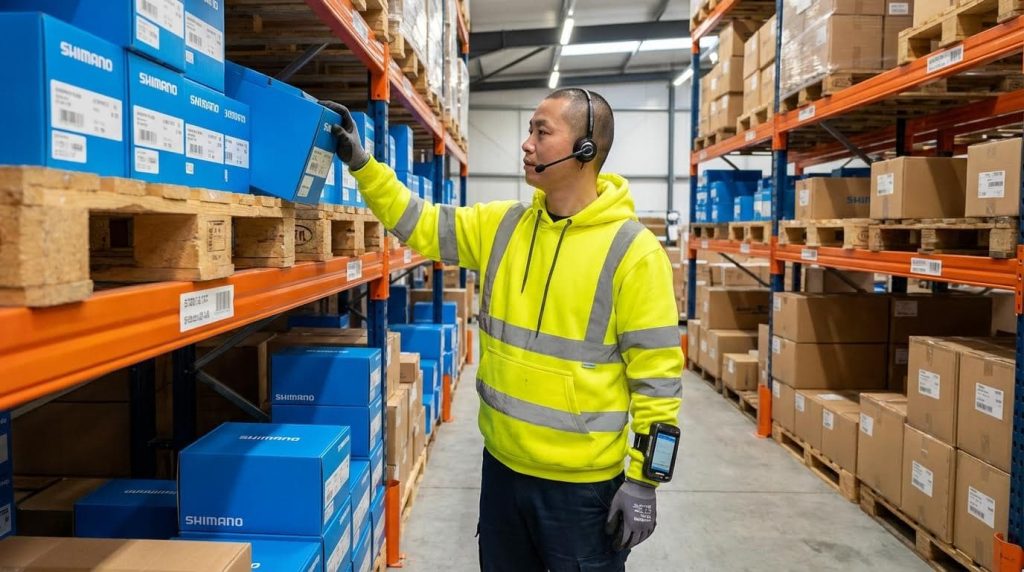
Barcode and RFID scanning verify that the physical item in hand matches the digital order, immediately flagging wrong SKUs or quantities before they leave the pick face. Pick-to-light and voice systems go further by telling the operator exactly where to go and how many units to pick, which has been shown to push accuracy toward the 99.9% range in high-velocity environments. These technologies directly address the human factors of fatigue, rushing, and inattention by reducing reading, searching, and mental calculation steps that often cause mistakes. Digital picking systems and automation technologies both emphasize this verification role.
| Technology | Primary Function | Error-Reduction Mechanism | Field Impact |
|---|---|---|---|
| Handheld / wearable scanners | Scan item and location barcodes during pick. | System blocks confirmation if SKU or location does not match order. | Turns mis-picks into immediate on-the-spot corrections instead of costly returns. |
| Pick-to-light | Lights indicate correct location and quantity. | Removes need to read location IDs under poor lighting or time pressure. | Ideal for dense, high-velocity zones where visual guidance is fastest. |
| Voice-directed picking | Headset gives verbal instructions; operator confirms verbally or via button. | Reduces dependence on line-of-sight screens and paper in low-light or cold storage. | Keeps hands and eyes free, improving both speed and safety on the move. |
| Mobile devices / tablets | Display pick lists, routes, and exception prompts. | Provide real-time status and alerts for mismatches or shortages. | Managers see progress and can intervene early instead of discovering errors at shipping. |
| AMRs / AGVs (goods-to-person) | Bring totes or racks to pickers or move picked goods to next station. | Standardizes material flow and reduces walking fatigue that contributes to human error. | Higher throughput with more consistent accuracy, especially on long routes. |
These verification layers are especially powerful when combined with disciplined delivery checks at packing, where a final scan-to-pack or scan-to-ship step acts as a quality gate before the carton is sealed. This approach not only cuts mis-shipments and customer complaints but also avoids the high cost of returns and re-deliveries, which can be up to 1.5 times the original shipping cost. Robust delivery checks therefore close the loop between picking and shipping.
💡 Field Engineer’s Note: If scanning is “optional,” operators will skip it when the line backs up. Make scans a hard system requirement to complete a task, or you will not get the accuracy benefit you paid for.
- Define verification points: Decide where scans or confirmations are mandatory (pick, consolidation, pack, ship) and configure the system so tasks cannot close without them.
- Standardize device usage: Issue clear rules on when to use handhelds versus vehicle-mounted or wearable scanners to avoid workarounds and blind spots.
- Align AMR routes with human flow: Configure robot paths and pick zones so they reduce walking and congestion rather than creating new crossing points and distractions.
AI vision, API integration, and real-time analytics

AI vision, API integration, and real-time analytics create an error-detection and optimization layer that watches every pick, synchronizes data across systems, and exposes patterns so you can remove root causes instead of just fixing symptoms.
Computer vision systems mounted at pick or pack stations can recognize SKUs and quantities visually and compare them to order data in real time, flagging wrong items or counts before labels print. This is particularly effective in environments with many similar-looking products where barcode-only checks may be skipped or mis-scanned. AI-driven SKU recognition validates items during the picking process and can even automate label generation, which reduces the labeling errors that often lead to expensive returns and rework.
| Capability | What It Automates or Reveals | How It Prevents Picking Errors | Field Impact |
|---|---|---|---|
| AI vision at pick/pack | Visual SKU and quantity verification against order data. | Catches wrong items or counts even if barcodes are not scanned correctly. | Particularly valuable with lookalike packaging and high-volume e-commerce SKUs. |
| API-first integration | Real-time data exchange between WMS, ERP, and inventory platforms. | Ensures orders, inventory, and shipment data are consistent everywhere. | Reduces manual re-keying and mismatch-driven errors between systems. |
| Guided workflows | Step-by-step on-screen or voice guidance with real-time checks. | Standardizes best practice and prevents operators from skipping verification steps. | Shortens training time and stabilizes accuracy across new and experienced staff. |
| Real-time dashboards | Live views of pick accuracy, error hotspots, and order status. | Highlights where and when errors spike so supervisors can intervene quickly. | Supports continuous improvement and targeted coaching instead of guesswork. |
| Analytics on error patterns | Historical analysis of mis-picks, returns, and re-shipments. | Identifies problematic SKUs, locations, shifts, or processes. | Enables systemic fixes like re-slotting, relabeling, or SOP changes. |
API-first integration is crucial because disconnected systems create blind spots where orders change but pick instructions do not, or where inventory updates lag behind actual moves. By synchronizing WMS, ERP, and other platforms in real time, you align picking, verification, and packing into a single coherent workflow instead of separate islands of activity. Workflow synchronization reduces manual interventions and the associated keystroke errors.
Real-time visibility from digital tracking and logging also allows managers to act before errors reach the customer. When every step from picking to packing is logged, you can trace back any error to the exact station, time, and operator, which makes root-cause analysis and corrective actions far more precise. Visual audit trails and analytics for error reduction together turn your operation into a continuously learning system.
💡 Field Engineer’s Note: Use analytics not just to report accuracy, but to ask “where are we forcing people to improvise?” Every hotspot you find is usually a design flaw, not a person problem.
- Monitor pick accuracy by zone and SKU: Concentrated errors often point to poor labeling, confusing packaging, or bad slotting for a specific family of products.
- Correlate errors with time-of-day and workload: Spikes near shift end or during promotions may justify additional verification layers or staffing adjustments.
- Feed insights back into SOPs and layout: Use data to justify re-slotting, extra lights or signage, or revised standard work where the process itself is creating risk.
For example, integrating manual pallet jack operations with automated systems ensures seamless transitions between manual and automated workflows. Similarly, deploying drum dolly solutions can enhance material handling efficiency in industrial environments.
Operational Design: SOPs, Training, And Workstations

Operational design is the backbone of how to prevent picking errors in a warehouse because clear SOPs, targeted training, and ergonomic workstations systematically remove opportunities for human error and missed checks.
💡 Field Engineer’s Note: When I audit sites with “mysterious” mis-picks, the root cause is rarely the scanner or WMS; it’s almost always vague SOPs, inconsistent training, or cramped, fatiguing workstations that push people into shortcuts.
Standard work, checks, and escalation rules
Standard work and escalation rules prevent warehouse picking errors by making every pick, check, and exception follow the same verified sequence instead of relying on individual memory or judgment under pressure.
- Documented SOPs for every pick method: Create concise, visual standard operating procedures that define the exact steps for each picking mode (piece, case, pallet, batch, wave) so operators never “invent” their own method. Detailed manuals with steps, precautions, and quality checks drastically reduce variation and errors when consistently applied.
- Built-in verification checkpoints: Define mandatory verification points—at pick face, at consolidation, and at packing—using scans or visual double-checks, especially for high-value, regulated, or look‑alike SKUs. These checks act as “quality gates” that catch mis-picks before shipping and reduce costly returns.
- Delivery check SOPs before dispatch: Standardize a final delivery check (scan-to-pack, item–order–label match) before cartons leave the dock, especially where regulatory or customer penalties are high, such as food, pharma, or electronics to avoid fines and re-deliveries.
- Clear escalation rules for discrepancies: Define exactly what a picker does when counts don’t match, labels look wrong, or locations are empty—who they call, what screen they use, and whether they stop or continue the wave—so issues are resolved quickly instead of patched with risky substitutions.
- Rule enforcement and audits: Use short, routine audits (e.g., sample checks during each shift) to confirm that SOPs and checks are actually followed; inconsistent rule adherence makes error sources hard to trace and allows bad habits to spread according to field studies.
- Location management built into standard work: Make 5S, clear labeling, and location verification part of the daily routine—operators confirm location IDs before picking and flag any illegible labels or mixed SKUs. Organized locations and legible identifiers are proven to minimize picking mistakes by reducing search and confusion.
- Continuous SOP updates from real errors: Feed data from mis-picks, delivery failures, and customer complaints back into SOP revisions so each incident drives a systemic fix, not just one-off coaching and improves long-term accuracy.
How to structure a simple picking SOP
Create a 1–2 page SOP per process with: (1) purpose and scope, (2) step-by-step with photos, (3) safety and quality checkpoints, (4) escalation paths, and (5) revision history.
Skill development, KPIs, and coaching loops
Skill development with KPI-driven coaching prevents picking errors by turning accuracy and verification behavior into measurable skills that supervisors can train, track, and reinforce every week.
- Define accuracy-focused KPIs: Track metrics like pick accuracy rate (% correct lines), error frequency per 1,000 lines, and rework/return rate so you can quantify how to prevent picking errors in a warehouse and see which teams or shifts need support because errors directly drive return costs.
- Onboarding that teaches “why,” not just “how”: During initial training, explain the cost, customer impact, and inventory disruption caused by mis-picks including returns, extra shipments, and lost trust, so new hires understand why every scan and check matters.
- Structured skill progression: Start new pickers on low-complexity SKUs and simple zones, then progress them to multi-line or high-value orders as their KPI history shows stable accuracy. This staged approach limits early exposure to high-risk tasks while skills mature and reduces beginner errors.
- Regular micro-coaching loops: Use short, weekly 10–15 minute reviews where supervisors go over error patterns with each operator—wrong SKU, wrong quantity, missed scan—and practice the correct SOP step on the floor, turning data into immediate behavior change.
- Ergonomic workstation and route training: Train operators to set up their carts, scanners, and workstations to minimize twisting, overreaching, and long holds of heavy loads; fatigue and discomfort are known drivers of inattention and mistakes over long shifts and directly affect accuracy.
- Use error data for targeted retraining: Analyze where and when mis-picks occur—by zone, SKU family, time of day—and design focused refreshers (e.g., look‑alike SKU training, low-light picking best practices) instead of generic classroom sessions to get maximum impact from training hours.
- Reinforce positive behavior, not just punish errors: Recognize teams that maintain high pick accuracy and low rework while following SOPs, so operators see that careful work and proper use of verification tools are valued as much as speed.
Example KPI set for a picking team
| KPI | Typical Target | Field Impact |
|---|---|---|
| Pick accuracy rate | ≥ 99.5% of lines | Directly reduces returns, rework, and customer complaints by ensuring almost all orders ship correct the first time. |
| Errors per 1,000 lines | ≤ 3–5 | Makes error trends visible; spikes immediately flag process, training, or layout issues that need action. |
| Rework rate | ≤ 1–2% of orders | Shows how much labor is “wasted” fixing mistakes instead of shipping new orders, impacting throughput. |
| Training completion & refresh rate | 100% on time | Confirms all operators are current on SOP changes, new SKUs, and system updates that affect picking. |

Final Thoughts On Building Error-Resilient Picking Systems
Error-resilient picking does not rely on “better people.” It relies on better design. You cut mistakes when you align human limits, physical layout, tools, systems, and SOPs into one coherent control loop. Good lighting, clear labels, ergonomic routes, and the right handling equipment reduce fatigue and confusion so operators can focus on verification. Tools like manual pallet jacks, drum dollies, and lifts from Atomoving reduce strain and keep attention on the task, not on fighting the load.
On top of this foundation, WMS, slotting logic, scanning, pick-to-light, voice, and AMRs enforce the correct item, location, and quantity. AI vision, API integration, and analytics then watch the process, expose weak points, and drive continuous improvement. SOPs, training, and coaching make these controls the default way of working, not an optional extra.
The best practice is clear: design your warehouse so the right action is the easiest action, and the wrong action is physically blocked or quickly detected. Treat every recurring mis-pick as a design problem, not a person problem. Teams that follow this approach protect margin, stabilize inventory, and earn customer trust with every shipment.
Frequently Asked Questions
What are the three ways of reducing errors in a warehouse?
Reducing errors in a warehouse can be achieved through several strategies. First, implement tools like Poka-Yoke, which prevents mistakes by using techniques such as shutdown, control, and warning systems Poka-Yoke Techniques. Second, improve communication between employees and managers to clarify processes and avoid misunderstandings Human Error Prevention Tips. Finally, optimize workflows by auditing the warehouse layout, improving picking routes, and integrating technologies like barcode scanners Warehouse Picking Strategies.
How to reduce picking errors in a warehouse?
To reduce picking errors, start by identifying bottlenecks in your current process and optimizing the warehouse layout for efficiency. Train employees thoroughly on best practices and consider adopting advanced picking strategies such as batch or zone picking. Regularly audit inventory levels and use technology like barcode scanners to ensure accuracy during operations Warehouse Picking Strategies.
What role does employee training play in preventing picking errors?
Employee training is critical in minimizing picking errors. Well-trained staff understand the importance of accuracy, know how to use tools like barcode scanners effectively, and can follow optimized picking routes. Training also helps workers recognize potential issues early and address them before they escalate, ensuring smoother warehouse operations.