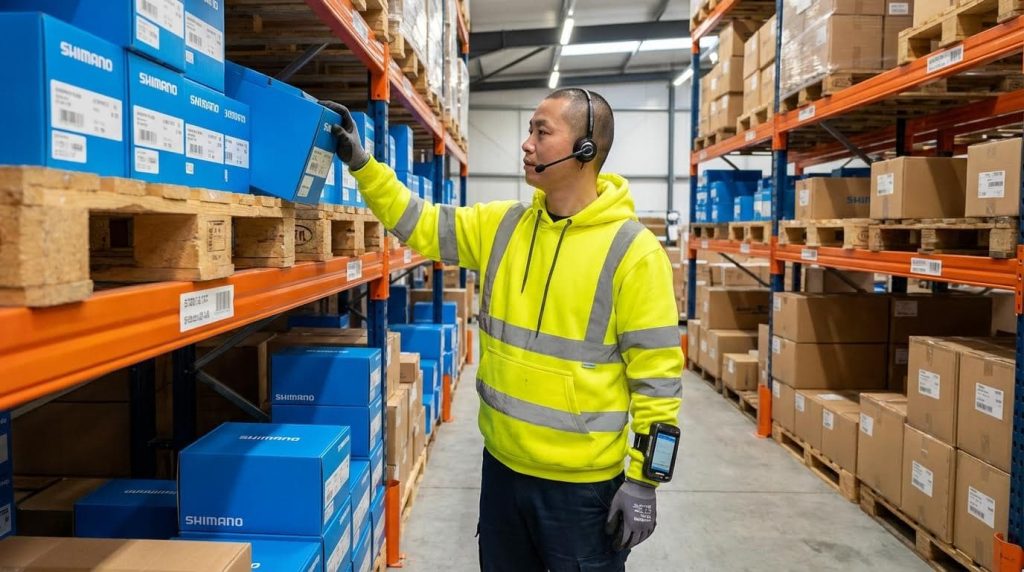
This guide explains how to implement voice picking technology in a warehouse, from system design and WMS integration to training and continuous optimization. You will learn how to cut travel time, boost accuracy, and keep operations safe and stable.
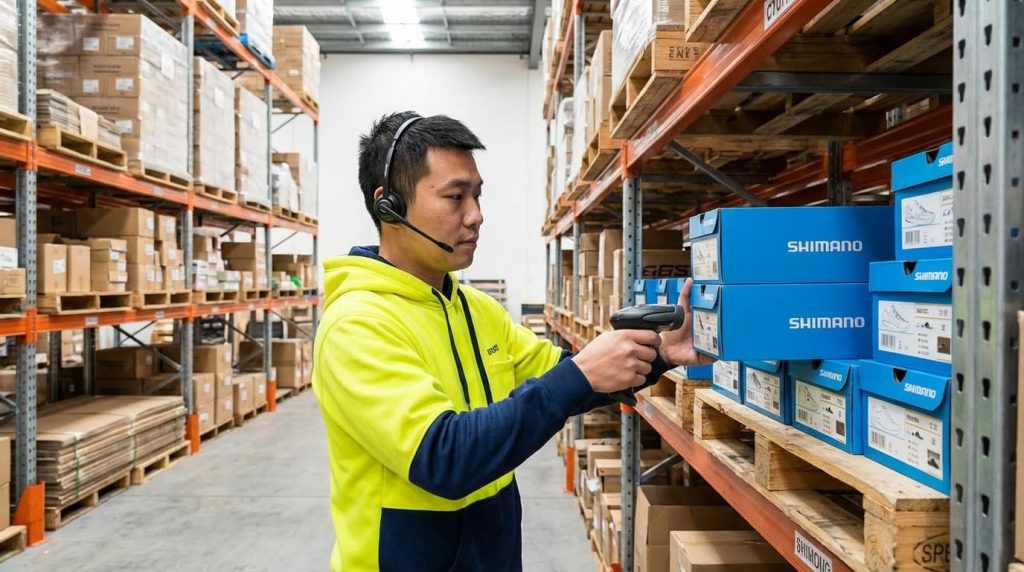
Understanding Voice Picking And Implementation Scope
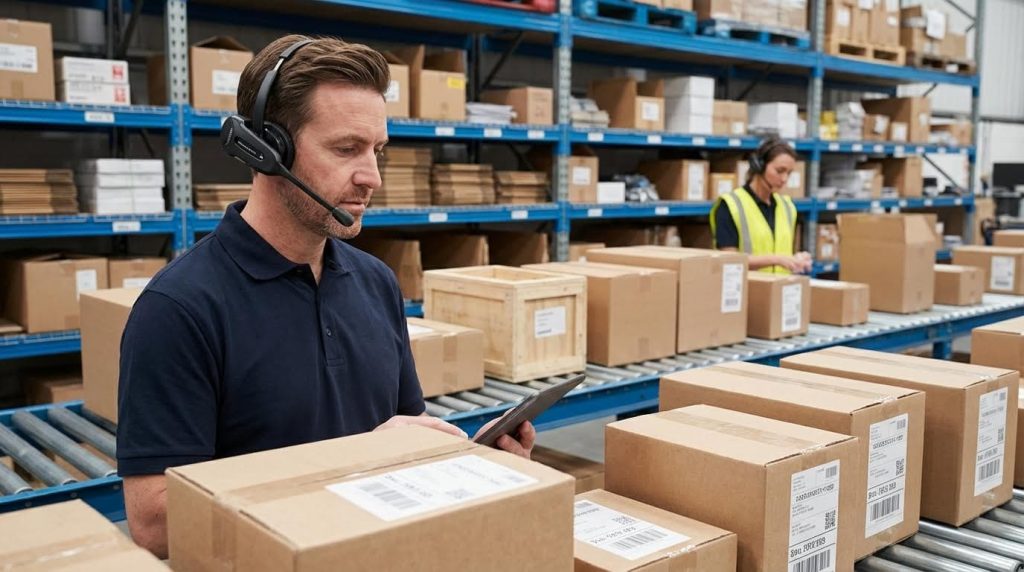
Voice picking is a hands-free, voice-guided way to run warehouse tasks, and its implementation scope should be defined by clear operational, technical, and financial boundaries. This section explains how to implement voice picking technology in a warehouse so you can size the project correctly and avoid scope creep.
In practice, voice picking sits as a front-end layer on top of your WMS or ERP. It converts tasks into spoken instructions and turns operator responses back into structured data in real time, so every pick, confirmation, and exception flows instantly into your core systems. Integration with WMS/ERP Systems is therefore a primary boundary condition when you plan how far and how fast to roll out voice.
From an engineering and operations perspective, the real “scope” questions are: which workflows will move to voice first, which KPIs will define success, and what constraints exist in hardware, network, budget, and change management. Answering these early keeps your voice project focused on measurable throughput, accuracy, and safety gains instead of chasing every possible feature.
How Voice Picking Works In Daily Operations
Voice picking in daily operations uses speech as the main interface between workers and your WMS, guiding them step-by-step through warehouse tasks while keeping hands and eyes free. Understanding this workflow is the first step in deciding how to implement voice picking technology in a warehouse without disrupting existing processes.
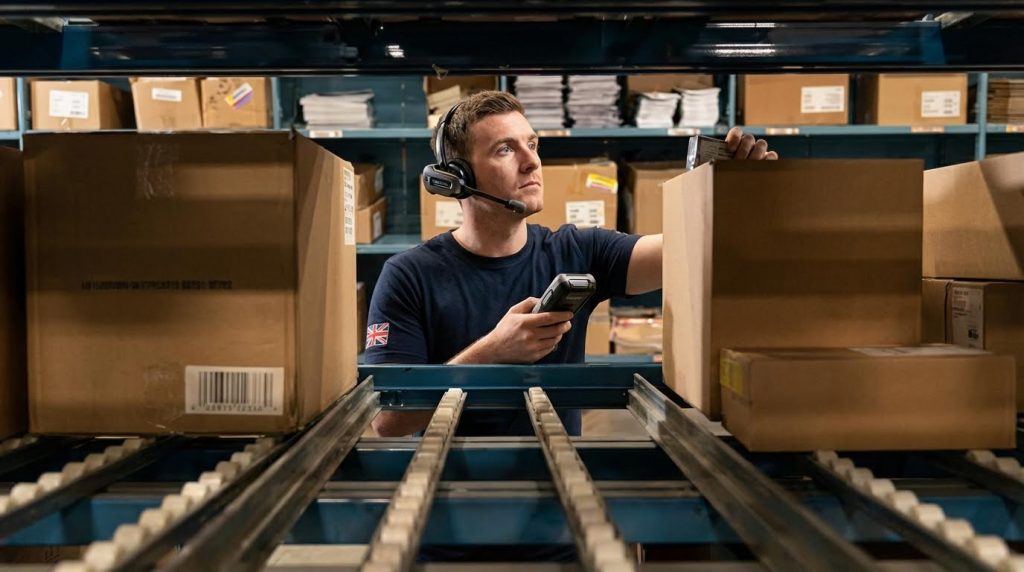
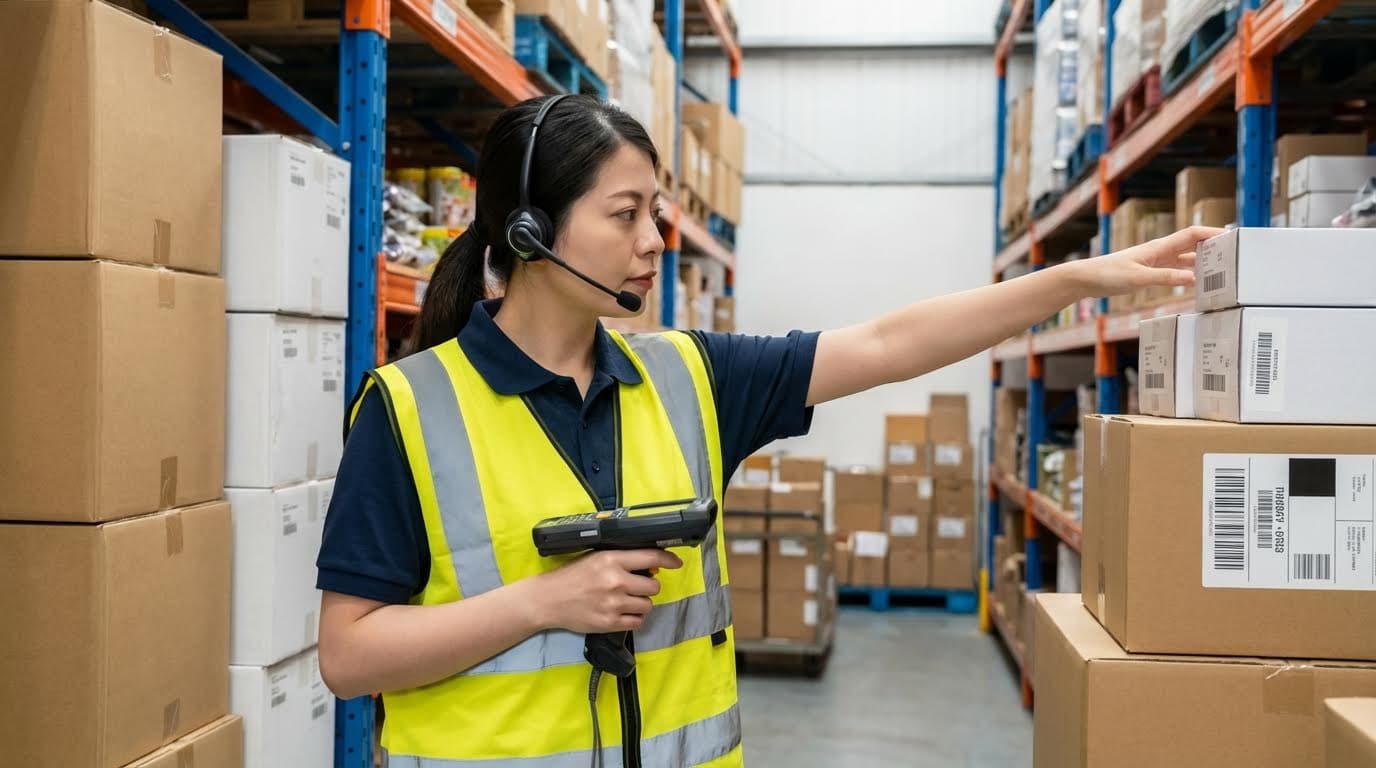
The operator wears a headset with a microphone connected to a mobile device that runs the voice client. The WMS sends task data to the voice engine, which converts it into spoken instructions for location, product, quantity, and any required checks; the operator responds with short voice commands or check digits, which the recognition engine turns into structured confirmations back to the WMS in real time. Voice Picking Workflow
This basic dialogue pattern extends across inbound and outbound operations. Receiving, put-away, replenishment, cycle counting, cross-docking, carton picking, consolidation, packing checks, and trailer loading can all run on the same voice layer, with each confirmation updating inventory and task status. Typical Workflows
- Hands-free guidance: Operators receive spoken prompts for aisle, bay, level, and quantity – reduces time spent looking at paper or screens.
- Verbal confirmations: Workers speak back check digits, quantities, or exception codes – closes the loop on every pick in real time.
- Task sequencing: The voice engine optimizes the next location based on WMS data – minimizes walking distance and idle time.
- Error handling: Users can report shorts, damages, or wrong locations via simple commands – keeps inventory integrity without separate paperwork.
- Multimodal options: Voice can be paired with barcode or RFID scans where risk is high – adds extra validation for high-value or regulated items.
| Workflow Area | Voice Role In Daily Use | Key Data Exchanged | Operational Impact |
|---|---|---|---|
| Receiving | Guides unloading, damage checks, and identification | Dock, ASN, item ID, quantity, condition | Reduces paper manifests and mis-identified pallets |
| Put-away | Directs to target storage locations | Source dock, target bin, quantity | Improves bin accuracy without constant screen checks |
| Replenishment | Sequences source and destination picks | Reserve bin, pick face, move quantity | Prevents stock-outs at pick faces in fast-moving zones |
| Cycle counting | Prompts locations and counts | Location ID, expected vs. actual quantity | Increases count frequency with minimal extra labor |
| Order picking | Guides carton or piece picking | Order ID, line items, container ID | Raises lines picked per hour and line accuracy |
| Packing & loading | Verifies contents and trailer assignments | Carton ID, load ID, destination | Reduces loading errors and rework at docks |
Compared with paper or RF-scanner workflows, voice picking often delivers 30–40% productivity gains and error rates down to about 0.08%, versus around 1.5% for paper-based methods. Productivity Metrics
How voice interacts with your existing WMS in real time
The voice middleware exchanges task and status messages with WMS, ERP, or warehouse control systems using standard APIs, message queues, or database calls. The WMS issues work, the voice layer manages dialogue and local validations, and confirmations flow back instantly, preserving transaction integrity and supporting exception handling. Integration with Systems
💡 Field Engineer’s Note: In real warehouses, the biggest daily friction is not the speech engine but bad location data. If your bin coordinates or check digits are wrong by even 1–2 positions in a dense 10,000+ location layout, pickers lose trust in the system fast, and productivity drops below your old RF baseline. Always budget time for cleaning slot master data before you go live with voice.
Defining Objectives, KPIs, And Business Case
Defining objectives, KPIs, and a solid business case anchors your voice project to measurable outcomes instead of vague “digital transformation” goals. This is the core of how to implement voice picking technology in a warehouse in a way that actually pays back.
Voice implementations typically target higher pick rates, lower error costs, and safer, more ergonomic work. Documented productivity gains range from 10% up to 90%, with typical improvements near 30–40%, and facilities that already ran at 99.9% line accuracy with scanning still reported a further 25% reduction in residual picking errors after moving to voice. Productivity Metrics
- Clarify primary objective: Decide if you optimize for throughput, accuracy, labor flexibility, or safety – prevents conflicting design choices later.
- Define pilot scope: Start with 1–2 areas (for example, case picking in ambient zones) – limits risk and gives clean before/after comparisons.
- Align with constraints: Check budget, IT capacity, and union or HR policies – avoids designing a solution you cannot deploy.
| Objective | Typical KPI | Baseline vs. Target Range | Operational Impact / Business Case Lever |
|---|---|---|---|
| Increase picking productivity | Lines picked per labor hour | +10% to +40% improvement typical | Absorb volume growth without adding headcount |
| Reduce picking errors | Line error rate (%) | From ~1.5% (paper) to as low as 0.08% | Lower credits, reships, and customer complaints |
| Improve inventory accuracy | Cycle count accuracy (%) | Toward 99.5–99.9% with real-time confirmations | Fewer stockouts and emergency shipments |
| Enhance safety | Recordable incidents per 100 workers | Reduction after hands-free, heads-up operation | Less downtime, lower insurance and indirect costs |
| Shorten onboarding time | Training hours to reach target productivity | Reduction via simple voice dialogues | Faster ramp-up during peak seasons |
| Stabilize system performance | System uptime and latency | High uptime with low response times | Prevents bottlenecks and picker idle time |
Cost and ROI elements to include in your business case
Typical projects reported ROI within six to twelve months, driven by higher pick rates, fewer errors, and reduced admin work. Capital costs cover headsets, mobile devices, chargers, batteries, WLAN upgrades, and software licenses, while lifecycle costs include headset wear, battery replacement, software maintenance, and WLAN support. Engineering teams compare these against throughput targets, error costs, and support overhead before committing. ROI and Lifecycle Costs
- Quantify savings: Multiply expected productivity and accuracy gains by current labor and error costs – turns technical benefits into a clear payback period.
- Include risk factors: Account for change-management resistance, accent-related recognition issues, and security concerns that can slow adoption – keeps ROI estimates realistic.
- Plan scalability: Consider how many users, shifts, and workflows you may add – prevents rework when volumes grow.
💡 Field Engineer’s Note: When building the business case, do not average performance across the whole building. Instead, measure 3–5 representative pickers in specific zones over a full shift before and after voice. That granular view exposes travel-heavy areas where route optimization can give you another 10–20% gain, and it also highlights corner cases (very noisy or very dense storage) where you might keep scanners or add extra validation instead of forcing voice everywhere.
Engineering The Voice Picking System Architecture
Engineering the voice picking architecture means defining how devices, software, and networks work together so operators get instant, reliable prompts and your WMS stays the single source of truth. Done right, it is the backbone of how to implement voice picking technology in a warehouse at scale.
This section breaks the architecture into three layers: WMS and APIs, hardware and environment, and network plus security. Each layer must be engineered for latency, accuracy, and lifecycle cost, not just for a successful pilot but for years of production use.
WMS Integration, Data Mapping, And APIs
WMS integration, data mapping, and APIs define how tasks and confirmations flow in real time between your host systems and the voice engine. If this layer is wrong, no amount of good hardware will fix mis-picks or delays.
Modern voice systems sit as a front-end layer on top of WMS or ERP, exchanging tasks and status messages via APIs, message queues, or database calls. The WMS generates assignments; the voice system manages dialogue logic, task sequencing, and local validations, then sends confirmations back in real time. This front-end pattern preserves your WMS as the system of record.
| Integration Element | What It Does | Engineering Focus | Operational Impact |
|---|---|---|---|
| Task Interface | Moves picks, put-aways, counts to voice engine | API / message format, throughput, latency | Determines how quickly workers receive next instruction |
| Status & Confirmations | Returns picks, exceptions, quantities to WMS | Idempotency, error handling, retries | Prevents double-picks and inventory drift |
| Data Mapping | Aligns locations, SKUs, units, check digits | Field mapping, code normalization | Reduces mis-recognition of location and item codes |
| Synchronization Logic | Controls when updates flow (real time vs batch) | Trigger design, queue sizing | Supports real-time inventory visibility and KPI dashboards |
| Security Layer | Protects API calls and data exchange | Authentication, encryption, audit logs | Maintains compliance without slowing operations |
- Define the integration pattern: Choose APIs, message queues, or DB calls – balances speed, reliability, and IT skills.
- Standardize codes: Normalize aisle, bay, level, and SKU codes – avoids speech engine confusion on similar-sounding strings.
- Design triggers: Use event-driven updates for picks and inventory changes – keeps dashboards and replenishment logic current.
- Harden error handling: Implement retries, dead-letter queues, and alerts – prevents silent data loss during network or server issues.
- Align with cybersecurity policies: Enforce authentication and encryption – lets IT approve deployment without blocking performance.
Typical data objects to map between WMS and voice
Core objects include location master (aisle, rack, bin), item master (SKU, description, units), order headers and lines, container IDs, user profiles, and reason codes for exceptions such as short-picks or damages. Mapping these cleanly is a prerequisite for stable operation.
Real-time synchronization is critical. When the voice system confirms a pick or exception, the WMS must update inventory and order status immediately to avoid double-allocations and to support supervisory dashboards that show lines per hour, error rates, and travel ratios. Every interaction generates time-stamped events that feed KPI monitoring in real time.
💡 Field Engineer’s Note: During early projects, most “system” issues came from dirty item and location masters, not from the voice software. Plan a data-cleansing pass on location codes and SKU aliases before you build the API layer; it costs far less than debugging mis-picks live.
Hardware Selection, Environment, And TCO

Hardware selection for voice picking is about matching headsets and mobile devices to your environment while controlling total cost of ownership (TCO) over several years. The wrong hardware will erase productivity gains with failures, discomfort, or short battery life.
Core components are industrial headsets with noise-cancelling microphones and a mobile computing platform running the client software. This may be a belt-worn terminal, rugged handheld, smartphone, multimodal device, or vehicle-mounted computer paired with a wireless headset. Environmental factors such as cold, dust, and humidity strongly influence device choice.
| Hardware Component | Key Specs / Considerations | Best For… | Operational Impact |
|---|---|---|---|
| Headsets | Noise-cancelling mic, adjustable boom, IP rating, comfort | All pickers; especially noisy loading docks and conveyors | Improves recognition accuracy and reduces operator fatigue |
| Mobile Terminals | CPU, RAM, battery capacity, OS, drop rating | High-throughput picking zones | Ensures low-latency prompts and full-shift autonomy |
| Vehicle-Mounted PCs | Screen size, mounting system, power from truck | Pallet moves, replenishment on forklifts and stackers | Combines voice with visual data for complex tasks |
| Ingress Protection (IP) | Dust and water resistance (e.g., IP54+) | Dusty, humid, or washdown areas | Reduces device failures and unplanned downtime |
| Cold-Store Design | Heated screens, insulated batteries, sealed headsets | Freezers down to -25°C and below | Prevents condensation damage and battery collapse in cold |
- Match devices to zones: Use different device classes for ambient, chilled, and freezer zones – extends hardware life and reduces failure rates.
- Plan battery strategy: Size batteries for at least one full shift plus margin – avoids mid-shift swaps that break picking flow.
- Validate ergonomics: Test headset weight and fit with real users – limits neck strain and improves adoption.
- Schedule preventative checks: Run daily audio and fit checks, plus weekly range and battery tests – keeps performance consistent. Routine inspections catch cable damage, wear, and calibration drift.
- Model lifecycle costs: Include replacement cycles for headsets, batteries, and chargers – prevents budget surprises two to three years after go-live.
How hardware choices affect ROI
Voice picking projects often reported ROI in 6–12 months, driven by higher pick rates and fewer errors. Capital spend covers headsets, devices, batteries, chargers, and software licenses, while lifecycle costs include headset wear, battery replacement, and WLAN support. Selecting durable, environment-appropriate devices reduces unplanned replacements and supports the ROI case.
When you engineer how to implement voice picking technology in a warehouse, TCO must be considered at the architecture stage, not after procurement. This means combining durability, ergonomics, and supportability rather than chasing the lowest unit price.
💡 Field Engineer’s Note: In cold stores, standard batteries that lasted 8–10 hours at +20°C dropped to 3–4 hours at -20°C. Always test candidate devices in your coldest zone for a full shift before you commit to a fleet purchase.
Network, Security, And System Stability Design
Network, security, and stability design ensure each spoken command reaches the server and returns as a prompt within a few hundred milliseconds. Without this, even the best WMS integration and hardware will feel slow and unreliable to pickers.
Voice workflows depend on continuous, low-latency connectivity between mobile devices, the voice server, and WMS or ERP. Noise-handling strategies in the headsets and speech engine keep recognition accurate, while network engineering and server sizing keep response times tight. Modern systems target response within a few hundred milliseconds to maintain workflow fluency.
| Design Area | Key Engineering Tasks | Risk If Ignored | Operational Impact |
|---|---|---|---|
| WLAN Coverage | Site survey, AP placement, overlap tuning | Dead spots, dropped sessions | Pickers stop mid-aisle waiting for reconnection |
| Network Capacity | Dimension bandwidth and QoS for voice traffic | Latency spikes during busy shifts | Sluggish prompts and frustrated operators |
| Server Sizing | CPU, RAM, redundancy, load balancing | Slow recognition, application freezes | Reduced pick rate and confidence in system |
| Security Controls | Role-based access, MFA, encryption | Unauthorized access or data exposure | Compliance risks and potential downtime from incidents |
| Monitoring & Alerts | Latency tests, resource monitoring, error logs | Issues found only after users complain | Longer outages and more disruption to shifts |
- Engineer WLAN for roaming: Design access point overlap for seamless handover – prevents audio dropouts when pickers move at speed.
- Prioritize voice traffic: Apply QoS so recognition packets are not queued behind bulk data – keeps response times within a few hundred milliseconds.
- Implement redundancy: Use load-balanced servers and redundant hardware – removes single points of failure during peak season. Regular latency tests and capacity checks help maintain stability.
- Harden security: Combine role-based access, strong passwords, MFA, and voice profile authentication – limits misuse of devices and protects data. Encrypt data in transit and at rest, and maintain audit trails.
- Plan maintenance windows: Schedule software updates and security patches – keeps systems secure without hitting live operations.
Stability testing before go-live
Before full deployment, simulate peak loads on the voice servers and network, using realistic numbers of concurrent users. Latency testing, network health monitoring, and failover drills verify that the architecture can handle real workloads and recover quickly from faults. This is a critical step in how to implement voice picking technology in a warehouse without unpleasant surprises after launch.
💡 Field Engineer’s Note: Many warehouses upgraded access points but ignored backhaul links. During peak hours, WAN congestion added 300–500 ms of delay per transaction. Always test end-to-end latency from headset to WMS, not just Wi‑Fi signal strength in the aisles.
Step-By-Step Deployment, Training, And Optimization

This section explains how to implement voice picking technology in a warehouse from first pilot to continuous optimization, so you convert theoretical benefits into stable gains in accuracy, throughput, and safety.
Think of deployment in three loops: configure and pilot in a small area, train and stabilize users, then harden accuracy controls and KPIs before scaling site-wide.
Warehouse Mapping, Configuration, And Pilot Setup
Warehouse mapping and careful configuration create the “digital twin” your voice system needs to give correct, efficient instructions on day one.
- Map locations precisely: Define aisles, levels, and bin locations in a consistent code structure – voice instructions stay unambiguous even in dense racking.
- Align WMS and voice data: Synchronize item master data and locations between WMS and voice – prevents pick to wrong SKU when codes change during implementation.
- Design order routing logic: Configure travel paths, batching, and zone rules – reduces walking distance and increases lines picked per hour through route optimization.
- Set role-based voice profiles: Create profiles for pickers, replenishment, inventory control, and supervisors – each role hears only relevant commands and menus with controlled access.
- Customize voice dialogs: Adapt phrases and confirmation steps to mirror current workflows – shortens learning curve and reduces resistance to change during rollout.
- Start with a small pilot: Limit first deployment to 1–2 zones or a single shift – lets you debug configuration and network issues with minimal disruption.
| Pilot Design Element | Typical Range / Choice | Operational Impact |
|---|---|---|
| Number of pilot users | 5–20 operators | Small enough to support closely, large enough to expose edge cases. |
| Pilot duration | 2–6 weeks | Captures peak days, seasonality, and learning curve effects. |
| Process scope | Case picking in 1–2 zones | Focuses on high-volume area where travel and errors are most visible. |
| Validation level | Check digits + quantity confirm | Balances speed with strong error prevention in early stages. |
How to structure location codes for voice
Use short, phonetic-friendly blocks (e.g., “Aisle 01, Bay 12, Level 03, Slot 04”) and avoid similar-sounding letters side by side. This reduces misrecognition and re-prompts, especially in noisy zones.
💡 Field Engineer’s Note: When mapping locations, walk the aisles with a headset and live system before go-live. You will catch dead Wi‑Fi spots, confusing location labels, and awkward phrasing that were invisible on CAD drawings.
User Training, Safety, And Change Management

Training and change management determine whether voice picking becomes the preferred tool or a “forced” system operators quietly bypass.
- Teach core navigation first: Start with log-in, basic commands, and moving between tasks – builds confidence before introducing exceptions in training programs.
- Drill voice commands: Practice common phrases and confirmations until response is automatic – reduces cognitive load and speeds picking.
- Simulate real scenarios: Use staged orders, missing items, and wrong locations – operators learn exception handling before facing live customers via simulations.
- Cover safety explicitly: Emphasize “heads-up, hands-free” behavior and three-point contact on equipment – leverages one of voice picking’s main safety benefits reported in safety metrics.
- Explain the ‘why’: Share expected gains in accuracy, travel reduction, and ergonomics – reduces resistance by framing voice as support, not surveillance.
- Use a train-the-trainer model: Develop internal champions on each shift – keeps knowledge on site and supports new hires for long-term proficiency.
| Training Component | Focus Topics | Best For… |
|---|---|---|
| Classroom briefing | Concept, benefits, safety rules | Aligning teams on why and how the change happens. |
| Hands-on floor practice | Live picking with trainers | Building muscle memory and confidence in real aisles. |
| Exception-handling drills | Shorts, over-picks, damaged stock | Reducing panic and errors when things go wrong. |
| Refresher sessions | New features, common mistakes | Stabilizing performance and onboarding new staff. |
Managing resistance from experienced pickers
Pair skeptical high-performers with early adopters and show their own before/after KPIs. Once they see they can hit targets with less walking and paperwork, they often become your strongest advocates.
💡 Field Engineer’s Note: In noisy docks or mezzanines, tune headset noise-cancellation and volume during training, not after go-live. If operators strain to hear prompts, fatigue and safety incidents climb within a few hours into the shift.
Accuracy Control, KPI Monitoring, And Continuous Improvement

Accuracy controls and KPI monitoring turn your initial deployment into a continuously improving system that protects customers and ROI.
- Layer verifications: Use check digits, quantity confirmations, and—where justified—weight checks – drives error rates far below paper-based methods through structured verification.
- Run regular cycle counts: Audit selected locations independent of the voice system – catches systemic mapping or data issues early via cycle counting.
- Track core KPIs: Monitor lines picked per hour, pick accuracy, travel time ratio, and user adoption – shows whether voice is delivering the expected 30–40% productivity gains seen in practice.
- Use real-time dashboards: Give supervisors live views of slow picks, congestion, and error spikes – allows quick coaching instead of end-of-day firefighting with event streaming.
- Collect operator feedback: Encourage workers to flag confusing prompts or frequent misrecognitions – feeds into dialog and slotting improvements and continuous tuning.
- Audit regularly: Define monthly or quarterly audits of configuration, KPIs, and hardware health – keeps the system aligned with changing volumes and SKUs.
| KPI | What It Measures | Operational Impact |
|---|---|---|
| Order accuracy rate | Correct lines / total lines | Directly tied to customer complaints and returns. |
| Lines picked per labor hour | Productivity of pickers | Shows whether routing and dialogs are efficient. |
| Travel time ratio | Walking time vs. picking time | Indicates slotting quality and route optimization. |
| User adoption rate | % tasks done via voice | Reveals whether staff still rely on legacy methods. |
| Error log frequency | System and recognition errors | Highlights network, data, or dialog issues. |
Adjusting controls as you scale
Start with stricter confirmations during early rollout. Once KPIs stabilize and error causes are understood, you can selectively relax some checks in low-risk zones to gain speed without sacrificing service levels.
💡 Field Engineer’s Note: Treat your first 90 days as “tuning mode.” Review KPIs weekly, change only one or two parameters at a time (like route rules or confirmation steps), and document impacts. This disciplined approach avoids chasing noise and locks in sustainable gains.

Final Thoughts On Successful Voice Picking Projects
Voice picking only delivers its full value when engineering and operations work as one system. Clean data, robust WMS integration, and well-mapped locations give the voice engine reliable instructions. Correct hardware, tuned to each zone and climate, keeps recognition stable and operators comfortable across full shifts.
Network and server design then protect latency and uptime. If prompts arrive in under a second, operators trust the system and keep flow high. Structured deployment, focused pilots, and targeted training turn that technical platform into safe, repeatable behavior on the floor.
Accuracy controls and live KPIs close the loop. They show where travel, mis-picks, or congestion still hide and guide each improvement cycle. Teams that treat the first 90 days as an engineering “tuning window” usually lock in higher productivity, lower error rates, and safer, heads-up work.
The best practice is clear. Start with a tight scope and hard KPIs, invest early in data quality and WLAN, and design for lifecycle cost, not unit price. Combine that with strong change management, and voice picking becomes a stable backbone for growth, not just another IT project. Atomoving can help you structure that journey end to end.
Frequently Asked Questions
What is voice picking technology in a warehouse?
Voice picking is a paperless and hands-free system that uses voice prompts to guide warehouse workers in selecting items for order fulfillment. This technology allows employees to interact with warehouse management systems using voice commands, optimizing the picking process. Voice Picking Guide.
How does voice picking improve warehouse operations?
Voice picking reduces reliance on paper or handheld devices, allowing workers to focus on tasks without distractions. It minimizes errors, speeds up the picking process, and requires less training time due to its intuitive nature. Warehouses can also see improved efficiency by integrating this technology into their workflows. Voice Picking Benefits.
What steps are involved in implementing voice picking technology?
To implement voice picking, start by assessing your current warehouse processes and identifying areas for improvement. Next, choose a reliable voice-directed system that integrates with your warehouse management software. Train staff on using the new system and ensure proper calibration of equipment for clear voice recognition. Finally, monitor performance and make adjustments as needed.
What are the primary benefits of using voice-directed picking in warehouses?
Voice-directed picking enhances accuracy and productivity by enabling workers to focus on tasks without handling devices or documents. It also reduces training time since the system is easy to learn. Additionally, it improves safety by keeping workers’ hands and eyes free to handle materials and navigate the warehouse safely. Advantages of Voice Picking.