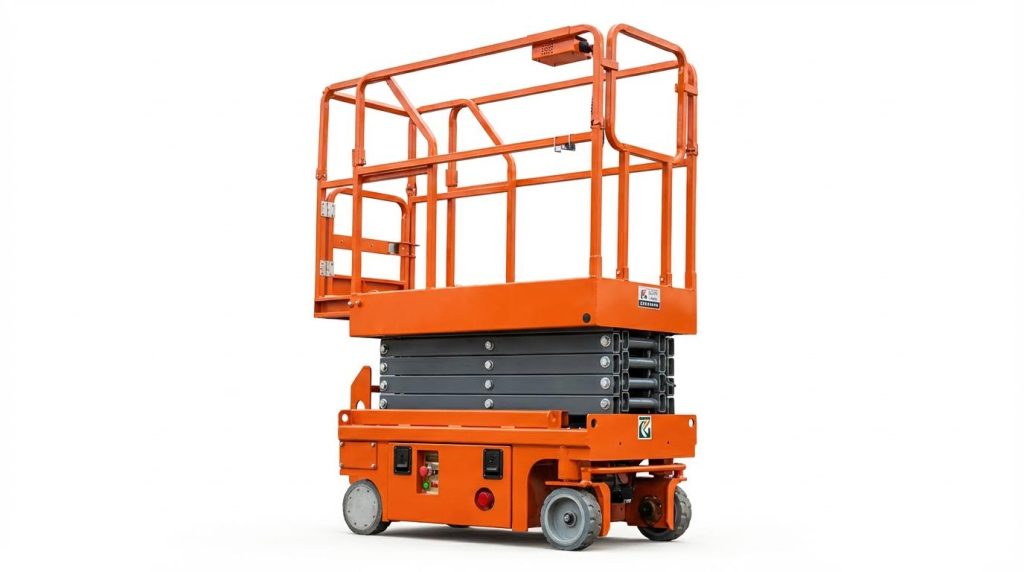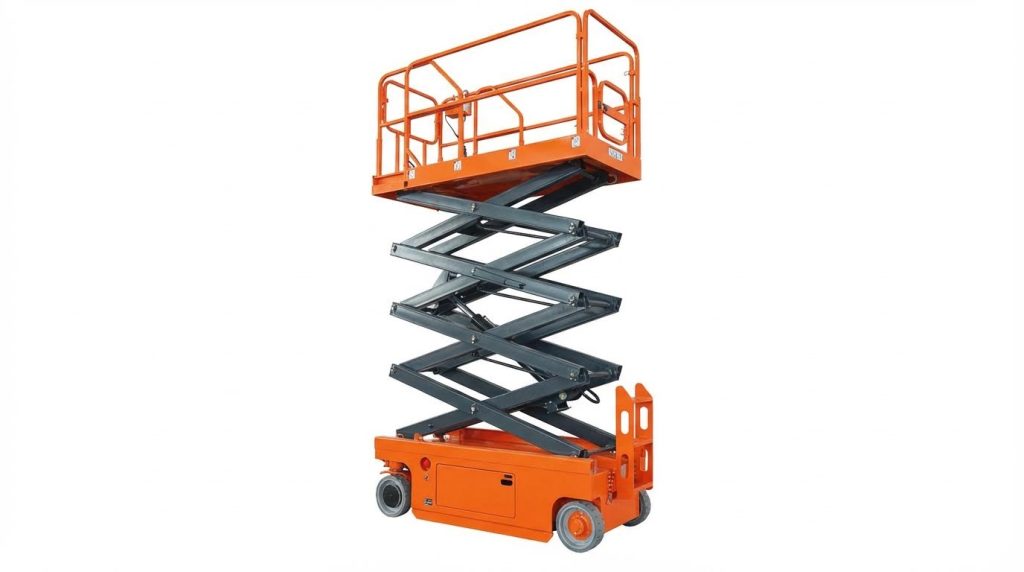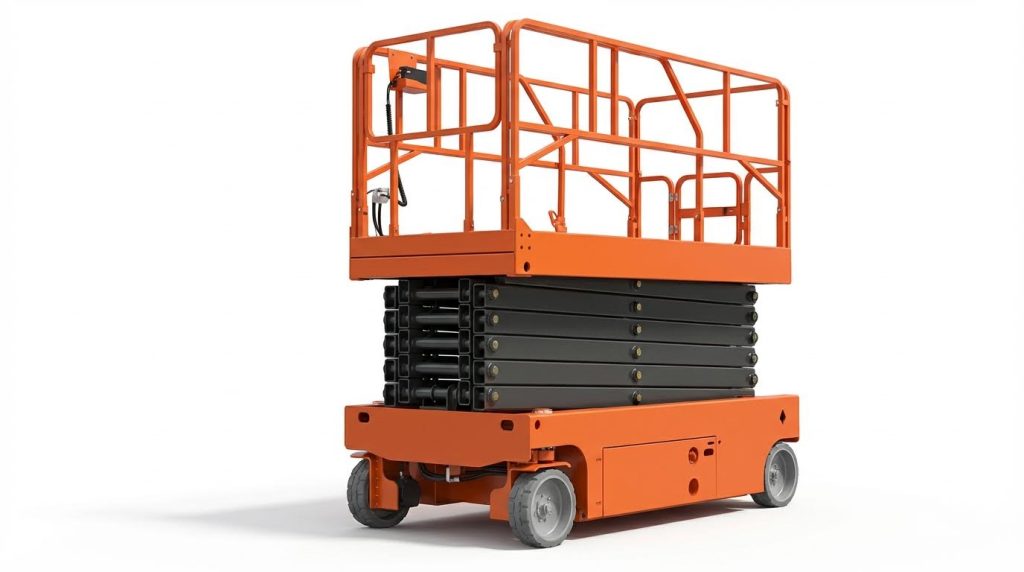
If you are asking “how do I reset my scissor lift,” the answer starts with safety, then methodical fault-finding. This guide explains safe reset steps, common electrical and hydraulic faults, and when you must stop and call a qualified technician.
You will learn how to power-cycle correctly, read fault symptoms, verify batteries and sensors, and check site conditions like tilt, overload, and pothole protection. Use it as a structured, safety-first reference before any reset attempt.
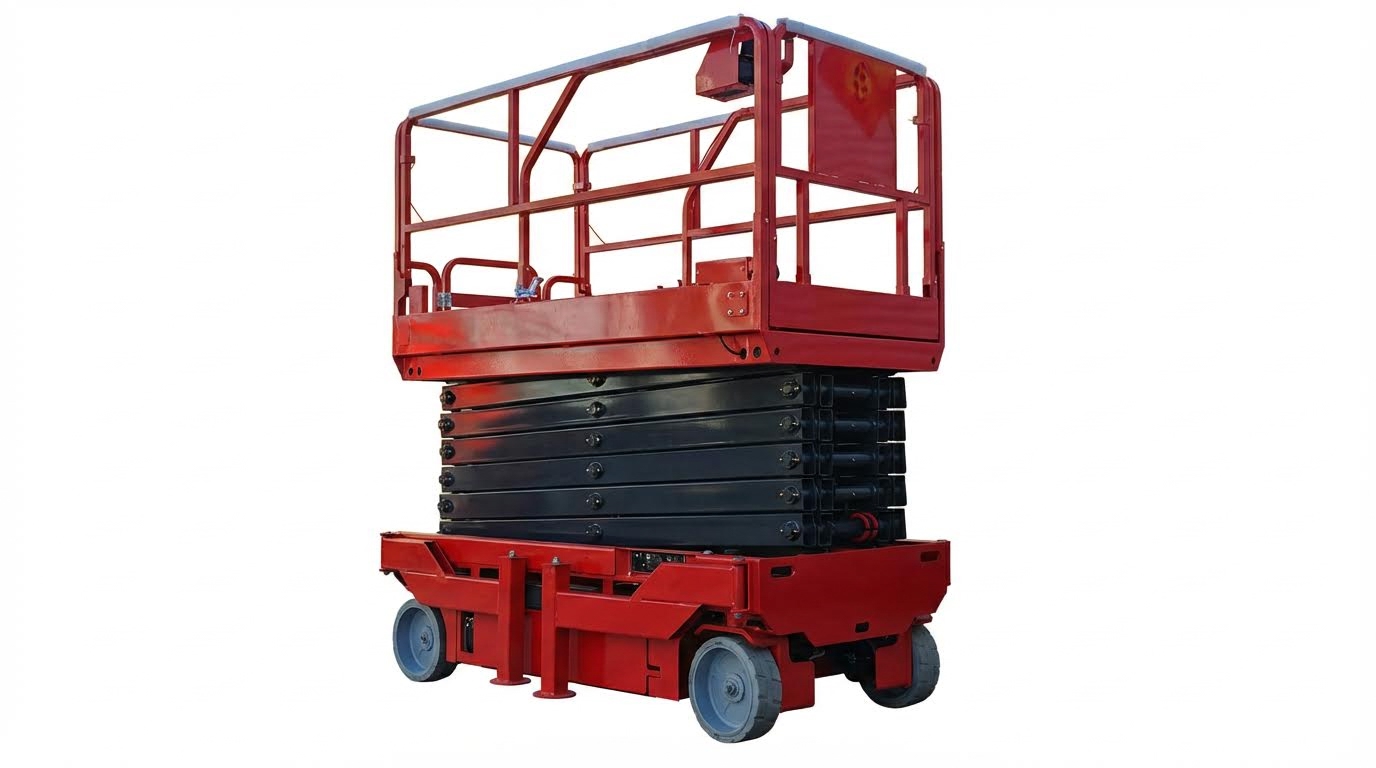
Core Reset Principles And Safety Preconditions
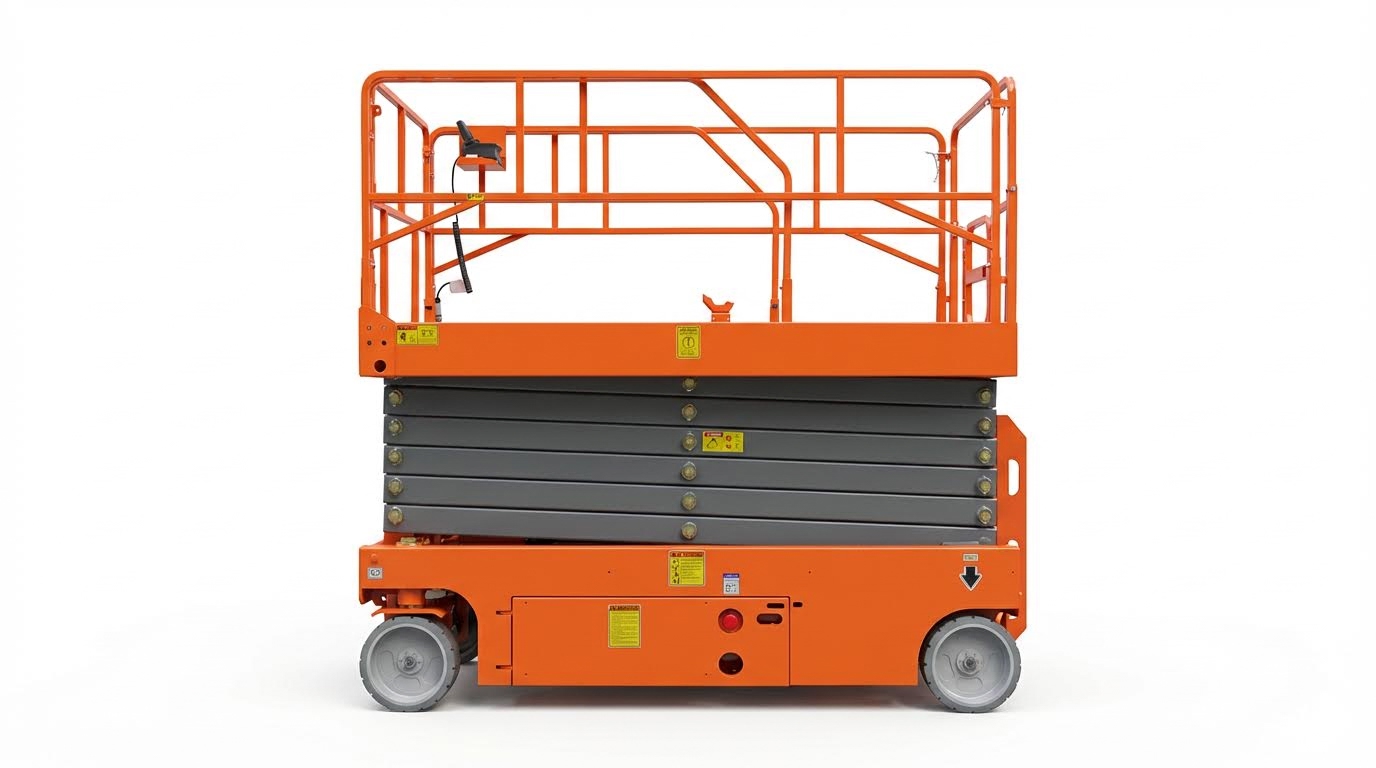
Core reset principles and safety preconditions define how to safely clear faults before you even ask “how do I reset my scissor lift” or attempt any power-cycle. They keep the machine stable, de-energised, and free of hidden hazards.
- Goal: Make the lift safe before touching controls – This prevents crush, tip-over, and unexpected motion during reset.
- Mindset: Treat every reset like maintenance work – Apply lockout rules, not casual button pushing.
- Sequence: First safety, then inspection, then reset – This avoids clearing a fault while the real problem remains.
- Limit: Only basic resets for operators – Deeper electrical or hydraulic work belongs to trained technicians.
💡 Field Engineer’s Note: Most “mystery” resets that later turn into accidents started with someone cycling power on a live, loaded, or tilted lift. If the platform is not empty, fully lowered, and on firm, level ground, you are not ready to reset.
Lockout, securing the lift, and ground conditions
Lockout, securing the lift, and checking ground conditions come first so the machine cannot move, tip, or crush anyone when you try to reset it.
- Lower the platform fully: Bring the deck to the base before anything else – Reduces stored energy and tip-over risk.
- Select a safe surface: Park on firm, level ground within manufacturer slope limits – Prevents roll-away or tilt lockouts during reset.
- Secure against movement: Apply brakes and use wheel chocks if on any gradient – Stops creep when power returns.
- Clear the platform: Remove all personnel, tools, and loose material – Prevents falls or crush injuries if the lift moves.
- Respect load rating: Keep total load at or below the rated capacity – Overload sensors will block reset and elevation.
Minimum site and stability checks before any reset
Before you think about how do I reset my scissor lift, confirm: the platform is fully lowered; the machine is on firm, level ground; no voids, trenches, or weak slabs exist under the wheels; and wind is within the outdoor limit, typically below about 12.5 m/s for outdoor-rated units. These conditions align with standard site assessment and stability practices for aerial platforms described in industry guidance.
- Check guardrails and access gates: Ensure rails, gates, and toe boards are intact and latched – Maintains fall protection once the lift operates again.
- Verify emergency lowering works: Test base emergency-lower and hydraulic release (with the platform empty) – Confirms you can get the platform down if controls fail after reset.
- Apply basic lockout principles: Turn the key to OFF and remove it before physical inspections – Prevents someone else from energising controls while you are near pinch points.
- Do not bypass safety devices: Never wedge, tape, or jump out tilt, overload, or pothole switches – Defeating interlocks violates safety law and masks real hazards.
Ground and environment factors that block a successful reset
If the machine sits on a slope beyond its rating, on soft fill, or over a trench, sensors and interlocks may keep it locked out even after a power-cycle. Proper site assessment includes checking slab thickness, subgrade condition, and avoiding underground voids or utilities that could compromise support as recommended in engineering guidance.
Basic power-cycle reset and control checks
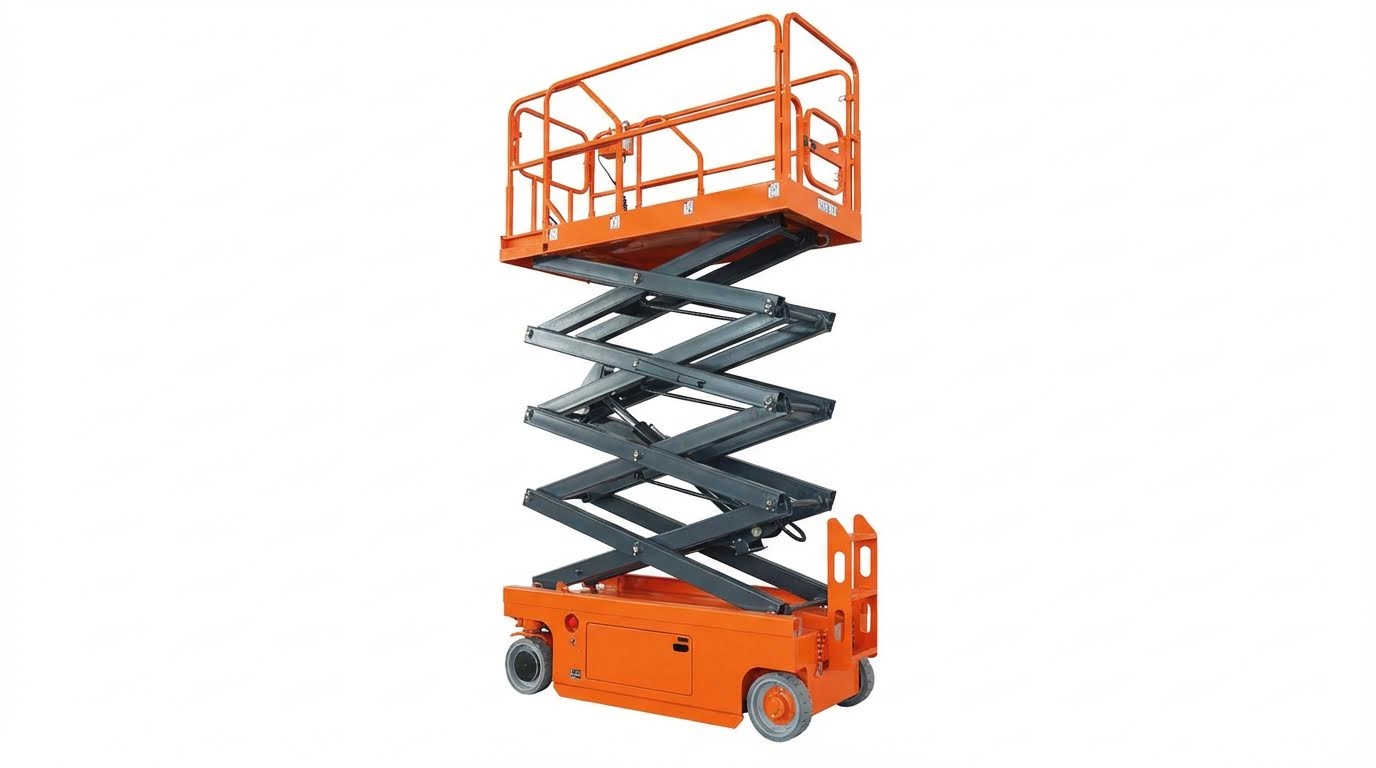
Basic power-cycle reset and control checks are the safe, operator-level answer to “how do I reset my scissor lift” once the machine and site are secure.
- Step 1: Confirm safety preconditions – Platform fully lowered, level ground, area clear, and no visible damage.
- Step 2: Inspect for obvious faults – Look for hydraulic leaks, damaged hoses, cracked arms, or loose wiring before energising.
- Step 3: Check emergency stops – Both base and platform E-stop buttons must be pulled out or set to ON, or the lift will not start according to operating guides.
- Step 4: Verify key switch position – Set the base key switch to the control station you intend to use (ground or platform); a neutral setting disables all functions as described in typical manuals.
- Step 5: Perform a controlled power-cycle – Turn the machine OFF, wait roughly 10 seconds to let ECUs discharge, then turn it ON again on a flat, stable surface as recommended in safety guidance.
- Step 6: Observe fault codes and indicators – Note any displayed code or flashing lamp; a reset clears logic only after the underlying fault is corrected.
- Step 7: Test basic functions in a clear area – Gently test lift, lower, and drive from the designated control station, ready to hit E-stop if behaviour is abnormal.
What a basic reset can and cannot fix
A power-cycle reset only clears stored logic after you correct the real problem. It will not repair low batteries, hydraulic leaks, misadjusted overload sensors, or damaged wiring. For example, slow or jerky lifting usually points to low hydraulic oil, clogged filters, or air in the system, which require inspection, refilling with the specified oil, filter service, and bleeding by qualified personnel per hydraulic maintenance guidance.
- Battery and power sanity checks: If the lift will not wake up, confirm it has been charged for at least 6–8 hours on the correct charging port and that battery indicators show charge; deeply discharged batteries need a full cycle before resets are meaningful as described in charging instructions.
- Interlock awareness: Remember that tilt, overload, and pothole protection devices can block elevation even after a reset; you must remove the unsafe condition rather than trying to “override” the system.
- Out-of-service rule: If the lift shows repeated faults, abnormal noises, or visible structural or hydraulic damage, tag it out of service and call a qualified technician instead of attempting further resets.
💡 Field Engineer’s Note: If a scissor lift only works briefly after each power-cycle, assume you have an unresolved root cause—often a weak battery, marginal wiring connection, or sensor fault. Repeatedly cycling power in this state heats components and can turn a simple wiring repair into a failed ECU.
Diagnosing Common Electrical, Hydraulic, And Sensor Faults
This section explains how to diagnose the real fault behind a stopped scissor platform so a reset is safe and effective, not guesswork. If you are asking “how do I reset my scissor lift,” these checks come before any power-cycle reset.
- Rule 1: Always diagnose the cause of the shutdown – never keep resetting a lift that is trying to protect you.
- Rule 2: Work from power source to controls to hydraulics – this mirrors how the machine is wired and plumbed.
- Rule 3: Use fault codes and warning lights as a roadmap – they point to the right circuit, not always the exact failed part.
💡 Field Engineer’s Note: If a lift dies intermittently and “comes good” after a reset, suspect loose wiring, low battery voltage under load, or a failing sensor long before you blame the ECU itself.
Battery, charging, and emergency stop verification
Most “dead” scissor lifts that will not reset are actually suffering from low battery, charging issues, or an emergency stop that is still engaged. Always clear these basic faults before you worry about complex electronics.
- Check battery charge time: Deep-cycle batteries need about 6–8 hours of uninterrupted charging to recover from a full discharge – short charges leave voltage high at rest but collapsing under load. Charging duration reference
- Confirm correct charging port: Rear sockets often include one tool-power outlet and one charger inlet – plugging into the wrong one means the “charger” never actually runs. Port layout reference
- Verify charge indicators: Look for charger LEDs or dash icons that show active charging – no indicator usually means no power or a charger fault.
- Inspect battery water level: Open the compartment and remove caps; plates must stay just covered with distilled water – low electrolyte causes permanent capacity loss and voltage sag. Water level guidance
- Consider temperature effects: Very cold batteries (down to about -20°C) deliver far less current – the lift may show power but trip as soon as you try to raise. Temperature limits
- Check emergency stop switches: Both base and platform E-stops must be pulled out (ON) – a single pushed-in E-stop will completely block any reset or motion. E-stop function
- Verify key switch position: The base key switch must select the station you are using (ground or platform) – in neutral or the wrong position, it will feel like “no power” even with full batteries. Key switch modes
How this ties into “how do I reset my scissor lift”
A power-cycle reset will not hold if batteries are weak or an E-stop is still pushed in. You must restore proper battery charge, water levels, and control switch positions first, then cycle power to clear the fault logic safely.
Electrical controls, wiring, and ECU communication faults
If the battery and basic switches are correct but the lift still will not reset, you move into electrical control, wiring, and ECU communication checks. These faults often show as error codes, dead joysticks, or intermittent operation.
- Start at the power source: Confirm positive and ground continuity from batteries to control electronics – an open ground can mimic a dead positive feed and confuse diagnosis. Power path checks
- Check main fuses and relays: Verify supply voltage at the ECU input before pulling harnesses apart – many “ECU failures” are just blown main fuses or stuck relays. Fuse and relay guidance
- Inspect wiring harnesses: Look for crushed, abraded, or flex-fatigued cables between base and platform – broken conductors cause intermittent shutdowns that briefly clear after a reset.
- Handle-to-ECU communication: Persistent communication error codes (for example “02” types) often trace to fatigued spring wires in the platform control unit or damaged harnesses – resetting only masks a broken signal path. Communication fault patterns
- Test switches and joysticks: Use continuity checks to confirm that lift, lower, and drive commands actually reach the ECU – a dead enable switch can fully block motion with no obvious mechanical sign.
- Confirm ground control operation: If platform controls fail but ground controls work, suspect the platform harness or control box – this split behavior is a strong diagnostic clue.
| Symptom | Likely Electrical Cause | Simple Check | Operational Impact |
|---|---|---|---|
| No response anywhere | No battery feed or open ground to ECU | Measure voltage at ECU input | Lift will not power up or reset at all |
| Ground works, platform dead | Platform harness or joystick fault | Swap or inspect platform box and cable | Must operate from base only until repaired |
| Intermittent shutdowns with code | Loose connector or fatigued wire | Wiggle-test harness while monitoring | Resets seem to “fix” it briefly, then fault returns |
💡 Field Engineer’s Note: When operators say “it dies when I turn the wheel fully or hit a bump,” I immediately look for cracked conductors in the boom or scissor cable track rather than inside the ECU.
Hydraulic, load, and mechanical alignment-related shutdowns
Even with healthy electrics, the lift will not reset properly if hydraulic, overload, or mechanical alignment problems remain. These issues show up as no lift, slow or jerky lift, or overload/pressure-related alarms.
- No or slow lifting: Verify that the lift motor, related fuses, pushbuttons, and supply cables have continuity – a dead motor circuit looks like a hydraulic fault but is still electrical. Motor and fuse checks
- Jerky or uneven lifting: Low oil level, clogged filters, or trapped air in cylinders and lines cause pulsation – refill with clean specified oil, change filters, and bleed air to restore smooth motion. Hydraulic corrective actions
- Continued lifting after button release: Suspect a sticking valve or control issue – this is a red-flag safety fault that needs a technician, not repeated resets. Valve behavior guidance
- Overload or stall near full height: Check the actual platform load against the rated capacity plate – excess weight or off-centre loading forces the relief valve to open and can trigger overload shutdowns. Load rating and stability
- Relief valve setting: The pressure relief valve must match the manufacturer’s maximum working pressure – if set too low, the lift stalls early and appears weak even though components are fine. Relief valve role
- Slideway clearance and alignment: Guidelines call for about 1.5–2.5 mm clearance between slideways for smooth scissor motion – too tight or misaligned guides increase friction and can trigger overload-type faults. Mechanical alignment effects
- Lubrication of moving parts: Dry pivots and slideways increase hydraulic pressure demand – this can cause slow lift, noisy operation, and early relief valve opening.
| Observed Behavior | Hydraulic / Mechanical Cause | Diagnostic Action | Operational Impact |
|---|---|---|---|
| Lift will not rise at all | No motor drive or very low oil | Check motor circuit and tank level | Machine stuck at ground until fault cleared |
| Lift rises but jerks | Air in system or clogged filter | Bleed cylinders, replace filters | Difficult to position safely at height |
| Stops part-way with overload alarm | Excess load or tight slideways | Reduce load, inspect and realign guides | Cannot reach full working height |
💡 Field Engineer’s Note: When a unit repeatedly trips overload with what looks like a light load, I measure slideway clearance and inspect for paint build-up or bent guides long before I touch the relief valve setting.
Sensor, ECU, and software-related shutdowns (tilt / overload)
Some overload or tilt shutdowns come from sensors and software rather than pure hydraulics. False tilt alarms on level ground usually mean a mis-mounted or contaminated tilt sensor that needs cleaning and recalibration with an empty platform, following OEM steps to store a correct zero reference. Repeated overload alarms with modest loads often trace to loose load-sensor mounting or incorrect linkage; if alarms persist after correct setup, the sensor must be replaced and the lift load-tested under local safety rules. Sensor and software fault behavior
Once these electrical, hydraulic, and sensor faults are corrected, you can safely perform a controlled power-cycle reset on firm, level ground to clear stored fault logic. That is the only reliable answer to “how do I reset my scissor lift” without fighting the same shutdown over and over.
Site Conditions, Interlocks, And When To Call A Technician
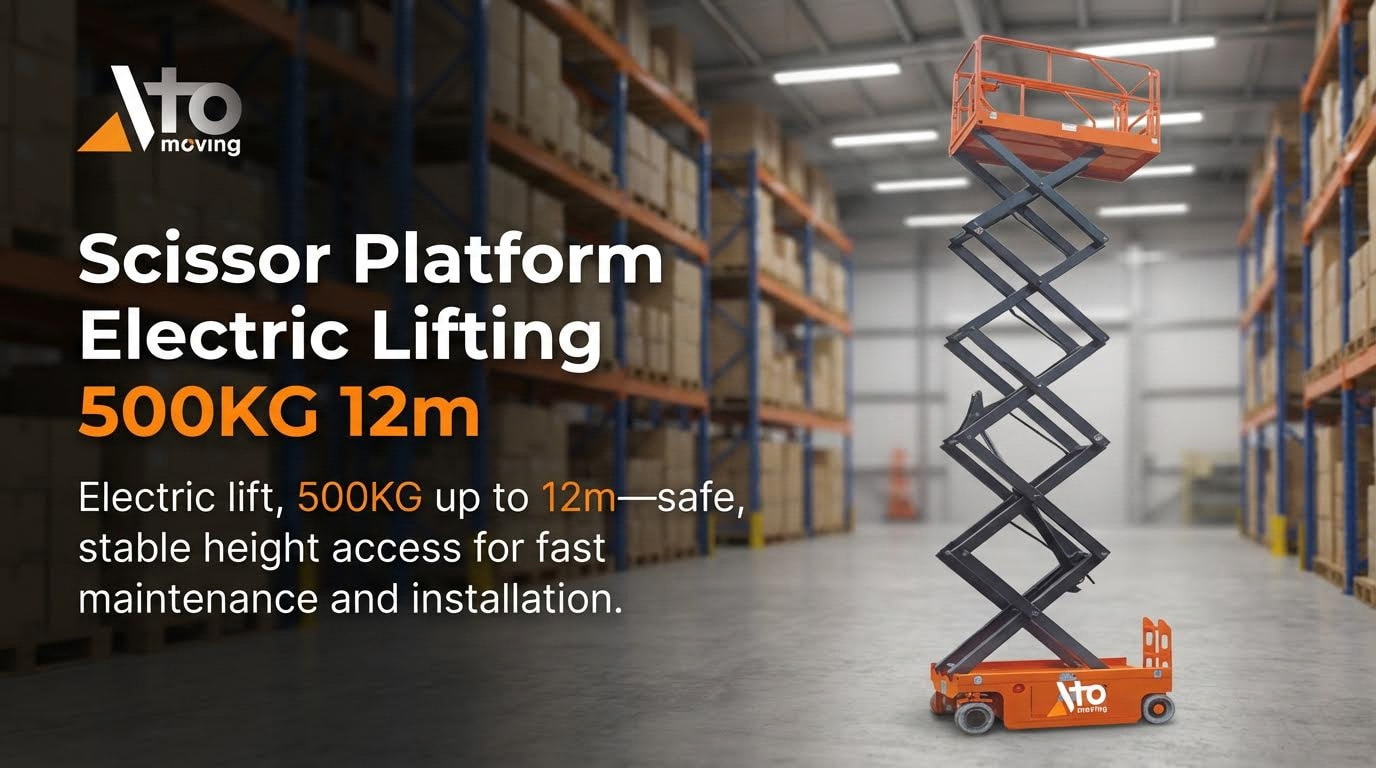
Site conditions and safety interlocks decide whether a scissor lift will reset and operate, or stay locked out until faults and hazards are removed. Before asking “how do I reset my scissor lift,” you must confirm the ground, slope, and protection systems all meet the machine’s limits.
Modern lifts constantly “ask” if the surface is level, the load is safe, and all protection devices can move freely. If any answer is “no,” the control system blocks elevation or drive, and no amount of key cycling will safely override that.
Tilt, overload, pothole protection, and outriggers
Tilt, overload, pothole protection, and outriggers are hard interlocks that prevent elevation when stability is at risk, and they must be satisfied before any reset will hold. Many operators think a fault code is “electrical,” when in reality the machine is correctly refusing to work on an unsafe surface or with an unsafe load.
- Tilt sensors: These monitor platform inclination and stop lift/drive when slope exceeds limits – prevents side-tip on uneven slabs or ramps.
- Overload sensors: These measure platform load and lock elevation when capacity is exceeded – stops structural overload and scissor collapse.
- Pothole protectors: These deploy under the chassis before elevation – increase the effective footprint and reduce tip risk over voids.
- Outriggers: These extend to level and stabilize rough-terrain lifts – transfer load safely to the ground on uneven or soft soil.
| Protection / Condition | Typical Technical Limit / Requirement | What The Interlock Does | Operational Impact |
|---|---|---|---|
| Tilt / Slope | Up to about 3% grade (~1°) for electric, 5% (~2°) for rough-terrain when elevating documented limits | Blocks elevation or drive when sensor detects excessive angle | Lift may drive only when fully lowered; elevation locked until on level ground |
| Overload | Must stay within rated platform capacity (people + tools + materials) per data plate | Stops lift and may sound alarm when load exceeds safe value | Elevation disabled until excess weight is removed and sensor sees safe load |
| Pothole protectors | Must deploy fully with no obstructions under chassis for elevation | Prevents platform from rising if protectors cannot lock in place | Operator must clear debris, reset mechanism, or call service before using lift |
| Outriggers (rough-terrain) | Each leg must extend and carry load on firm ground or pads as indicated | Blocks elevation until machine is level and all outriggers show “set” | Requires repositioning, cribbing, or technician if auto-level will not achieve green status |
If you are asking “how do I reset my scissor lift” after a tilt or overload alarm, the correct sequence is always: fix the unsafe condition first, then perform a basic power-cycle reset.
- Step 1: Lower the platform fully – puts the centre of gravity back inside the wheelbase.
- Step 2: Move to firm, level ground within the machine’s slope rating – tilt sensor must see a safe angle.
- Step 3: Remove excess load and measure total weight if in doubt – ensures overload sensor reads within rated kg capacity.
- Step 4: Inspect under the chassis for debris blocking pothole protectors – any obstruction will keep the interlock open.
- Step 5: For rough-terrain units, deploy outriggers until the level indicator confirms a safe condition – all legs must carry load evenly.
- Step 6: Turn the key off, wait around 10 seconds, then turn on and test from ground controls – resets control logic after the hazard is removed.
How to quickly judge if the ground is “good enough” for elevation
Check that the surface is hard, continuous, and not backfilled over trenches or ducts as site assessments require. Avoid manhole covers, service pits, or soft infill. If you would not park a loaded 3,000 kg truck there, do not elevate a scissor lift there.
💡 Field Engineer’s Note: Many “mystery” tilt or overload faults disappear when you move just 1–2 m to a part of the slab that is not spanning an underground duct or patch repair. Slight flexing of thin concrete can change sensor readings enough to trip interlocks even though the surface looks level by eye.
Advanced diagnostics, remote monitoring, and TCO impact
Advanced diagnostics, remote monitoring, and data analytics decide when you should stop chasing resets and instead call a technician, protecting both uptime and total cost of ownership (TCO). Modern lifts record fault codes, duty cycles, and sensor histories that clearly show if a problem is environmental, operator-induced, or a genuine component failure.
- Onboard diagnostics: Control panels display numeric or text fault codes – points you to tilt, overload, hydraulic, or ECU issues without guesswork.
- Sensor and ECU monitoring: Systems log tilt, load, and interlock status – helps distinguish real hazards from sensor or wiring faults.
- Remote monitoring: Fleet dashboards collect run-hours, charge cycles, and alarms – allows planned maintenance before breakdowns stop work.
- AI-based analytics: Software spots patterns that precede failures – reduces unexpected downtime and extends component life.
Remote and AI diagnostics use data from inclination switches, overload sensors, batteries, and hydraulic performance to detect issues such as recurring false tilt alarms, chronic overload attempts, or slow lifting due to hydraulic degradation as described for modern fleets. This moves you away from repeated “try a reset” behaviour and toward root-cause fixes.
| Symptom After Reset Attempts | Likely Root Cause Category | Recommended Action | TCO Impact If Ignored |
|---|---|---|---|
| Frequent tilt alarms on visually level ground | Sensor mounting, calibration, or wiring degradation per tilt sensor guidance | Schedule technician to inspect, recalibrate, or replace tilt sensor | Lost productive hours and increased operator temptation to bypass interlocks |
| Overload alarms with clearly light loads | Loose load-sensor linkage or faulty sensor noted for OL faults | Call service for mechanical inspection and load-test | Unplanned downtime and risk of unsafe workarounds |
| Persistent interlock fault codes despite correct site conditions | ECU, wiring harness, or software logic fault | Technician to run full electrical diagnostics and update software if needed | Escalating repair cost and possible mid-lift shutdowns |
| Repeated slow or jerky lift after successful resets | Hydraulic contamination, low oil, or mechanical misalignment as described for hydraulic faults | Plan hydraulic service: fluid, filters, and slideway alignment checks | Higher energy use, pump wear, and eventual major component failure |
When a simple reset is reasonable vs. when it is not
A basic power-cycle reset is reasonable after you correct an obvious, one-off issue: E-stop pushed in, battery discharged, or platform parked on too steep a slope. It is not appropriate to keep resetting when the same interlock trips repeatedly on good ground with correct loading; that pattern indicates a component or wiring problem that needs a qualified technician, not more key cycling.
- Use resets as confirmation, not as a fix: Once you correct the hazard, a successful reset simply proves the system agrees conditions are now safe – it is never a substitute for maintenance.
- Leverage remote data: Share fault histories and run-hours from monitoring systems with your service provider – they can arrive with the right parts on the first visit.
- Plan maintenance from patterns: Recurring alarms at certain heights, loads, or temperatures help schedule proactive work – this is how fleets cut unplanned downtime and TCO.
💡 Field Engineer’s Note: Any time an operator has to ask “how do I reset my scissor lift” more than once per shift for the same unit, I treat that as a maintenance trigger. The cheapest repair is almost always the one you schedule before the interlock finally refuses to clear in the middle of a critical job.
Final Considerations For Safe Scissor Lift Resets
Final scissor lift reset decisions should balance “can I clear this fault now?” against “should this machine be locked out and a technician called?” to protect people, equipment, and schedules.
When people search “how do I reset my scissor lift,” they usually want a quick fix, but the safe answer is: perform one controlled reset only after you correct obvious issues, then stop and escalate if the fault persists or repeats.
- Respect the fault, don’t fight it: A recurring tilt, overload, or hydraulic alarm means the machine is protecting you – forcing it to move defeats engineered safety margins.
- One reset rule: Try a single full power-cycle reset only after checks (ground, load, E‑stops, key switch, batteries) – repeated cycling masks real problems and can damage ECUs or contactors.
- Ground and site first: Confirm firm, level ground, adequate bearing capacity, and clear pothole/obstruction zones – this prevents tip-over and false tilt or pothole faults.
- Platform empty during resets: Keep everyone off the platform while you reset and test from the ground controls – this limits fall risk if the lift behaves unpredictably.
- Never bypass interlocks: Do not wedge tilt switches, bridge overload sensors, or block pothole protectors – temporary “workarounds” are a direct path to serious incidents.
- Use emergency lowering properly: If controls are dead with someone aloft, use base controls or the emergency hydraulic release valve to lower slowly – this safely removes people from exposure before deeper diagnostics.
- Lockout for unresolved defects: Any visible structural damage, hydraulic leak, wiring damage, or persistent fault code requires tagging the lift out of service – this complies with the principle that unsafe equipment must not be operated.
- Document what you did: Note the fault code, conditions, and steps taken before and after the reset – good notes help technicians diagnose quickly and reduce downtime.
- Prioritize batteries and hydraulics in your plan: Keep batteries fully charged, water levels correct, and hydraulic oil clean and at the proper level – this minimizes nuisance shutdowns from low voltage or jerky, air-filled hydraulics.
- Train operators on “normal vs. abnormal”: Operators should know what a standard reset looks like and when something “feels wrong” – early reporting prevents minor issues from becoming major failures.
💡 Field Engineer’s Note: If you need to reset the same scissor lift more than once in a shift for the same code, treat that unit as failed. Repeated resets often mean a marginal battery, loose connector, or sensor drifting out of calibration, and running it “until it dies” usually turns a simple repair into a major component replacement.
When to stop asking “how do I reset my scissor lift” and call a technician
If your first controlled reset does not clear the issue, or the fault returns as soon as you try to raise, drive, or steer, the correct engineering move is to stop and escalate.
- Persistent electrical or ECU faults: Reappearing communication errors, dead controls, or repeated “02”‑type codes point to wiring or ECU problems that need diagnostic tools and continuity checks from a qualified technician.
- Hydraulic performance issues: No lift, slow lift, or continued lifting after you release the button indicates deeper hydraulic or valve faults that must be inspected, bled, and pressure‑tested by trained personnel.
- Structural or alignment concerns: Any bent arms, abnormal noises, or visible misalignment of slideways and scissor arms are stop‑work conditions until a technician verifies clearances and lubrication.
- Sensor and interlock anomalies: “False” tilt or overload alarms, or pothole/ outrigger devices that will not deploy, require proper calibration and repair, not repeated resets.
In practice, a safe reset is a one‑time confirmation that the lift is healthy, not a tool to override faults. If there is any doubt, lock it out and let a technician prove the machine safe before the next job.

Final Considerations For Safe Scissor Lift Resets
Safe scissor lift resets depend on one simple rule: never clear the fault until you remove the hazard and confirm the machine is stable. Geometry, hydraulics, electrics, and software all work together to protect stability, so operators must respect what the fault is telling them, not fight it.
Lockout, ground checks, and an empty, fully lowered platform remove crush and tip-over risk before any power-cycle. Battery, wiring, and hydraulic checks then confirm the machine can respond in a controlled way. Tilt, overload, pothole, and outrigger interlocks finally verify that site conditions stay inside the design envelope; if they do not, the reset must fail by design.
Use one deliberate reset as a confirmation step only after you correct clear issues. If alarms repeat, treat that as a maintenance trigger, tag the unit out, and call a technician with your notes and fault history. This approach lets operators handle basic, low-risk resets, while Atomoving and other service teams focus on root-cause repairs. The result is fewer incidents, less unplanned downtime, and longer machine life across the fleet.
Frequently Asked Questions
How do I reset my scissor lift?
To reset your scissor lift, start by removing any weight from the platform. Then, push in and pull out the red Emergency Stop button to reset the system. If the platform is still overloaded, the warning light will continue to flash. Scissor Lift Manual.
What should I do if the scissor lift doesn’t reset?
If the scissor lift does not reset using the Emergency Stop button, try the following: On the control pad with the up and down arrows, press and hold the down arrow until the lift reaches its lowest point. Continue holding the button for 10 seconds, then release to reinitialize the lift. Lift Reset Instructions.