Modern pick-and-stage operations coordinate people, software, and manual pallet jack so orders move from storage to dock with minimal errors and walking. This article breaks down process boundaries, engineering design, and safety so you can understand how to do pick and stage at amazon’s warehouse–style scale, even if you run a smaller distribution center. You will see how layout, WMS logic, semi electric order picker, and ergonomics fit together in millimeter-level detail to support high-throughput, scan-driven fulfillment.
Defining Pick-And-Stage In High-Throughput Warehouses
Pick-and-stage in high-throughput warehouses is the controlled flow from order release, through picking, into a clearly defined staging buffer before packing or loading. Getting these boundaries right is the foundation of how to do pick and stage at amazon’s warehouse–scale operations.
In engineering terms, “pick” covers all work from task release until items leave their storage locations, while “stage” begins when units enter a physical or logical buffer such as a lane, rack slot, pallet position, or conveyor zone. Clear separation avoids double counting, lost cartons, and misrouted loads in fast-moving sites.
Phase
Typical Start Trigger
Typical End Trigger
Main Resources
Operational Impact
Pick
Order / wave release in WMS
Item removed from storage location
Pickers, carts, AMRs, RF/voice
Defines travel distance and labor hours per line
Transfer to Stage
Pick container full or task complete
Container arrives at assigned buffer
Conveyors, tuggers, AMRs
Decouples picker performance from dock congestion
Stage
First scan into lane / buffer
Carton or pallet released to pack or loading
Staging lanes, racks, dock space
Buffers waves and carrier cut-offs; protects service levels
Engineers map this end-to-end chain as repeatable steps: information transport, movement of goods, picker travel, picking, delivery to the next point, confirmation, and onward transport, in line with VDI 3590-style models. Modern WMS platforms mirror these steps with task statuses and scan events to support time studies and reduce ambiguity. Structured process steps and states let large operators run picking and staging as parallel work streams rather than a single serial bottleneck.
💡 Field Engineer’s Note: In very high-throughput buildings, always design staging buffers to absorb at least one full wave per dock or route; undersized buffers push congestion back into pick aisles and collapse your theoretical throughput.
Process boundaries from release to staging buffer
Process boundaries from release to staging buffer define exactly where picking ends and staging begins in both the physical layout and WMS logic. Without these hard edges, high-volume operations suffer from lost cartons, double-handling, and noisy KPIs.
From an engineer’s lens, the “release-to-stage” chain has distinct, controllable segments. Each segment should have a clear trigger, a scan or confirmation, and a measurable dwell time.
Step
Physical Activity
System Event / Scan
Typical Order State
Operational Impact
1. Order release
None (system only)
Wave / batch / discrete task creation
Available to pick
Defines backlog and labor planning horizon
2. Pick assignment
Task appears on RF, voice, or AMR queue
Task accepted / started
Picking
Starts labor clock and travel path
3. Travel & pick
Move to slot, grab units
Location scan + item/quantity confirmation
Picking
Drives lines per hour and accuracy
4. Delivery to buffer
Move tote/carton/pallet toward staging
Optional in-transit scan or conveyor divert
Picked – in transit
Separates picker productivity from dock congestion
5. First staging scan
Place unit in lane, rack, or pallet position
Lane/location scan + container ID scan
Staged
Official handoff; enables consolidation and loading logic
Standards-based process descriptions treat picking as a chain of repeatable steps from information transfer to transport of collection units to the next point. Modern WMS implementations mirror these with granular scan events: start pick, confirm location, confirm quantity, confirm container, confirm staging location.
Clear boundary: Define “stage” as the first successful scan into a dedicated lane, rack, or buffer – this prevents double-staging and ghost inventory.
Physical separation: Use painted lines, signage, and distinct rack ranges for staging vs storage – operators instantly know which side of the line they own.
Logical separation: Configure unique WMS location types for staging lanes – reports can distinguish inventory in storage, work-in-progress, and ready-to-load.
Parallel work: Allow pickers to keep filling totes while staging teams sort and build pallets – protects throughput during carrier cut-off peaks.
How to size the staging buffer between pick and pack
Start with peak lines per hour from picking, convert to cartons or totes, then multiply by the longest expected dwell time in staging (often 30–120 minutes around carrier cut-offs). Translate that volume into linear meters of lanes or rack levels, allowing at least 10–20% extra for exceptions and rework.
Order states, scan events, and WMS control
Order states, scan events, and WMS control turn pick-and-stage from a loose workflow into a tightly orchestrated system that can scale to tens of thousands of lines per hour. The trick is to define minimal but unambiguous states and tie each to a physical action and a scan.
Large operators structure order flow through states such as available to pick, picking, staged, packed, loaded, and shipped, with each state requiring clear entry and exit confirmations. This state model supports parallel work and lets supervisors see exactly where volume is sitting: in pick modules, staging lanes, or at the dock.
Order / Task State
Typical Entry Scan / Event
Typical Exit Scan / Event
Who Owns It
Best For…
Available to pick
OMS releases order / wave to WMS
Picker accepts first task
Planner / WMS
Labor planning and wave design
Picking
Task start scan at first location
Last line picked and confirmed
Picker / AMR
Measuring lines per hour and travel efficiency
Picked – in transit
Container closed / tote full confirmation
Arrival scan at staging or pack
Material handlers / conveyors
Balancing conveyor and AMR fleet capacity
Staged
Lane/location + container scan
Pull-to-pack or pull-to-dock scan
Staging team
Controlling wave release to packing and docks
Packed
Pack-out confirmation + weight/dimension check
Shipping label print and close carton
Packer
Validating contents before shipping
Loaded
Scan carton/pallet onto trailer
Trailer closed and departed
Dock team
Carrier compliance and cut-off adherence
Shipped
Departure confirmed in TMS/WMS
Delivery events from carrier
Transport / customer service
Customer notifications and OTIF reporting
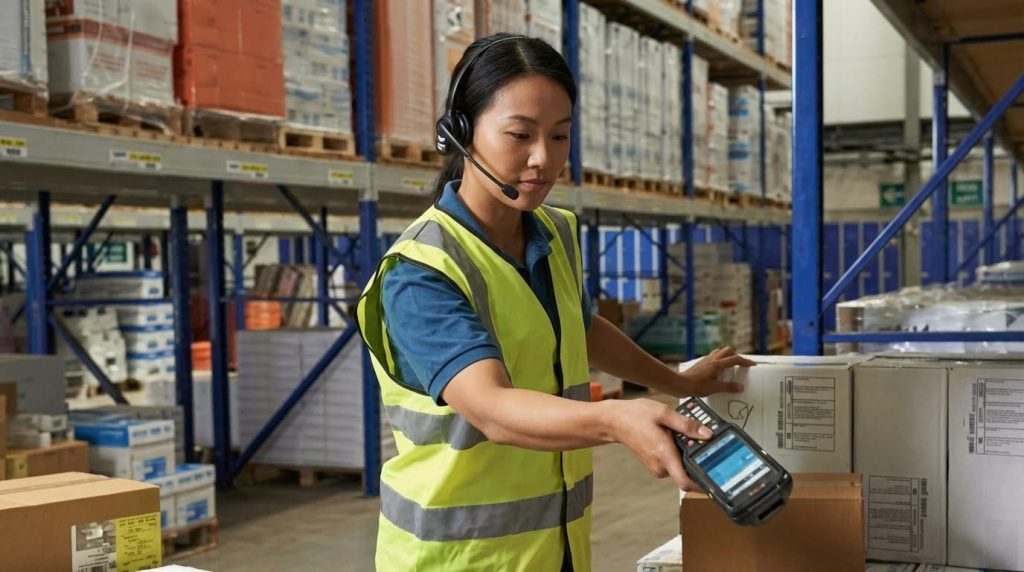
Each state hinges on specific scan events: bin and item scans during picking, container scans at conveyor merges, lane scans in staging, and load scans at the dock. Barcode systems and RF devices enforce real-time validation of item, quantity, and location, reducing manual data entry errors and supporting lot and serial tracking. Directed picking via mobile scanners lets the system sequence tasks and confirm each step.
Minimal scans, maximum control: Capture scans only where state changes – this keeps operators fast while preserving traceability.
Error visibility: Analyze mispick and mis-route data by state – you quickly see if errors cluster in pick modules, staging, or loading.
Task interleaving: Use WMS logic to mix picking, replenishment, and put-away in one route – this cuts empty travel and stabilizes utilization.
Quality gates: Insert weight or dimension checks at staging or packing – catches errors before the trailer, not at the customer.
Why “how to do pick and stage at amazon’s warehouse” starts with states and scans
High-profile operators rely on dense but disciplined scan events to keep millions of units synchronized across pick modules, conveyors, AMRs, and docks. The visible robots and conveyors only work because every tote and carton transitions through well-defined WMS states with clean scan discipline.
Engineering The Pick Flow: Methods, Layout, And Technology
This section explains how engineered picking methods, warehouse layout, and technology combine to create fast, accurate pick-and-stage flows similar to how to do pick and stage at amazon’s warehouse, while protecting safety and labor productivity.
Picking strategies and their impact on staging
Picking strategy is the main lever that defines how much staging you need, where buffers sit, and how complex your consolidation logic becomes.
Modern warehouses mix several core strategies, each driving different staging layouts and scan controls. The key is to align method, order profile, and carrier schedule so staging lanes never become the bottleneck.
Picking Strategy
How It Works
Staging Impact
Best For… / Operational Impact
Discrete picking
One picker completes one order at a time end‑to‑end.
Minimal consolidation; simple 1:1 order-to-lane or direct-to-pack.
Low-volume or high-value orders where traceability matters more than travel efficiency.
Batch picking
Picker collects the same SKU for many orders in one tour. Source
Requires well-marked staging or sortation to re-split SKUs into individual orders.
Medium to high volume with many shared SKUs; reduces walking by up to ~30%.
Wave picking
Orders released in timed “waves” by carrier, route, or cut-off. Source
Staging lanes sized for peak wave volume; heavy emphasis on dock-near buffers.
Carrier-driven outbound operations; aligns picking with trailer departure times.
Zone picking
Building split into zones; totes or cartons travel through multiple zones. Source
Staging at zone exits or central consolidation; needs strong scan discipline.
Large sites where workers specialize by area and congestion must be contained.
Cluster picking
One picker services several orders at once using multiple totes/slots on a cart. Source
Downstream staging simpler because orders are already separated by tote.
E‑commerce style small orders; boosts lines per hour without complex sortation.
Pick-and-pass
Totes/cartons move along a defined path; each zone adds its SKUs then passes on. Source
Short in-line staging buffers between zones; exception loops for problem orders.
High-throughput modules where flow must be continuous and predictable.
Clarify order states: Define “available to pick”, “picking”, “staged”, “packed”, “loaded” – this prevents double-handling and misroutes.
Bind strategy to scans: Map each pick method to specific scan events at pick, drop, and staging – this keeps WMS inventory and physical flow aligned.
Right-size staging: Size lanes in m² and pallet/tote count per wave – this avoids overflow that blocks main travel aisles.
Separate fast vs slow flows: Give fast waves or premium services their own staging – this prevents priority orders from getting buried.
How picking strategy changes staging design in practice
In a batch or wave environment, you design larger consolidation and sortation areas, often with conveyors feeding multi-lane buffers. In discrete or cluster picking, you can push more volume straight to pack, using smaller, shorter-term staging near packing cells.
💡 Field Engineer’s Note: When you copy high-volume methods like those used in very large e‑commerce warehouses, the common failure is under-sizing intermediate staging between pick zones. Always simulate worst-case wave overlap and add at least 20–30% buffer space in m² to prevent gridlock at zone exits.
Layout, slotting, and material flow equipment
Layout, slotting, and equipment determine how many metres a picker walks per line and how cleanly picked units flow into staging and loading.
High-throughput sites typically combine a clear flow pattern (U/I/L-shape), engineered slotting rules, and a mix of conveyors, carts, totes, and pallets chosen for the actual SKU profile and order mix.
Design Element
Key Choices
Engineering Focus
Operational Impact
Overall layout pattern
U-shape, I-shape, or L-shape building flow. Source
Minimise crossing flows; keep pick paths short and mostly one-way.
Reduces travel distance and congestion; simplifies supervision and safety routes.
Slotting rules
A/B/C classification by velocity, cube, and handling. Source
Place fast movers in “golden zone” (≈ knee–shoulder, 700–1,600 mm).
Improves pick rate and ergonomics; reduces bending and reaching injuries.
Conveyors
Gravity or powered, with accumulation where needed. Source
Width vs tote/carton size; line pressure; merge/divert logic.
Decouples picking from packing; prevents upstream blocking in waves.
Carts and tuggers
2–4 wheel pick carts, tuggers with multiple carts.
Wheel diameter vs floor quality; turning radius vs aisle width (typically 1,800–2,400 mm).
High flexibility; ideal for re-slotting or changing pick paths seasonally.
Totes and cartons
Standard plastic totes, ship cartons, pallet-sized loads. Source
Check tote width vs conveyor (e.g., tote ≤ 400–500 mm on 600 mm belt); limit weight to ≈ 15–20 kg.
Standardisation simplifies racking, automation, and labeling; protects operators from over-lifting.
Lane width, length, and clear IDs; safe truck/pedestrian separation.
Prevents congestion and mis-sorts; keeps main pick aisles free.
Align slotting with waves: Place SKUs frequently picked together in adjacent bays – this cuts cross-aisle travel per pick tour.
Respect ergonomic bands: Keep heavy items between 500–1,200 mm height – this reduces back strain and lost-time injuries.
Guard staging from creep: Mark staging zones on the floor in m² and enforce max pallet/tote counts – this stops “temporary” staging from swallowing pick aisles.
Design for peak, not average: Size conveyors and buffers for peak lines/hour, then check idle-time impact – this avoids catastrophic queues at cut-off.
Checking fit between totes, racks, and conveyors
When you choose a standard tote (for example 600 × 400 mm footprint), verify at least 50–100 mm clearance in rack openings and guardrails, and ensure conveyor side guides allow for sway without jamming. Test worst-case overhang from poorly packed cartons, not just ideal CAD geometry.
💡 Field Engineer’s Note: In high-velocity pick modules, the hidden constraint is often vertical clearance above gravity flow lanes. If you stack totes or cartons too high, operators start tilting them out, which shifts loads into travel aisles and creates frequent micro-blockages that never appear in the WMS data.
Human–machine interfaces and mobile automation
Human–machine interfaces and mobile automation define how instructions reach pickers and how picked units move, directly shaping accuracy, lines per hour, and staging smoothness.
Large-scale operations that resemble how to do pick and stage at amazon’s warehouse typically combine voice, lights, scanners, and AMRs, with the WMS orchestrating tasks and scan events at every staging boundary.
Fast confirmation at pick face; reduces misrouted units entering staging.
Can cut pick errors by up to ~35%; ideal in dense fast-pick modules.
Voice-directed picking
Audio prompts via headset guide picks hands-free. Source
Verbal confirmations tie each pick to a tote or order ID, simplifying staging scans.
Accuracy up to 99.9% reported; short training time for new workers.
Barcode / RF scanning
Workers scan locations, items, and containers. Source
Defines hard state changes (picked, staged, packed) in the WMS.
Backbone of real-time inventory; enables directed picking and exception tracking.
Autonomous Mobile Robots (AMRs)
AMRs shuttle totes/cartons between zones and staging. Source
Turn static staging into dynamic buffers; robots queue at consolidation or pack.
Throughput gains around 20% typical; cuts walking distance and labour strain.
Goods-to-person systems
Shuttles/robots bring bins to fixed pick stations. Source
Staging is virtual inside the automation; physical staging shifts to outbound lanes only.
Very high pick rates with minimal walking; high capex, best for dense SKU ranges.
Digital twins & KPIs
Simulation of layout, flows, and control logic. Source
Test staging sizes, wave patterns, and AMR fleet size before go-live.
Optimises pick accuracy, lines/hour, and cycle time without risking live orders.
Step 1: Define scan points – mark exactly where picks, drops, and staging entries must be confirmed.
Step 2: Choose primary interface per area – for example, lights in dense modules, voice in bulk, RF in reserve.
Step 3: Add mobile transport – use semi electric order picker where walking distance or congestion is highest.
Step 4: Instrument performance – track pick accuracy, lines/hour, and dwell time in staging lanes.
Using KPIs to tune pick-and-stage automation
If pick accuracy is high but orders queue in staging, you have a flow problem, not a picking problem. Use WMS timestamps to compare average and 95th-percentile dwell times in each staging zone, then adjust wave size, AMR fleet size, or lane count accordingly.
💡 Field Engineer’s Note: When you deploy AMRs into an existing manual operation, the first real constraint often becomes pedestrian crossings at staging and dock areas. Without marked crossings and right
Designing Staging, Consolidation, And Loading Interfaces
Designing staging, consolidation, and loading interfaces means sizing and controlling every buffer between picking, packing, and the dock so flow stays continuous, safe, and scan-controlled even at peak volume. If you look at how to do pick and stage at amazon’s warehouse, the real secret is disciplined staging zones, clear WMS states, and dock-facing layouts that turn chaotic peaks into predictable queues.
In this section we focus on three things: how to structure staging zones, how to consolidate multi-zone orders, and how to connect these areas cleanly to loading. The goal is to convert abstract order waves into physically controlled lanes, pallets, and doors, with every movement backed by a scan event and ergonomic limits.
Staging zone types, sizing, and control logic
Staging zone types, sizing, and control logic define how picked units wait, combine, and flow to packing or loading without blocking upstream work. Well-engineered staging separates pick performance from dock variability and is central to any high-throughput operation.
Modern warehouses create several distinct staging layers between pick and ship, each with a clear purpose and WMS state. Typical patterns include short-term pick staging, order consolidation areas, and carrier or route staging close to the doors. These buffers absorb wave peaks and carrier cut-offs so pickers can keep moving while docks catch up. Staging zones and pick-and-pass methods describe how buffers between zones decouple processes and support exception handling.
Staging Zone Type
Typical Location
Primary Function
Typical Capacity Concept
Operational Impact
Pick staging (in-zone)
End of pick aisles or modules
Short-term buffer for picked totes/cases leaving a zone
Minutes to 1–2 hours of zone output
Decouples picker from downstream congestion; stabilizes lines/hour
Consolidation staging
Central area before packing or ship sort
Merge items from multiple zones into complete orders
Orders in process for a full wave or shift
Enables batch/zone picking; reduces picker travel
Carrier / route staging
Near outbound dock doors
Sort sealed cartons or pallets by carrier, route, or trailer
1–3 waves per carrier or per dock
Aligns order flow with trailer loading and departure times
Exception / QA staging
Adjacent to consolidation or packing
Hold problem orders for inspection, re-pack, or re-pick
Small, tightly controlled buffer
Prevents blocked lanes and keeps defects out of trailers
From a control perspective, each staging zone should map to explicit WMS states and scan events. Orders typically move through states such as picking, staged, packed, loaded, and shipped, with entry and exit to each state confirmed by scans or system confirmations. This avoids double counting and misrouting while allowing parallel work where pickers fill totes and staging teams sort or palletize in parallel. Order states and staging control show how clear entry and exit rules support time studies and error tracing.
Define zone purpose: Name each staging area by function (pick buffer, consolidation, carrier) – Prevents ad-hoc piles and lost orders.
Size for peak, not average: Use peak lines/hour and dwell time to estimate required lane count – Reduces lane overflow during waves.
Enforce scan-on-arrival: Require a scan when a tote/carton enters a staging lane – Locks the WMS location and prevents ghost inventory.
Use visual IDs: Mark lanes with large IDs and floor lines – Shortens search time and supports temp labor.
Separate exceptions: Create a dedicated problem lane – Keeps defective or incomplete orders out of normal flow.
How to roughly size a staging zone
1) Estimate peak throughput for that interface in units/hour or cartons/hour. 2) Decide acceptable dwell time (for example 30–60 minutes). 3) Multiply to get required units in buffer. 4) Convert to lanes: units per lane = lane length (m) × cartons per meter. Always add 10–20% safety margin to account for variation and rework.
💡 Field Engineer’s Note: In high-volume sites, the real choke point is often consolidation staging, not the docks. When consolidation lanes run “three-deep,” pickers still hit target lines/hour, but packers start short-cycling waves and misloads spike. A simple fix is to extend consolidation lanes by 1–2 m and add hard WMS caps per lane so supervisors see a “lane full” alert before physical overflow happens.
Stock rotation, safety, and ergonomic constraints
Stock rotation, safety, and ergonomic constraints ensure that staged goods flow in the right sequence while keeping operators within safe lift, reach, and travel limits. Good staging design protects both product quality and people.
Rotation rules like FIFO, LIFO, and FEFO apply not only in storage but also in how pallets, carts, and cartons sit in staging and at dock doors. For general merchandise, FIFO minimizes aging inventory and simplifies audits, while deep lane or push-back configurations naturally lend themselves to LIFO when rear access is not possible. When shelf life or expiry dates matter, FEFO overrides both FIFO and LIFO by selecting the lots with the shortest remaining shelf life within allowed limits. Tie-breakers such as oldest receipt date or lowest location depth are configured in the WMS to avoid honeycombing and stranded pallets. Stock rotation rules outline how these strategies reduce obsolescence.
Maximizes lane utilization where only front access exists.
FEFO
Food, pharma, regulated goods
Lot-controlled staging near QA and docks
Minimizes expiry risk; requires reliable date and lot data.
Safety and ergonomics in staging follow the same principles as in pick areas but with more dynamic congestion. Engineers limit manual lift weights, reduce reach distances, and control step counts. Fast-moving items and heavy cartons stay between knee and shoulder height, while flow racks or gravity systems bring cases forward to minimize deep reaches. Key checks include separating pedestrians and trucks, clearly marking crossings, maintaining aisle widths, and keeping exits and sprinklers clear. Safety and ergonomic design focus emphasizes limiting load per lift and shortening main paths.
Lift limits: Keep manual tote weights under about 15–20 kg – Reduces back injuries and fatigue in staging moves.
Golden zone staging: Place high-turn cartons between 700–1,500 mm height – Minimizes bending and overhead lifting.
Clear truck–pedestrian split: Use barriers and painted walkways – Prevents impacts near docks and staging lanes.
Lane housekeeping: Ban double-stacking in walk paths – Prevents trips and blocked emergency routes.
Daily walk path: Supervisors inspect staging for blocked aisles and damaged racks – Catches drift before it becomes a safety incident.
Applying rotation rules in staging lanes
For FIFO at dock staging, assign each lane a time window and require loaders to clear the oldest window first. For FEFO, the WMS should propose pallets in ascending expiry order and print lane labels with lot and expiry data so loaders visually confirm they are pulling the correct sequence.
💡 Field Engineer’s Note: The fastest way to lose control of FEFO is to let “temporary” pallets sit in generic staging lanes. In food-grade operations I always reserve at least one clearly signed FEFO-only staging block near QA, with mandatory scan-in and scan-out. That way, if a trailer is delayed, you still know exactly which high-risk pallets are sitting where and for how long.
“”
Final Thoughts On Optimizing Pick-And-Stage Design
Effective pick-and-stage design links process states, layout, equipment, and people into one controlled flow from release to dock. Clear boundaries between picking, transfer, staging, packing, and loading prevent ghost inventory, double-handling, and misloads. Well-defined WMS states and scan events turn each boundary into a hard control point, so supervisors see exactly where work sits and where bottlenecks form.
Engineered layouts, slotting, and right-sized staging buffers then translate this logic into safe, short, and predictable travel paths. When you size lanes for peak volume, enforce scan-on-arrival, and guard staging from creeping into aisles, you protect throughput and safety at the same time. Rotation rules like FIFO or FEFO, combined with ergonomic height bands and strict truck–pedestrian separation, keep both product quality and people safe.
Operations and engineering teams should treat pick-and-stage as one integrated system. Start with states and scans, design staging zones for the worst peak, and choose technology and mobile equipment such as Atomoving solutions to cut walking and strain. Validate the design with real data, then adjust buffers, waves, and routes until congestion disappears from pick aisles and docks. The result is a warehouse that runs fast, stays safe, and remains stable as volumes grow.
Frequently Asked Questions
What is pick and stage in Amazon’s warehouse?
Pick and stage refers to the process of selecting items from warehouse shelves based on an inventory list and preparing them for shipment. This task requires physical fitness, focus, and organizational skills to ensure the correct items are gathered quickly for customers. Warehouse Picker Role Guide.
How does the picking process work at Amazon?
The picking process involves workers retrieving products from designated storage areas within the warehouse. These items are then staged in a specific area for packing and shipping. The process relies on optimized workflows to ensure efficiency and accuracy in fulfilling customer orders.
What tools or systems assist in pick and stage operations?
Amazon utilizes advanced warehouse management systems (WMS) and Material Handling Equipment (MHE) such as conveyor belts, automated guided vehicles (AGVs), and barcode scanners. These tools streamline the pick-and-stage process by guiding workers to the correct locations and ensuring accurate tracking of inventory.