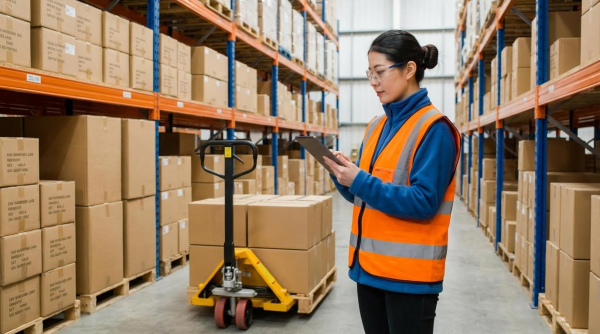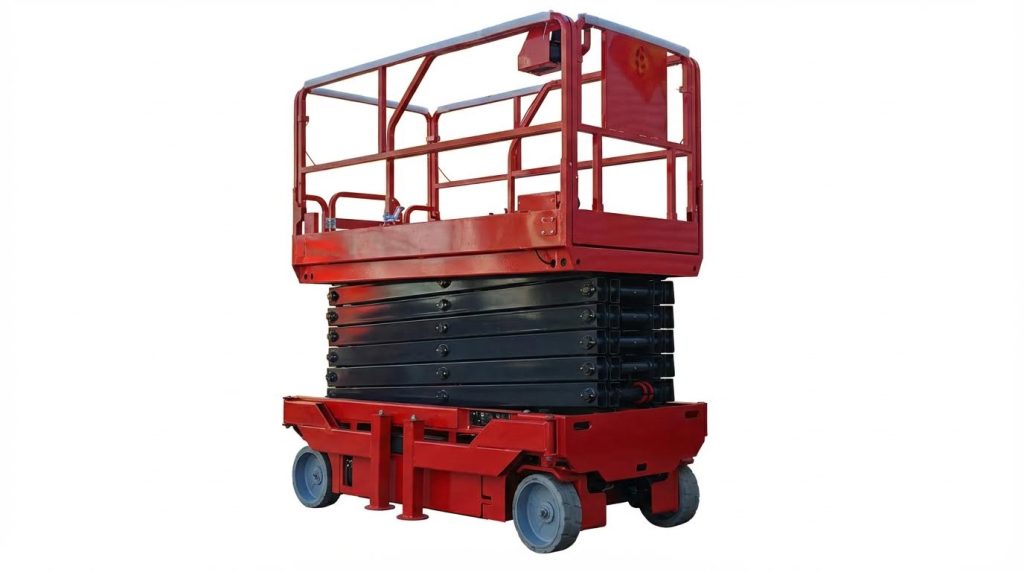
Wave picking in warehouses is a structured order release method that groups work into timed waves to synchronize picking with packing, replenishment, and carrier schedules. This article explains how to design the process, specify equipment, and decide when a warehouse order picker is the right operational model. You will see how layout, manual pallet jack, and WMS logic interact to cut travel, stabilize labor, and improve on-time shipping. We will also compare wave, batch, zone, and waveless approaches so you can engineer the right picking strategy for your site.
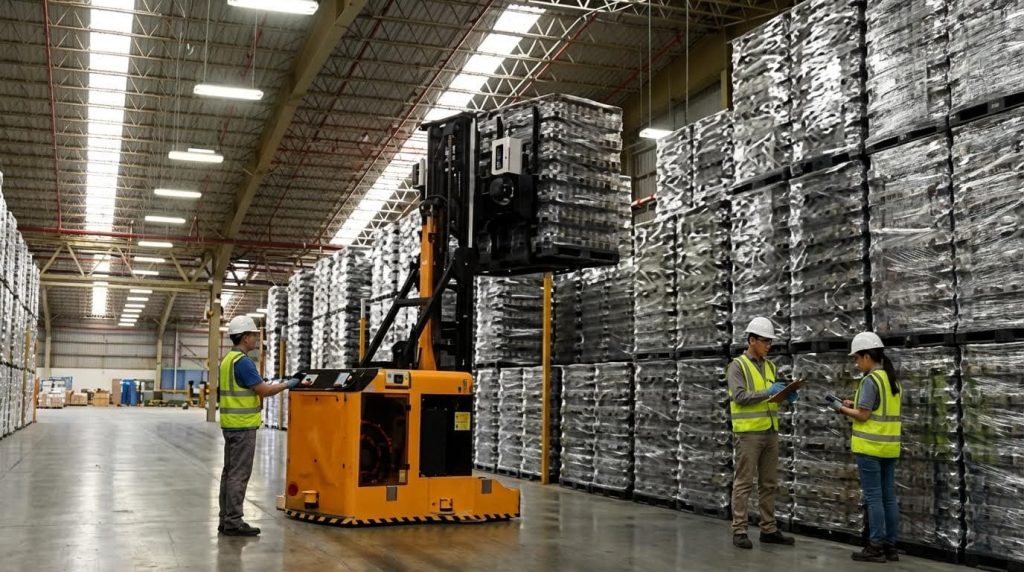
Fundamentals Of Wave Picking And Process Flow

Wave picking is a structured order-picking method where the WMS releases groups of orders in timed “waves” so picking, packing, replenishment, and carrier dispatch stay synchronized for maximum throughput and dock efficiency in a wave picker warehouse. This section explains what actually happens in a wave, how the logic works inside the WMS, and why it matters for real-world labor, congestion, and shipping performance.
Core definition and operating principles
Wave picking is an order fulfillment method where the warehouse groups orders into scheduled waves based on time, carrier, zone, or SKU logic, then releases them in controlled batches to pickers and equipment. In a wave picker warehouse, this creates a predictable rhythm for labor, equipment, and dock operations instead of chaotic, continuous order drops.
- Definition: Orders are accumulated, grouped, and released as “waves” – you pick several orders in one coordinated cycle instead of one by one.
- Time-based control: Waves are tied to shipping cut-offs or production slots – this protects on-time dispatch to carriers and customers.
- Resource synchronization: Picking, replenishment, packing, and loading are aligned – you avoid pickers waiting for cartons or docks waiting for picked stock.
- Structured routes: Pickers follow pre-optimized paths – this cuts walking distance and aisle congestion.
- Template-driven: Standard wave templates in the WMS enforce rules – you get repeatable performance instead of shift-by-shift improvisation.
From a process engineering view, a typical wave in a manual or mechanized warehouse follows a stable, repeatable flow.
- Step 1: Accumulate eligible orders – the WMS pools orders that share time windows, carriers, or zones to create enough volume for an efficient wave.
- Step 2: Build the wave using rules/templates – filters such as shipping deadline, order type, or pick zone define which orders are grouped together.
- Step 3: Pre-check inventory and replenishment – the WMS ensures forward pick locations have stock and triggers replenishment before release.
- Step 4: Prepare equipment and containers – carts, pallet jacks, totes, and labels are staged so pickers can start without delay.
- Step 5: Release wave to pickers – tasks drop to RF guns, tablets, or pick-to-light, with optimized routes to minimize travel.
- Step 6: Consolidate and pack – picked lines are sorted by order at consolidation or packing stations to avoid mix-ups.
- Step 7: Load by carrier/time window – completed orders flow to docks in the right sequence for each truck or route.
This structured approach improves dock flow and labor planning by aligning picking with carrier schedules and internal cut-offs. It also reduces picker travel time and errors through optimized routes and standardized workflows. Reference for process and benefits
| Wave Picking Element | Typical Design Choice | Operational Impact In A Wave Picker Warehouse |
|---|---|---|
| Wave duration | 30–120 minutes per wave (depends on order volume) | Shorter waves give flexibility; longer waves maximize picker and equipment utilization. |
| Grouping criteria | Carrier, ship time, zone, order type, or customer | Reduces missed cut-offs and avoids mixing incompatible orders (e.g., export vs domestic). |
| Release timing | Aligned to carrier dock times and internal cut-offs | Improves on-time shipping and smooths dock congestion. |
| Picking mode | Single-order, batch within wave, or zone-based | Balances travel distance with consolidation complexity. |
| Verification method | RF scan, pick-to-light, or check at pack station | Controls error rate while keeping throughput high. |
Key benefits and limitations of wave picking
Benefits: Wave picking improved labor planning, reduced picker travel, and enhanced on-time shipping by matching work to carrier schedules and using optimized routes. This led to higher pick accuracy and better dock flow. Evidence of benefits
Limitations: It was less flexible for real-time order changes and unsuitable for highly dynamic, continuous same-day fulfillment without hybrid methods. Poorly sized waves could also create bottlenecks. Evidence of challenges
💡 Field Engineer’s Note: In high-density pallet rack areas, avoid releasing waves that overload a single aisle. Even with good routing, more than 3–4 pickers plus MHE in a 2.5–3.0 m aisle quickly turns into stop‑start traffic and damages throughput.
Wave planning logic in the WMS
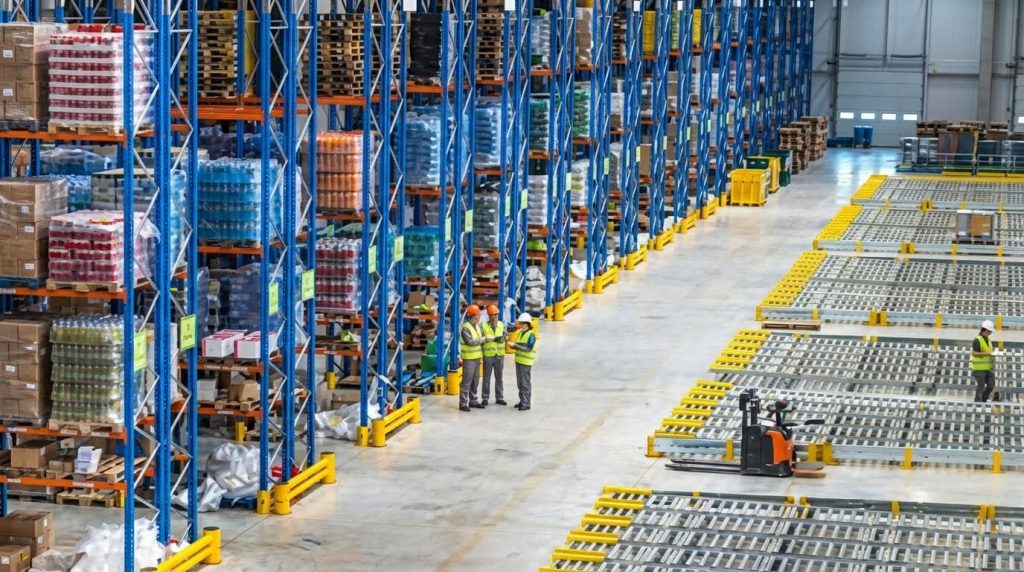
Wave planning logic in the WMS is the rule engine that decides which orders go into each wave, when to release them, and what prerequisites (replenishment, staging, equipment) must be satisfied before pickers start. In a well-tuned wave picker warehouse, this logic is where most of the performance gains come from, not from the hardware itself.
The WMS typically uses configurable templates to automate wave creation and release.
- Wave templates: Predefined rulesets for different flows – e.g., “08:00 export pallets,” “parcel carrier cut-off 15:00,” “large B2B orders AM.”
- Order selection rules: Filters by carrier, route, service level, order type, or zone – ensure each wave has compatible work.
- Capacity constraints: Limits on total order lines, cartons, or pallets per wave – avoid overloading docks, pack benches, or conveyors.
- Prerequisite checks: Inventory, replenishment tasks, and carton/tote availability – the wave will not release until these are ready.
- Release strategy: Fixed times, rolling short waves, or event-driven triggers – balance stability with responsiveness.
Modern WMS wave engines accumulate orders, group them using these templates, and then release them at optimal times so that replenishment and cart preparation are completed before the wave starts. This reduces picker idle time and aisle congestion. Evidence for WMS-driven wave logic
| WMS Wave Logic Feature | What It Does | Operational Impact |
|---|---|---|
| Order accumulation window | Defines how long new orders queue before wave building | Longer windows increase consolidation; shorter windows improve responsiveness. |
| Priority weighting | Scores orders by SLA, value, or customer tier | High-priority orders always find a wave in time for their cut-off. |
| Zone balancing | Spreads work across pick zones | Prevents overloading one area and under-utilizing another. |
| Task interleaving | Combines picking with replenishment or put-away tasks | Improves equipment utilization and reduces empty travel. |
| Short-wave / micro-wave mode | Creates small waves released frequently | Gives near-real-time responsiveness while preserving wave control. |
Short waves (sometimes called micro-waves) release smaller sets of orders rapidly through the day, while traditional waves run at set times. Hybrid approaches combine wave picking with batch or zone picking to cut travel distance and increase efficiency in high-SKU environments. Evidence for wave types
How the WMS synchronizes wave picking with packing and shipping
The wave picking process design aligns picking with packing and shipping schedules to optimize throughput and reduce missed deadlines. The WMS coordinates real-time inventory, workforce, and equipment usage to handle high order volumes and tight carrier cut-offs efficiently. Evidence for process design and equipment requirements
- For B2B and carrier-driven flows: Logic focuses on shipping deadlines and truck schedules – ideal for large distribution centers with fixed cut-offs.
- For e-commerce hybrids: Morning waves handle backlog, later micro-waves handle express and late orders – combines wave stability with waveless responsiveness.
- For automation-heavy sites: Wave logic must respect sorter, conveyor, and pack station capacities – to avoid surges that exceed mechanical throughput.
💡 Field Engineer’s Note: When tuning wave logic, start by capping waves based on downstream bottlenecks (pack benches, sorter rate, dock doors), not picker capacity. Most wave picker warehouses fail because they “over-fill” waves relative to packing and shipping, causing end-of-wave pileups and overtime at the docks.
Engineering The Wave Picking Process And Equipment

Engineering a wave picker warehouse means aligning layout, equipment, and IT so each wave flows smoothly from release to loading with minimal travel, queuing, and rework. You design the building, fleet, and data layer as one integrated system.
In this section, we move from theory to hard constraints: aisle widths in mm, pallet positions per aisle, picker routes, and what your WMS and automation must do to keep every wave on time.
Warehouse layout and slotting for wave flows
For wave picking to work, your layout must let multiple pickers move simultaneously without congestion while keeping high-velocity SKUs close to wave start and consolidation points. Think in meters of walking saved per order line, not just “nice” racking diagrams.
- Define clear pick, replenishment, and cross-aisle zones: Separate picker travel from replenishment traffic – reduces conflicts and near-miss incidents during peak waves.
- Use fast, medium, slow velocity zones: Place A-movers within 20–40 m of wave launch/induction – cuts travel distance per line and stabilizes wave duration.
- Align aisles with dock and sortation: Orient main travel paths toward packing and shipping – shortens the last 50 m of every pick path.
- Protect wave consolidation space: Reserve 10–20% of floor near packing for staging – prevents pallets and carts from blocking docks during large waves.
- Standardize pick face heights: Keep primary pick levels between 500–1,600 mm – reduces bending and overhead reaching, improving sustained pick rates.
| Layout Element | Typical Metric Guideline | Engineering Rationale | Operational Impact In A Wave Picker Warehouse |
|---|---|---|---|
| Main picking aisle width | 2,700–3,200 mm | Allows pallet jack traffic plus pedestrians with safe passing clearance. | Two pickers can pass without stopping; fewer micro-delays in dense waves. |
| Cross-aisle spacing | Every 20–40 m | Creates route options and emergency exits. | WMS can optimize U- or S-routes to avoid congestion pockets. |
| Dedicated staging near packing | At least 1.5–2.0 m depth along 10–20 m | Room for pallets/carts without blocking walkways. | Waves land cleanly at pack; no blocking of dock doors. |
| Fast-mover zone depth | First 1–2 aisles from induction | Minimizes walking to highest-volume SKUs. | Stabilizes pick time per line, improving wave duration predictability. |
How to validate if your current layout is wave-ready
Time three full waves from release to last carton sealed. If pickers frequently wait at narrow aisle pinch points or at packing benches, you likely need wider main aisles, more cross-aisles, or more consolidation space rather than more labor.
- Design slotting rules, not one-off decisions: Use ABC velocity, cube-per-order, and family grouping – keeps wave travel time consistent even as demand shifts.
- Cluster SKUs by order affinity: Place items often ordered together within 5–10 m – lets WMS generate dense pick paths for each wave.
- Separate bulky SKUs: Give oversized items end-of-aisle or floor-level slots – prevents them from blocking standard pick faces mid-wave.
💡 Field Engineer’s Note: In high-volume wave operations, the real choke point is often at cross-aisles near packing, not deep in storage. If you see “traffic jams” there, consider making one or two aisles one-way during peak waves and enforcing it in the WMS route logic.
Material handling equipment and fleet specification
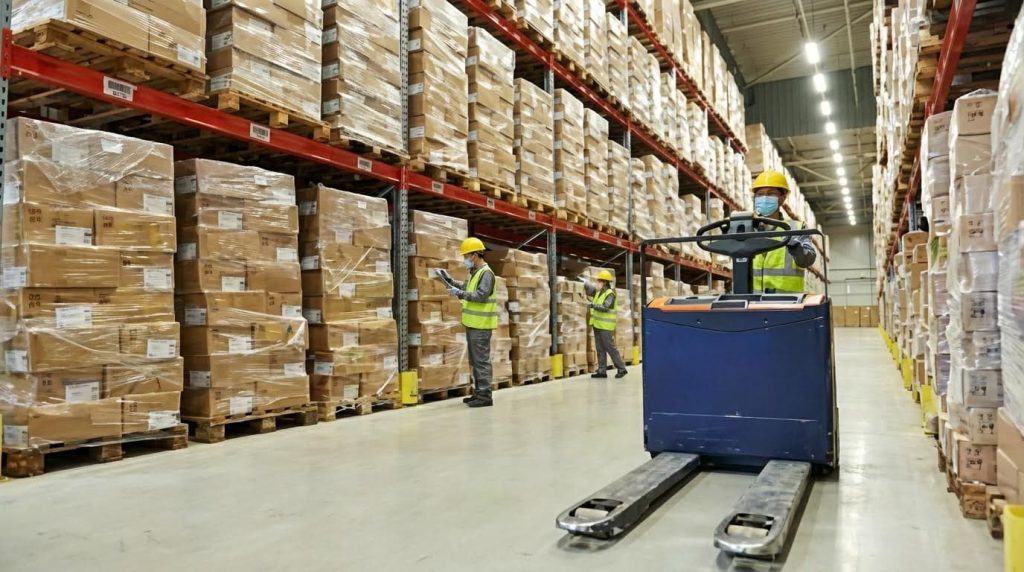
The right equipment for a wave picker warehouse is any mix of carts, pallet jacks, and powered trucks that can clear one full wave without queueing at charging points, narrow aisles, or packing benches. You size the fleet to the peak wave, not the average day.
Wave picking concentrates activity in time windows, so trucks must accelerate, turn, and stop safely in congested aisles while still hitting your lines-per-hour target.
| Equipment Type | Typical Capacity / Spec | Best Use In Wave Picking | Operational Impact |
|---|---|---|---|
| Manual picking carts | 150–300 kg payload, footprint ~600–800 mm × 1,000–1,200 mm | Small item picking in narrow aisles and dense shelving. | Low cost, high maneuverability; ideal for short waves and high-SKU areas. |
| Electric pallet jacks | 1,500–2,000 kg | Case and pallet picking on main aisles. | Move full wave pallets quickly from pick to pack with less strain on operators. |
| Order pickers (man-up) | Lift height 4–9 m, load 1,000–1,200 kg | High-bay picking for full-case and bulky items. | Unlocks vertical storage while keeping wave pick rates viable. |
| Conveyor / sortation | Throughput 2,000–6,000 cartons/hour (typical mid-size DC) | Moves cartons from zones to central pack. | Buffers wave surges so packing sees a smoother flow. |
- Size carts to the wave, not the picker: Ensure a cart can hold a full route’s cartons – avoids mid-wave returns to packing.
- Standardize cart and pallet footprints: Match to aisle widths and dock positions – reduces turning maneuvers that slow waves.
- Balance powered vs manual: Use powered equipment for runs >40–60 m with heavy loads – protects operators over multiple waves per shift.
- Plan charging and battery change areas: Keep them off main pick paths – prevents idle trucks from blocking aisles during waves.
Quick method to estimate fleet size for waves
1) Calculate cartons per peak wave. 2) Divide by average cartons per cart or pallet. 3) Add 20–30% buffer for damaged equipment and overlaps between waves. This gives a safer fleet size than planning to the exact average.
- Integrate safety into equipment selection: Choose trucks with good low-speed control and visibility – reduces collision risk when several pickers share an aisle.
- Use simple visual IDs on equipment: Color-code carts or pallets by wave – helps supervisors spot stragglers and late picks instantly.
💡 Field Engineer’s Note: In many DCs, the “hidden” capacity killer is overloaded carts that become hard to steer after 200–250 kg. Keep manual cart loads reasonable and shift heavier moves to powered equipment; your waves will finish more predictably and with fewer strain injuries.
WMS, automation, and data integration needs

A wave picker warehouse lives or dies on its WMS, because the system must group orders into waves, time releases, and ensure replenishment and cart prep are complete before pickers start. Without that orchestration, your engineered layout and fleet cannot reach design throughput.
Wave picking relies on a WMS that can accumulate orders, group them into waves using templates, and release them at optimal times while coordinating replenishment and cart preparation in advance as described in modern wave planning practices. This synchronization keeps pickers moving instead of waiting.
- Wave template management: Configure templates by carrier cutoff, zone, or product type – aligns waves with dock schedules and reduces missed shipments.
- Pre-wave checks: Force checks for replenishment completion and cart availability – prevents pickers from starting waves with empty locations or no equipment.
- Route optimization: Use WMS logic to minimize backtracking – cuts travel time and congestion in each wave by guiding pickers along efficient paths.
- Real-time task visibility: Provide RF or handheld guidance – reduces errors and keeps pickers synchronized with wave priorities as recommended in best practices.
| System / Automation Layer | Key Capability | Why It Matters For Wave Picking | Operational Effect |
|---|---|---|---|
| WMS core | Wave creation, templates, release control | Groups orders into timed waves aligned with packing and shipping schedules. | Improves throughput and reduces risk of missed deadlines by synchronizing processes. |
| RF / mobile devices | Real-time pick tasks and confirmations | Enables structured workflows with scan validation. | Improves accuracy and reduces errors during dense waves as documented in wave picking benefits. |
| Conveyor / sortation control | Carton tracking and routing | Moves picked cartons from zones to pack while absorbing surges. | Smooths dock flow and supports high on-time shipping performance. |
| Analytics / reporting | Wave performance dashboards | Monitors wave duration, lines/hour, and bottlenecks. | Supports continuous tuning of wave size and timing. |
- Integrate replenishment tightly: Your WMS should schedule and confirm replenishment before releasing a wave – avoids pickers hitting empty slots mid-wave as emphasized in modern wave execution.
- Use short waves or micro-waves where needed: Support smaller, more frequent waves for volatile demand – adds flexibility without abandoning wave control through short wave strategies.
- Support hybrid strategies: Enable combinations of wave, batch, and zone picking – maximizes efficiency in high-SKU environments by blending methods.
Typical integration touchpoints for a wave picker warehouse
Connect WMS to: 1) ERP for order drops and inventory updates, 2) TMS for carrier cutoffs and dock schedules, and 3) any automation controllers for conveyors or sorters. This lets wave planning respect real shipping deadlines and physical system limits.
💡 Field Engineer’s Note: When waves “blow up” in the real world, the root cause is often poor data timing—orders arriving late from ERP or carrier changes not reflected in TMS. Treat WMS integrations as critical-path engineering, not just an IT project, or your best-designed wave process will still miss trucks.
When Wave Picking Works Best And How To Select It

This section explains when a warehouse order picker delivers the most value and how to choose between wave, batch, zone, and waveless picking models for your operation.
💡 Field Engineer’s Note: Before you redesign around waves, walk your dock and staging areas at peak time. If pallets already choke the dock for 30–60 minutes, full-size waves may worsen congestion; consider shorter waves or hybrids.
Operational profiles suited to wave picking
Wave picking fits best in high-volume, schedule-driven operations where you can group orders into time-bound waves and synchronize picking with packing and carrier cut-offs.
- Large distribution centers: High SKU counts and long travel paths – waves structure work and reduce random congestion. Source
- Carrier‑driven shipping schedules: Tight daily cut‑offs for LTL, FTL, and parcel – waves align picking with truck departure times. Source
- Complex B2B order profiles: Many lines per order, mixed pallets, and compliance labels – waves simplify planning and dock flow. Source
- Stable demand during the shift: Orders accumulate ahead of release – you can build full, efficient waves instead of chasing single rush orders.
- Strong WMS and RF infrastructure: System can hold, template, and release waves – reduces planning time and ensures replenishment is complete before pickers start. Source
Typical “good fit” scenarios for a wave picker warehouse
- B2B distributors: Shipping full pallets and mixed-case pallets to retailers on fixed delivery windows.
- 3PLs with SLAs: Need clear waves to prove on-time performance against customer contracts.
- E‑commerce with predictable peaks: Morning wave for overnight orders, midday wave for express, late wave for same‑day carriers. Source
- Where wave picking struggles: Continuous, minute‑by‑minute flow of small e‑commerce orders – waveless or hybrid models respond faster to real‑time demand. Source
- Sensitive to last‑minute changes: If customers often change orders after release – waves add rework, because you must re‑plan or manually fix picks.
- Limited staging space: If your dock can only stage a few pallets – large waves can block aisles and slow loading.
How to quickly assess if wave picking fits your warehouse
- Step 1: Map carrier cut‑offs and dock times – if you have 2–5 clear shipping windows, waves can anchor your day.
- Step 2: Plot order arrival vs. ship time – if orders arrive well before cut‑off, you can group them into efficient waves.
- Step 3: Check WMS capabilities – you need templates, pre‑replenishment, and wave monitoring to avoid chaos.
- Step 4: Walk the floor at peak – confirm you have enough pick faces and staging to handle a full wave without blocking traffic.
Comparing wave, batch, zone, and waveless models
Wave, batch, zone, and waveless picking each optimize a different constraint—schedule, travel distance, labor specialization, or responsiveness—so you should select based on your dominant operational pain point.
| Picking model | How it works | Best for / Operational profile | Key advantages | Main limitations |
|---|---|---|---|---|
| Wave picking | Groups orders into scheduled waves by carrier, zone, or priority and releases them at set times. Source | B2B, 3PL, and large wave picker warehouse operations with fixed shipping windows and many order lines. Source | Strong control of dock flow, good labor planning, optimized routes, high on‑time shipping. Source | Less flexible for real‑time changes, risk of bottlenecks if wave size is wrong, needs robust WMS. Source |
| Batch picking | Picker collects the same SKU for multiple orders in one trip, then orders are sorted later. Source | High order counts with many common SKUs, especially e‑commerce small‑parcel operations. | Minimizes travel distance, high pick efficiency, flexible to incoming orders. | Requires secondary sort, less tied to carrier schedules, can overload packing if not balanced. |
| Zone picking | Warehouse split into zones; each picker stays in one zone and picks their items only. Source | Very large buildings (over tens of thousands of m²) with long travel distances and many SKUs. | Reduces walking, builds specialization per zone, easier local slotting optimization. | Requires consolidation of cartons or totes, can create dependencies between zones. |
| Waveless (continuous) picking | System releases tasks continuously as orders arrive, often using real‑time priorities. | Dynamic e‑commerce with same‑day or next‑flight‑out orders and volatile demand. | Fast response to new orders, smoother work across the shift, less planning overhead. | Less explicit control of dock waves, harder to “see” work in progress without strong systems. |
- If shipping schedule is your constraint: Choose wave picking – it aligns work with carrier cut‑offs and dock door capacity.
- If travel distance is your constraint: Use batch and/or zone – they cut walking meters per line picked.
- If responsiveness is your constraint: Use waveless or micro‑waves – they keep latency from order to pick very low.
Hybrid strategies that often beat a pure model
- Wave + batch: Release a wave by carrier time, but within the wave, batch common SKUs to reduce travel.
- Wave + zone: Run time‑based waves, but each wave is split by zone so pickers stay local and consolidation happens at pack.
- Wave + waveless: Run big scheduled waves for standard orders and keep a small waveless lane for late rush orders and problem re‑picks.
- Selection rule of thumb: Start from your dock and customer promise – if “ship on time” is the primary KPI, design around waves; if “ship now” is the promise, bias toward waveless or light micro‑waves.

Final Thoughts On Implementing Wave Picking Effectively
Wave picking only delivers its promise when layout, equipment, and WMS logic work as one engineered system. Aisle widths, slotting, and staging space decide how many pickers and trucks you can safely run in a wave. Fleet sizing and cart design then set how much volume each wave can clear without strain or congestion.
The WMS ties this together. Good wave templates, pre‑replenishment checks, and route optimization protect you from empty locations, idle labor, and blocked docks. Poorly tuned rules do the opposite and turn waves into rolling bottlenecks.
Operations teams should start from the dock and carrier cut‑offs, then design waves backward through packing, picking, and replenishment. Choose equipment, including solutions from Atomoving, that fits aisle geometry, load weights, and peak‑wave density, not just nameplate speed. Use data from each wave to adjust size, timing, and zone balance.
The best practice is clear: treat wave picking as an engineering project, not just a WMS setting. Validate flows on the floor, cap waves by downstream capacity, and use hybrids or micro‑waves where demand is volatile. Done this way, wave picking becomes a stable, safe, and repeatable engine for on‑time shipping.
Frequently Asked Questions
What is wave picking in a warehouse?
Wave picking is a warehouse order-picking strategy where tasks are grouped into waves based on specific criteria, such as order priority, delivery deadlines, or product location. This method helps improve efficiency by reducing travel time and organizing workflows. For example, all orders needed for morning deliveries might be picked in one wave. Warehouse Picking Guide.
What are the duties of a warehouse picker?
A warehouse picker’s main responsibility is to locate and collect items from storage to fulfill customer orders. Other duties include operating material handling equipment like forklifts or pallet jacks safely, organizing picked items for shipment, and ensuring accuracy in order fulfillment. The role can be physically demanding due to constant movement and lifting. Order Picker Duties.
Is working as a warehouse picker stressful?
Working as a warehouse picker can be stressful due to the fast-paced environment and high-pressure demands for speed and accuracy. Managing stress and staying focused are key challenges in this role. However, proper training and efficient workflows can help reduce stress levels. Picker Challenges.